Introduction
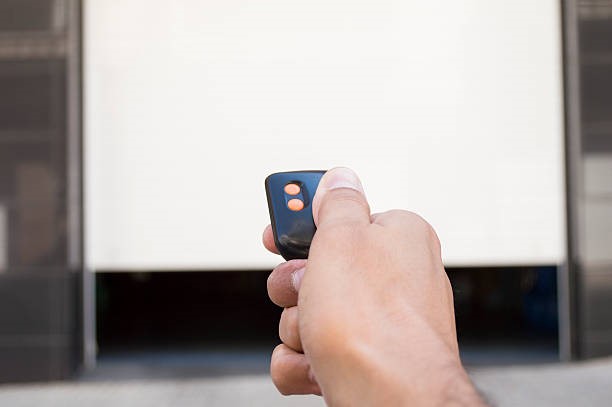
Standing in your driveway with a dead remote is one of the most frustrating modern inconveniences. You just want to get inside, but instead, you are stuck guessing which replacement part will actually work with your aging opener. If you are asking yourself, “How do I know which garage door remote to buy,” you are not alone; this is a common dilemma for millions of homeowners.
The good news is that you do not need to be an electrician to solve this. By identifying a few key details about your current system, you can find the perfect match without wasting money on incompatible devices. This guide will walk you through the exact steps to identify your opener, understand frequency requirements, and choose the right remote for your needs.
Step 1: Identify Your Garage Door Opener Brand and Model
The single most important factor in choosing a remote is compatibility with your specific opener unit. Garage door openers are not universal; a remote designed for a LiftMaster will rarely work with a Chamberlain or Genie unit unless explicitly stated.
Locate the Model Number
To find the correct remote, you must first identify the “brain” of your system—the motor unit attached to your garage ceiling.
- Look for the Label: Climb a sturdy ladder and inspect the back or side of the motor housing. There should be a sticker or plate containing technical data.
- Record the Details: Write down the Brand Name, Model Number, and Serial Number.
- Check the Age: If the label is faded, look for a date code. Openers manufactured after 1993 generally use safer, rolling-code technology, while older units may use fixed codes.
Pro Tip: If you cannot access the motor unit, check the manual if you still have it. Alternatively, look at the existing remote. Sometimes, the model number of the remote is printed on the back inside the battery compartment. However, always prioritize the motor unit’s model number for accuracy.
Step 2: Determine the Frequency and Technology
Once you have the brand, you need to understand the signal language your opener speaks. This involves two main components: frequency and security coding.
Understanding Frequency (MHz)
Garage door remotes operate on specific radio frequencies. In the United States, the two most common frequencies are:
- 315 MHz: Common in many LiftMaster, Chamberlain, and Craftsman models.
- 390 MHz: Often used by Genie, Linear, and some older LiftMaster units.
Using a remote with the wrong frequency is like trying to tune into a radio station that doesn’t exist—it simply will not work. You can usually find the frequency listed on the motor unit’s label or in the original owner’s manual.
Rolling Code vs. Fixed Code
Security technology has evolved significantly over the last three decades.
- Fixed Code (Pre-1993): These remotes send the same code every time. They are less secure and easier to hack. If your opener is this old, you may need a universal “learn button” compatible remote or consider upgrading the entire opener for safety.
- Rolling Code (Post-1993): Also known as Security+ or Intellicode, these systems generate a new code with every press. This prevents code-grabbing thieves from opening your door. Most modern remotes must match this technology to function.
For a deeper understanding of how radio frequency identification works in home security, you can refer to this overview on Radio-frequency identification – Wikipedia.
Step 3: Choose Between OEM, Universal, or Smart Remotes
Now that you know your specs, you have three primary paths for purchasing a replacement. Each has distinct advantages and drawbacks.
Comparison Table: Remote Types
| Feature | OEM (Original Equipment Manufacturer) | Universal Remote | Smart Garage Hub |
|---|---|---|---|
| Compatibility | 100% Guaranteed if model matches | Variable (Check compatibility list) | Works with most openers post-1993 |
| Ease of Setup | Very Easy (Often pre-paired) | Moderate (Requires programming) | Complex (Requires Wi-Fi & App) |
| Price Range | $30 – $60 | $15 – $30 | $40 – $100+ |
| Best For | Peace of mind & exact fit | Budget-conscious buyers | Tech enthusiasts & remote access |
1. OEM Remotes
Buying a remote from the same brand as your opener (e.g., buying a LiftMaster remote for a LiftMaster opener) is the safest bet. These are often sold as “replacement” parts and may come pre-programmed or require a simple sync process.
2. Universal Remotes
Brands like Clicker or Genesis offer universals that claim to work with 95% of openers.
- Pros: Cost-effective and widely available at hardware stores.
- Cons: Programming can be tricky. You must ensure the universal remote supports your specific frequency (315 MHz vs 390 MHz) and brand protocol.
3. Smart Garage Door Openers
If you want to open your door from your phone, consider a smart hub like MyQ or Tailwind. These devices attach to your existing opener and connect to your Wi-Fi.
- Note: These are not traditional handheld remotes but add significant convenience and security monitoring.
Step 4: Check the “Learn Button” Color
If you are buying a universal remote or an OEM replacement, the color of the “Learn Button” on your motor unit is a critical clue. This button is usually located near the antenna wire on the back of the motor.
- Yellow/Purple: Typically indicates Security+ 2.0 (newer models). Requires specific remotes compatible with this protocol.
- Red/Orange: Usually indicates older Security+ or Intellicode systems.
- Green: Often found on very old units or specific brands like Wayne Dalton.
When shopping online, filter your search by this color if the retailer allows it. For example, searching “LiftMaster remote for yellow learn button” will narrow down your options significantly.
Step 5: Verify Compatibility Before Purchasing
Never assume a remote will work based on the brand name alone. Follow this checklist before hitting “Buy”:
- Match the Brand: Ensure the remote lists your opener’s brand (Chamberlain, Genie, etc.).
- Match the Frequency: Confirm it supports 315 MHz or 390 MHz as required.
- Check the Year: Verify the remote supports openers from your unit’s manufacturing year.
- Read Reviews: Look for user reviews mentioning your specific model number. Real-world feedback is invaluable.
FAQ Section
Q1: Can I use any universal remote for my garage door?
No. While “universal” implies broad compatibility, it is not truly universal. You must ensure the remote supports your opener’s specific frequency (315 MHz or 390 MHz) and security protocol (rolling code). Always check the compatibility list on the packaging.
Q2: How do I program a new garage door remote?
Most modern openers use a “Learn Button” method. Press the learn button on the motor unit until the LED light blinks. Within 30 seconds, press the button on your new remote. The light on the motor should flash or turn off, indicating success. Consult your opener’s manual for brand-specific instructions.
Q3: Why won’t my new remote work even though it’s the right model?
There are several reasons. The batteries might be dead, the remote might not be programmed correctly, or the opener’s memory might be full (some units only store 8–10 remotes). Try clearing the opener’s memory and reprogramming all remotes from scratch.
Q4: Is it better to buy a used remote or a new one?
Always buy new. Used remotes may have worn-out buttons, weak batteries, or outdated security protocols. Furthermore, programming a used remote can be complicated if it was previously linked to another system. New remotes ensure reliability and warranty coverage.
Q5: Can I add a remote to an old garage door opener without a learn button?
If your opener lacks a learn button (pre-1993 models), it likely uses dip switches. You must manually match the tiny switches inside the remote to the positions of the switches on the motor unit. If you cannot find dip switches, your opener may be too old for modern remotes, and upgrading the unit is recommended for safety.
Conclusion
Knowing how do I know which garage door remote to buy comes down to three simple steps: identify your opener’s model, confirm the frequency, and choose the right type of remote. Whether you opt for a reliable OEM replacement, a budget-friendly universal option, or a high-tech smart hub, taking the time to verify compatibility will save you hours of frustration.
Don’t let a dead remote lock you out of your own home. Take five minutes to check your motor unit’s label today, and you’ll be back in control of your garage in no time.
Found this guide helpful? Share it with a friend who’s struggling with their garage door, or pin it to your home improvement board for future reference!
Leave a Reply