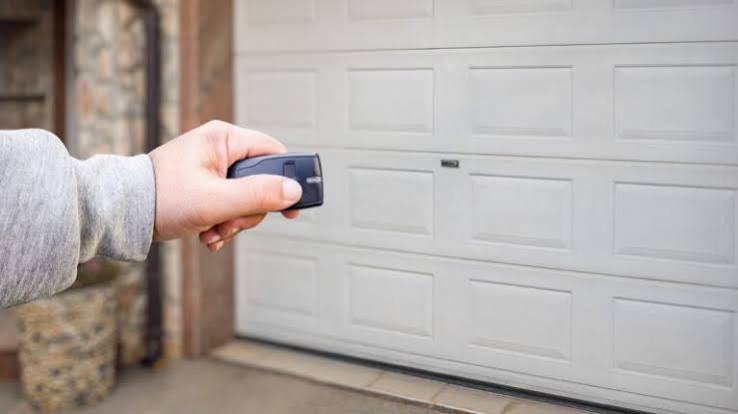
Introduction
It is incredibly frustrating when your garage door will go up but not down with remote, leaving your car stuck outside or your home feeling vulnerable. You are not alone; this is one of the most common garage door issues homeowners face across the United States. Fortunately, the vast majority of these causes are simple to diagnose and fix yourself without calling an expensive professional.
Why Your Garage Door Will Go Up But Not Down With Remote
Modern garage door openers are designed with safety as the absolute top priority. If your door reverses immediately after touching the floor, or refuses to close entirely via the remote, it is almost always triggered by a safety feature.
According to historical safety standards, the Garage door opener has been mandated by US federal law since 1993 to include an auto-reverse mechanism. This means if the system detects any potential obstruction, misalignment, or mechanical resistance, it will default to the safest action: stopping and reversing. Understanding this safety-first design is the key to solving your problem quickly.
Top 5 Reasons and Step-by-Step Fixes
Below are the most common culprits behind this issue, ranked from the easiest to fix to the most complex. Follow these concrete, step-by-step instructions to restore your door’s functionality.
1. Misaligned Photo-Eye Sensors (Most Common)
Your garage door has two small sensors mounted near the floor on either side of the door tracks. One emits an invisible infrared beam, and the other receives it. If the beam is broken, the door will not close.
Step-by-Step Fix:
- Inspect the lights: Look at the LED indicators on both sensors. The sending sensor usually has a steady amber or yellow light. The receiving sensor should have a steady green light. If the green light is blinking or off, they are misaligned.
- Clean the lenses: Use a clean, dry microfiber cloth to gently wipe both sensor lenses. Dust, spider webs, or morning dew can block the beam.
- Realign the brackets: Loosen the wing nut on the sensor bracket just enough to move it. Adjust the sensor until the green LED shines steadily.
- Tighten securely: Once aligned, tighten the wing nut by hand. Do not over-tighten, as this can warp the plastic bracket and cause future misalignment.
2. Obstructed Sensor Path
Even if the sensors are perfectly aligned, physical objects can block the infrared beam.
Step-by-Step Fix:
- Clear a strict 6-inch radius around both sensors.
- Remove any stored boxes, bicycles, or gardening tools that might be protruding into the beam’s path.
- Check for direct, harsh sunlight hitting the receiving sensor in the late afternoon, which can occasionally overwhelm the infrared receiver. If this happens, temporarily shade the sensor with a small piece of cardboard to test if it resolves the issue.
3. Incorrect Down-Travel Limit Settings
The “travel limit” tells the garage door motor exactly how far to move before stopping. If the down limit is set too short, the door will hit the floor, detect resistance, and immediately reverse.
Step-by-Step Fix:
- Locate the limit adjustment screws on the back or side of your motor unit. They are usually labeled “Up” and “Down” and are often colored (e.g., black for down, gray for up).
- Using a flathead screwdriver, turn the down-limit screw exactly one-quarter (1/4) turn in the direction indicated by the arrow on the motor housing.
- Test the door with your remote.
- Repeat this process in 1/4-turn increments until the door closes fully and seals against the weather stripping without reversing. Never turn the screw more than 1/4 turn at a time, as over-adjusting can cause the door to forcefully crush into the floor.
4. Weak or Dying Remote Battery
A low battery can provide enough power to send a brief “open” signal (which requires less sustained power) but fails to maintain the connection for the “close” command, or the opener ignores the weak signal entirely as a security precaution.
Step-by-Step Fix:
- Open your remote casing using a small flathead screwdriver or a coin.
- Remove the old battery. Most modern remotes use a standard CR2032 3V lithium coin battery.
- Insert the new battery, ensuring the positive (+) side faces up.
- Stand exactly 10 feet away from the garage door and press the close button. If it works, the battery was the issue.
5. Worn or Broken Torsion Springs
If the door starts to close but then immediately reverses, the opener might be detecting too much weight. Over time, torsion springs lose their tension, making the door heavier than the motor’s force setting expects.
Action Required:
Do not attempt to fix this yourself. Torsion springs are under extreme tension and can cause severe injury or death if handled improperly. Call a licensed garage door technician to inspect and replace the springs.
Quick Troubleshooting Guide
Use this table to rapidly diagnose your specific symptom:
| Symptom Observed | Most Likely Cause | Immediate Action |
|---|---|---|
| Green sensor light is blinking | Misaligned photo-eyes | Realign brackets until light is solid |
| Door closes, hits floor, then goes up | Down-limit set too short | Adjust down-limit screw 1/4 turn |
| Remote works at 5 ft, but not 15 ft | Weak remote battery | Replace with fresh CR2032 battery |
| Door works with wall button, not remote | Remote desynced or dead | Reprogram remote or replace battery |
| Loud bang before the issue started | Broken torsion spring | Stop use. Call a professional immediately |
Expert Tip: The “Wall Switch” Test
Before you spend hours troubleshooting your remote, perform this simple diagnostic test. Walk inside your garage and press the wall-mounted control button to close the door.
- If the door closes perfectly with the wall button: Your garage door opener, sensors, and springs are perfectly fine. The issue is isolated to your remote control (battery, damage, or needing reprogramming).
- If the door still refuses to close with the wall button: The problem lies with the garage door system itself (sensors, limit settings, or mechanical obstruction), not the remote.
This simple 10-second test will save you from replacing remotes or adjusting sensors unnecessarily.
Frequently Asked Questions (FAQ)
Q1: Why does my garage door close with the wall button but not the remote?
A: This almost always points to a remote-specific issue. The most common reasons are a depleted battery, a desynchronized remote, or physical damage to the remote’s internal circuit board. Try replacing the battery first, then reprogram the remote to the opener according to your manufacturer’s manual.
Q2: What does a blinking light on my garage door sensor mean?
A: A blinking light on the receiving sensor (usually the one with the green LED) indicates that it is not receiving the infrared beam from the sending sensor. This is caused by misalignment, dirt on the lens, or a physical obstruction blocking the path.
Q3: How often should I replace my garage door remote battery?
A: It is recommended to replace the battery every 12 to 18 months as a preventive measure. If you notice you have to press the button multiple times or stand closer to the door than usual, replace the battery immediately.
Q4: Can extreme weather affect my garage door sensors?
A: Yes. Heavy rain, snow, or condensation can create a film of water over the sensor lenses, blocking the infrared beam. Additionally, extreme temperature fluctuations can cause the metal mounting brackets to expand or contract slightly, leading to minor misalignments.
Q5: Is it dangerous to hold the wall button down to force the door closed?
A: Yes, it is highly discouraged. Holding the button bypasses the safety sensors. If a child, pet, or object is in the door’s path, it will not auto-reverse, leading to a severe crushing hazard. Always fix the root cause instead of bypassing safety features.
Conclusion
Dealing with a situation where your garage door will go up but not down with remote is undeniably annoying, but it is rarely a catastrophic failure. By systematically checking your photo-eye sensors, clearing obstructions, adjusting your travel limits, and testing your remote battery, you can resolve the issue safely and efficiently in under 30 minutes.
Remember, your garage door’s safety features are designed to protect your family and property. Never bypass them.
Did this guide help you get your garage door working again? Share this article on Facebook, X (Twitter), or Pinterest to help a friend or neighbor who might be struggling with the exact same frustrating issue today!
Leave a Reply