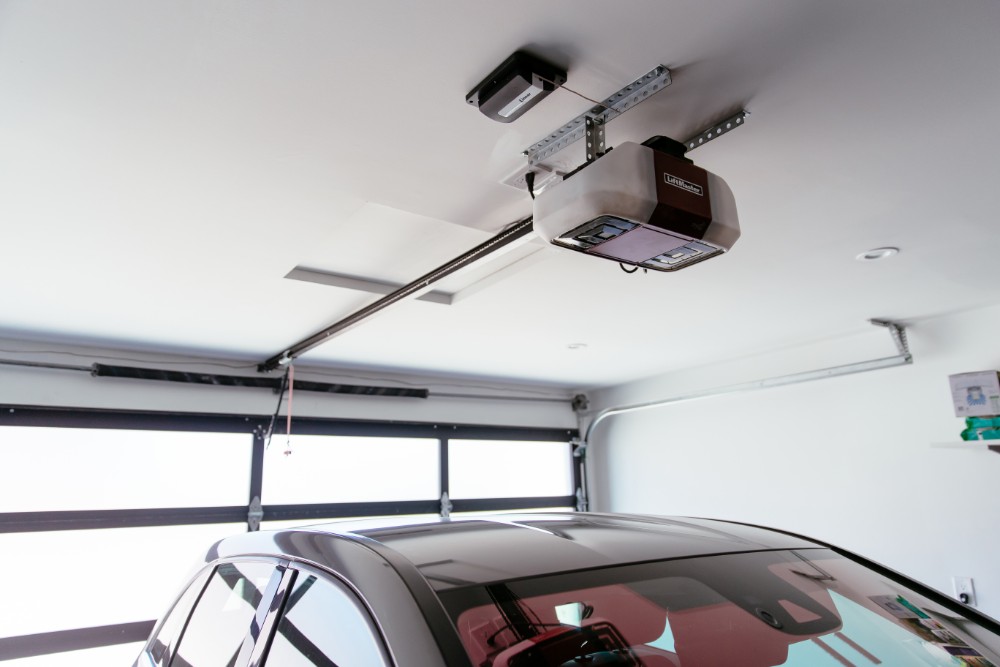
Introduction
Imagine pulling into your driveway after a long day, exhausted from traffic, only to realize you have to dig through your bag or glove compartment to find your remote or phone just to open the garage. It’s a small inconvenience, but it breaks the flow of modern convenience we’ve come to expect. What if your car could talk to your home before you even turned off the engine?
This is no longer science fiction. The ability to garage door opener integrate with car GPS automatic opening is becoming a reality for many homeowners using smart vehicle technology. By leveraging geofencing and location services, your vehicle can signal your garage to open as you approach, creating a truly hands-free experience. In this guide, we will explore how this technology works, which cars support it, and how to set it up safely and effectively.
How Does GPS-Based Garage Integration Work?
To understand how to integrate these systems, we first need to demystify the technology behind them. It isn’t magic; it’s a combination of satellite positioning, cellular data, and secure cloud communication.
The Role of Geofencing
The core technology enabling this feature is called geofencing. A geofence is a virtual perimeter for a real-world geographic area. When you set up your smart garage system, you define a specific radius around your home (e.g., 0.5 miles).
When your car’s GPS detects that it has entered this predefined zone, it sends a signal via its built-in cellular connection to the cloud server hosting your garage door software. The server then verifies the command and sends an instruction to your Wi-Fi-enabled garage door opener to activate.
Latency and Timing
One common concern is timing. You don’t want the door opening when you are still three blocks away, nor do you want to wait at the entrance. Most modern systems allow you to adjust the trigger distance. According to industry standards, a delay of 3–5 seconds between entering the geofence and the door actuating is typical, ensuring you are close enough to enter immediately but not so close that you’re idling in front of a closed door.
Compatible Vehicles and Systems
Not every car on the road can communicate with your garage. This integration requires a “connected car” ecosystem. Here is a breakdown of the major players in the US market.
Major Automotive Brands with Native Integration
| Car Brand | System Name | Compatibility Notes |
|---|---|---|
| Tesla | Tesla App | Uses phone location primarily; native car-to-garage is limited to specific partners like MyQ. |
| GM (Chevy, GMC, Cadillac) | myQ / OnStar | Deep integration with Chamberlain/LiftMaster myQ systems. |
| Ford | FordPass / Sync | Works with various smart home hubs including Ring and Nest. |
| BMW | BMW ConnectedDrive | Compatible with HomeKit and various third-party IFTTT applets. |
| Audi | Audi Connect | Integrates well with Home Assistant and generic MQTT brokers. |
Note: Always check your specific vehicle model year, as connectivity features often change between generations.
Popular Smart Garage Openers
If your car doesn’t have native integration, you can bridge the gap using a smart garage controller. These devices attach to your existing opener and connect to your home Wi-Fi.
- Chamberlain myQ: The market leader, offering direct partnerships with GM and other automakers.
- Tailwind: Known for its robust geofencing accuracy and lack of subscription fees.
- Meross: A budget-friendly option that works well with Apple HomeKit and Google Home.
For a deeper understanding of how global positioning systems function in automotive applications, you can refer to the technical overview on Wikipedia.
Step-by-Step Guide to Setup
Setting up your system correctly is crucial for both convenience and security. Follow these detailed steps to ensure a smooth integration.
Step 1: Install the Smart Garage Hub
Before involving your car, ensure your garage door is smart-enabled.
- Purchase a compatible smart hub (e.g., myQ Smart Garage Control).
- Mount the sensor on the garage door track and the hub within 10 feet of the opener motor.
- Connect the hub to your 2.4GHz Wi-Fi network (most smart home devices do not support 5GHz).
- Download the manufacturer’s app and pair the device. Test opening and closing the door via the app manually.
Step 2: Configure Geofencing Settings
Accuracy is key. If the radius is too large, the door opens prematurely. If too small, you may have to wait.
- Open your car’s companion app (e.g., MyChevrolet, FordPass) or the garage app if using a third-party bridge.
- Navigate to “Settings” > “Home Link” or “Geofence.”
- Set your home address precisely.
- Adjust the trigger radius. Recommendation: Start with a 0.25-mile (400-meter) radius. This usually provides enough time for the door to open fully (typically 10–15 seconds) by the time you reach the driveway.
Step 3: Link Accounts (If Required)
Some ecosystems require account linking.
- In your car’s infotainment system or mobile app, look for “Smart Home” or “Connected Services.”
- Select your garage provider (e.g., Chamberlain myQ).
- Log in with your garage account credentials to authorize the connection.
- Perform a test drive. Drive away from your home until the geofence is exited, then return. Observe if the door triggers upon re-entry.
Safety and Security Considerations
While convenient, automatic opening based on location raises valid security concerns. Here is how to mitigate risks.
Preventing Unauthorized Access
GPS spoofing is a rare but possible threat. To combat this:
- Enable Two-Factor Authentication (2FA): Ensure both your car app and garage app require 2FA.
- Use Multi-Factor Triggers: Some advanced systems require the car to be in “Park” or the driver’s phone to be present via Bluetooth before triggering the door. This prevents the door from opening if you are merely driving past your house.
Avoiding Accidental Openings
What if you drive past your house to get coffee? You don’t want the garage opening.
- Time Delays: Set a minimum time interval between triggers. For example, the system should not trigger again within 30 minutes of the last activation.
- Manual Override: Always keep a physical remote or keypad as a backup. Smart systems can fail due to Wi-Fi outages or power failures.
Pros and Cons of GPS Integration
To help you decide if this feature is right for you, here is a balanced view.
Advantages:
- Hands-Free Convenience: Ideal when carrying groceries, children, or pets.
- Weather Protection: No need to roll down windows in rain or snow to hit a button.
- Modern Appeal: Increases the perceived tech-savviness and value of your home setup.
Disadvantages:
- Dependency on Connectivity: Requires both cellular service (for the car) and Wi-Fi (for the garage).
- Battery Drain: Constant GPS polling can slightly impact your car’s battery life, though negligible in modern EVs and ICE vehicles.
- Privacy Concerns: Your location data is being shared between automotive and home automation servers.
FAQ Section
1. Does my car need to be electric to use GPS garage integration?
No. Both internal combustion engine (ICE) vehicles and electric vehicles (EVs) can use this feature, provided they have a connected telematics system (like OnStar, BMW ConnectedDrive, or FordPass) and a compatible smartphone app.
2. What happens if my Wi-Fi goes down?
If your home Wi-Fi is down, the smart garage hub cannot receive the signal from the cloud. The door will not open automatically. You will need to use the manual wall button inside the garage or a physical remote control.
3. Is it safe to leave my garage door open automatically?
Most systems are designed to close the door if it remains open for a set period (e.g., 10 minutes). However, it is best practice to monitor the status via your app. Some advanced systems use camera verification to ensure the door closes properly.
4. Can I integrate this if I have an old garage door opener?
Yes. You do not need to replace your entire garage door motor. You can install a retro-fit smart controller (like myQ or Tailwind) that attaches to your existing opener’s terminals. As long as your opener has standard safety sensors and a learn button, it can likely be made smart.
5. Does this work with Apple HomeKit?
Many smart garage controllers now support Apple HomeKit. If your car does not natively support HomeKit, you can use an iPhone’s Shortcuts app. Create an automation that triggers “Open Garage” when your iPhone’s location enters your home geofence. This bypasses the need for direct car-to-garage communication.
Conclusion
Integrating your garage door opener with car GPS automatic opening is more than just a luxury; it’s a practical enhancement to daily life that saves time and reduces hassle. By understanding the technology behind geofencing and choosing the right compatible hardware, you can create a seamless transition from your commute to your home.
Remember to prioritize security by enabling two-factor authentication and setting appropriate geofence radii. Whether you drive a Tesla, a Ford, or a Chevy, the ecosystem of smart home devices is expanding rapidly, making this integration easier and more reliable every year.
If you found this guide helpful, please share it with your friends on social media who are looking to upgrade their smart home setup. Have you tried integrating your car with your garage? Let us know your experience in the comments below!
Leave a Reply