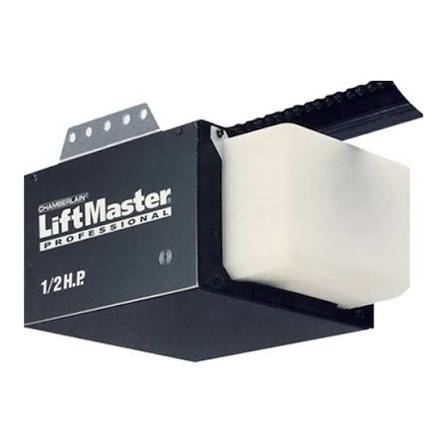
Have you ever stood in your driveway, remote in hand, watching your garage door refuse to budge? It is a frustrating scenario that happens to the best of us. Whether you have just installed a new unit or are trying to revive an older model, finding the correct Chamberlain 1/2 HP Security Plus garage door opener manual is the first step toward regaining control of your home access. This guide will walk you through everything you need to know about operating, programming, and troubleshooting this reliable workhorse of residential garage automation.
Why the Security Plus Technology Matters
Before diving into the buttons and codes, it is helpful to understand what makes the “Security Plus” label significant. Introduced by Chamberlain in the late 1990s and early 2000s, this technology was a major leap forward in home safety.
Unlike older openers that used fixed dip-switch codes (which could be easily guessed or intercepted), Security Plus uses a rolling code system. Every time you press your remote, the opener and the remote sync to a new, unique code. This makes it nearly impossible for thieves to “capture” your signal and replay it to open your door.
According to historical data on home security trends, the adoption of rolling code technology reduced garage-related break-ins significantly during the 2000s. You can read more about the evolution of garage door security standards on Wikipedia’s page regarding Garage Door Openers.
Understanding this feature is crucial because it dictates how you program remotes. You cannot simply copy settings from an old remote; each device must be individually learned by the motor unit.
How to Program a Remote Control
One of the most common reasons users search for a manual is to add a new remote or keypad. The process for a 1/2 HP Security Plus model is generally consistent, though slight variations exist depending on the specific year of manufacture.
Step-by-Step Programming Guide
Follow these precise steps to sync your remote:
- Locate the Learn Button: On your motor unit (hanging from the ceiling), look for a square button. It is usually colored purple, red/orange, or green. It is often located near the hanging antenna wire.
- Clear Old Codes (Optional but Recommended): If you are having issues, hold down the learn button for about 6–10 seconds until the indicator light goes out. This resets the memory. Note: This will erase all previously programmed remotes.
- Initiate Learning Mode: Press and release the learn button quickly. The indicator light will turn on or start blinking. You have approximately 30 seconds to complete the next step.
- Press the Remote Button: While standing within range of the opener, press and hold the button on your remote that you wish to use. Hold it for 3–5 seconds.
- Confirm Success: The lights on the motor unit should flash or click, indicating the code has been accepted. Test the remote immediately.
Pro Tip: If you are programming a wireless keypad, the process is similar, but you will need to enter a 4-digit PIN after pressing the learn button on the motor unit.
Troubleshooting Common Issues
Even the most durable 1/2 HP motors encounter glitches. Here are the most frequent problems and their solutions, derived from common user reports and technical service bulletins.
The Door Reverses Before Closing
This is a safety feature triggered by the sensors. If the door starts to close and then immediately goes back up, check the following:
- Sensor Alignment: Look at the small LED lights on the sensors near the floor. Both should be solid (usually green or amber). If one is blinking or off, they are misaligned. Adjust them until both lights are steady.
- Obstructions: Ensure nothing is blocking the beam between the sensors. Even a spiderweb can trigger the reversal.
- Force Settings: If the sensors are fine, the down-force setting might be too low. Locate the force adjustment dials on the back of the motor unit. Turn the “Down” dial slightly clockwise to increase force. Use caution: Do not set this too high, as it must still reverse if it hits an obstacle.
The Motor Runs But the Door Doesn’t Move
If you hear the motor humming but the chain or belt isn’t moving, the issue is likely mechanical rather than electronic.
- Check the Emergency Release: Did someone pull the red cord? If so, the trolley is disengaged from the drive mechanism. Pull the cord toward the door to re-engage it.
- Inspect the Drive Gear: In older Security Plus models, the plastic drive gear can wear out. If the motor spins freely but nothing moves, the gear may need replacement. This is a common wear-and-tear item for units over 10 years old.
Remote Works Intermittently
If your remote only works when you are very close to the door, consider these factors:
- Battery Strength: Replace the battery with a fresh CR2032 or similar type. Weak batteries cause signal drop-off.
- LED Light Bulbs: Modern LED bulbs in the garage can emit electromagnetic interference that blocks the 315 MHz or 390 MHz frequency used by Security Plus remotes. Try turning off the garage light and testing the remote. If it works better, switch to “garage door opener compatible” LED bulbs.
Maintenance Checklist for Longevity
A 1/2 HP motor is powerful enough for standard single-car and double-car wooden or steel doors. To ensure it lasts 15–20 years, regular maintenance is key.
| Component | Frequency | Action Required |
|---|---|---|
| Rollers & Hinges | Every 6 Months | Lubricate with silicone-based spray. Avoid WD-40 as it attracts dust. |
| Chain/Belt | Every 6 Months | Check tension. The chain should sag about 1/4 inch above the rail. |
| Springs | Annually | Inspect for gaps or rust. Never attempt to adjust torsion springs yourself. |
| Sensors | Monthly | Wipe lenses with a soft cloth to remove dust and cobwebs. |
| Balance Test | Annually | Disconnect the opener and manually lift the door. It should stay open halfway. |
Warning: Garage door springs are under extreme tension. If you notice a gap in the spring or the door feels extremely heavy, contact a professional technician. Attempting DIY repairs on springs can result in serious injury.
When to Replace vs. Repair
Is your Security Plus opener worth fixing? Consider these factors:
- Age: If the unit is over 15 years old, parts may be scarce. Newer models offer smartphone connectivity and quieter operation.
- Cost: A professional service call typically costs $100–$150. If the repair involves the main logic board or motor, it might be more cost-effective to upgrade.
- Safety Features: Older models lack modern safety enhancements like battery backups and enhanced encryption. Upgrading improves home security.
However, if the issue is simple—like a worn gear kit or sensor alignment—repairing is an eco-friendly and budget-conscious choice. The 1/2 HP motor itself is robust and often outlasts its electronic components.
FAQ Section
1. Can I use a universal remote with my Chamberlain Security Plus opener?
Yes, most universal remotes sold today are compatible with Security Plus technology. Look for packages that explicitly mention “Chamberlain,” “LiftMaster,” or “Security+.” You will need to follow the programming steps provided with the universal remote, which usually involve setting dip switches or using a auto-search function.
2. What does the flashing light on my motor unit mean?
A flashing light usually indicates an error code. For example, one flash followed by a pause might indicate a sensor issue, while multiple flashes could point to a travel limit error. Consult your specific model’s manual for the exact code chart. Generally, checking the sensors and travel limits resolves most flashing light issues.
3. How do I change the light bulb in my Chamberlain opener?
Most 1/2 HP Security Plus models use a standard A19 incandescent bulb (max 100 watts) or an equivalent LED. Simply unscrew the old bulb from the socket located on the front of the motor housing. Ensure the power is off or the unit is unplugged before changing the bulb to avoid shock.
4. My keypad isn’t working. How do I reset it?
To reset a wireless keypad, locate the “Learn” button on the motor unit. Press and release it, then immediately go to the keypad and enter your desired 4-digit PIN followed by the “Enter” button. If it still fails, replace the keypad battery and ensure you are within range during programming.
5. Is it safe to leave the garage door partially open?
No. Always ensure the door is fully closed or fully open. Leaving it partially open can strain the motor and springs, leading to premature wear. Additionally, a partially open door is a security risk and may allow pests or weather elements into your garage.
Conclusion
Finding and understanding your Chamberlain 1/2 HP Security Plus garage door opener manual empowers you to handle everyday issues with confidence. From programming new remotes to performing basic maintenance, these steps ensure your garage remains secure and functional.
Remember, regular lubrication and sensor checks can prevent most common breakdowns. If you found this guide helpful, please share it with friends or neighbors who might be struggling with their own garage door openers. A well-maintained garage door is a safe garage door!
Leave a Reply