Introduction
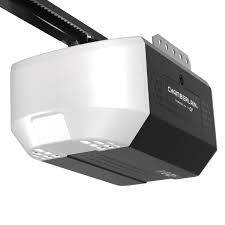
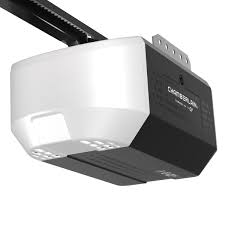
Is your garage door acting up, or did you just move into a new home and realize the instruction booklet is missing? You are not alone; thousands of homeowners face this exact frustration every year. Without proper guidance, even a simple task like programming a remote can feel impossible. This comprehensive guide serves as your digital Chamberlain 1/2 Hp Chain Drive Garage Door Opener Manual, helping you troubleshoot, maintain, and operate your system with confidence and safety.
Understanding Your Chamberlain 1/2 HP Chain Drive System
Before diving into repairs or programming, it is crucial to understand what makes your opener tick. The 1/2 horsepower (HP) motor is the industry standard for single-car and lightweight double-car garage doors. It provides enough torque to lift most residential doors without straining the motor.
The “chain drive” mechanism uses a metal chain, similar to a bicycle chain, to pull the trolley that opens and closes the door. While slightly noisier than belt drives, chain drives are renowned for their durability and cost-effectiveness. According to general industry standards, a well-maintained chain drive opener can last between 10 to 15 years.
For a deeper technical understanding of how garage door openers function mechanically, you can refer to the general principles outlined on Wikipedia’s Garage Door Opener page.
How to Program Remotes and Keypads
One of the most common reasons users search for a manual is to add new access devices. Chamberlain openers typically use a “Learn” button located on the motor unit. Here is the step-by-step process:
- Locate the Learn Button: Look for a square button on the back or side of the motor unit. It is usually yellow, purple, or red.
- Clear Old Codes (Optional): If you are losing remotes, press and hold the Learn button for 6 seconds until the indicator light goes out. This erases all previously programmed codes.
- Program the Remote: Press and release the Learn button. The indicator light will turn on or blink. Within 30 seconds, press and hold the button on your remote that you wish to use.
- Confirm Success: The lights on the motor unit will flash, or you will hear two clicks. This confirms the code has been accepted.
Pro Tip: If you have a wireless keypad, the process is similar. After pressing the Learn button, enter your desired PIN on the keypad and press the “Enter” button.
Troubleshooting Common Issues
Even reliable machines encounter glitches. Here are solutions to the most frequent problems, structured by symptom.
The Door Won’t Open or Close
- Check the Lock Feature: Ensure the lock button on your wall console is not activated.
- Inspect the Sensors: The safety eyes near the floor must be aligned. If the LED light is blinking or off, realign them so they face each other directly. Obstructions like leaves or spiderwebs can also block the beam.
- Power Supply: Verify that the unit is plugged in and the circuit breaker hasn’t tripped.
The Motor Runs, But the Door Doesn’t Move
This usually indicates a disconnect between the motor and the door.
- Emergency Release Cord: Check if the red emergency release cord has been pulled. If so, the trolley is disconnected from the door. Re-engage it by pulling the handle toward the door until it clicks.
- Broken Springs: If the springs above the door are broken, the opener cannot lift the weight. Warning: Never attempt to repair garage door springs yourself. They are under extreme tension and can cause severe injury. Call a professional technician.
Excessive Noise or Grinding
Chain drives are naturally louder, but grinding suggests a problem.
- Lubrication: Lack of lubrication is the primary culprit. Use a silicone-based lubricant or white lithium grease on the chain, rollers, and hinges. Avoid WD-40 as it attracts dust and dries out quickly.
- Loose Hardware: Tighten any loose bolts on the rail brackets and motor mount.
Maintenance Checklist for Longevity
Regular maintenance prevents costly repairs. Follow this schedule to keep your Chamberlain 1/2 HP running smoothly.
| Component | Frequency | Action Required |
|---|---|---|
| Safety Sensors | Monthly | Wipe lenses with a soft cloth; check alignment. |
| Chain & Rail | Every 6 Months | Apply silicone-based lubricant to the chain. |
| Rollers & Hinges | Every 6 Months | Lubricate moving parts; inspect for wear. |
| Balance Test | Annually | Disconnect opener; manually lift door halfway. It should stay in place. |
| Force Settings | Annually | Test reversal mechanism by placing a 2×4 board on the floor. |
Note: Always unplug the opener before performing any mechanical maintenance to prevent accidental activation.
Adjusting Travel Limits and Force Settings
If your door doesn’t close all the way or reverses immediately upon hitting the floor, you need to adjust the travel limits. Most modern Chamberlain models have adjustment screws or buttons on the motor unit labeled “Up Limit” and “Down Limit.”
- Adjusting Down Limit: Turn the down limit screw in small increments (usually clockwise to increase travel). Test the door after each adjustment.
- Adjusting Force: If the door reverses too easily, increase the force setting slightly. However, safety is paramount. The door must reverse if it encounters an obstruction. Test this monthly using the 2×4 board method mentioned in the table above.
When to Replace vs. Repair
Is it time for a new opener? Consider replacement if:
- Your opener is over 15 years old.
- Parts are no longer available.
- You experience frequent breakdowns despite regular maintenance.
- You want upgraded security features like MyQ smartphone control or battery backup.
A 1/2 HP chain drive is a workhorse, but technology advances. Newer models offer quieter operation and better integration with smart home systems.
FAQ Section
Q: Can I use any brand of remote with my Chamberlain opener? A: Generally, you should use Chamberlain-branded remotes or universal remotes specifically listed as compatible with Chamberlain/LiftMaster systems. Compatibility depends on the frequency and security coding protocol used by your specific model year.
Q: Why does my garage door reverse before hitting the floor? A: This is often due to misaligned safety sensors or excessive force settings. First, clean and realign the sensors. If the issue persists, adjust the down force setting slightly higher, but ensure it still reverses when obstructed.
Q: How often should I lubricate the chain? A: For optimal performance and noise reduction, lubricate the chain every six months. Use a high-quality silicone spray or white lithium grease. Avoid heavy oils that can drip onto your car or driveway.
Q: Is a 1/2 HP opener strong enough for a wooden double garage door? A: A 1/2 HP opener is suitable for standard double doors. However, if your door is made of heavy solid wood or has extra insulation, consider upgrading to a 3/4 HP model for smoother operation and reduced strain on the motor.
Q: What does it mean if the LED light on my opener is flashing? A: A flashing LED usually indicates an error code. Refer to your specific model’s diagnostic chart. Common causes include sensor misalignment, overheating, or a need for reprogramming. Count the number of flashes to identify the specific issue.
Conclusion
Owning a Chamberlain 1/2 Hp Chain Drive Garage Door Opener is a reliable choice for homeowners seeking durability and value. By keeping this digital manual handy, you can handle basic programming, perform essential maintenance, and troubleshoot common issues without calling a technician. Remember, regular lubrication and sensor checks are the keys to extending the life of your opener.
Did you find this guide helpful? Share it with your neighbors or on social media to help others tame their garage door woes! Stay safe, and keep your garage running smoothly.
Leave a Reply