Introduction
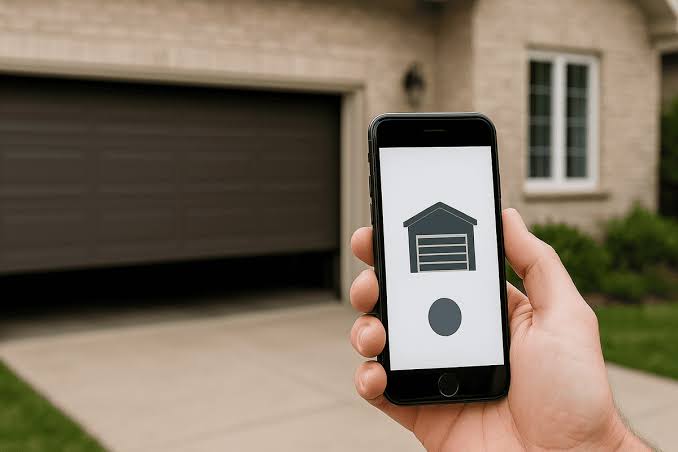
Losing your garage remote or lying in bed wondering if you left the door open is a common modern headache. If you are asking yourself, can you program a garage door opener to your phone, the answer is a resounding yes. With a few simple tools and this easy-to-follow guide, you can transform your traditional garage into a smart, secure, and highly convenient part of your daily routine.
How to Program a Garage Door Opener to Your Phone: The Basics
Before diving into the technical steps, it is helpful to understand how this technology actually works. Modern smart garage systems bridge the gap between your physical garage door motor and your smartphone via your home’s Wi-Fi network.
When you initiate a command from your phone, the signal travels to your router, then to a smart hub (either built into the opener or added externally), which finally triggers the motor to open or close. This process is protected by rolling code technology, meaning the access code changes every single time you use it, preventing hackers from intercepting and replaying the signal.
What Do You Need to Program Your Garage Door to a Phone?
You do not need to be a tech wizard to make this happen. Gather these simple items before you begin:
- A Smartphone: Either iOS or Android, with the latest OS updates installed.
- Stable Wi-Fi Connection: Your garage must receive a strong 2.4 GHz Wi-Fi signal. (Note: Most smart home devices do not support 5 GHz bands).
- Smart Garage Hub or Compatible Opener: If your opener was built after 2010, it might have built-in Wi-Fi. Older models will require an external smart controller.
- A Stepladder: To safely reach the motor unit mounted on your garage ceiling.
- A Small Screwdriver: Occasionally needed to open the light cover on the motor unit to access the “Learn” button.
Can All Garage Door Openers Be Connected to a Phone?
The short answer is: almost all of them. While newer models (manufactured after 2015) often come with built-in Wi-Fi capabilities, older models can still be upgraded.
The evolution of the garage door opener has transitioned from simple, vulnerable radio frequencies to highly encrypted Wi-Fi signals, ensuring modern security standards. As long as your garage door opener has standard safety reversal sensors (mandatory for all units manufactured after 1993 in the US), you can attach a universal smart garage controller to it.
Step-by-Step Guide: Programming Your Garage Door Opener
Follow these concrete, detailed steps to successfully connect your garage door to your smartphone.
Step 1: Download the Official App
Identify your garage door opener brand (e.g., Chamberlain, LiftMaster, Genie). Download the corresponding official app, such as myQ or Aladdin Connect, from the Apple App Store or Google Play Store. Create a secure account using a strong password.
Step 2: Locate the “Learn” Button
Climb your stepladder and locate the motor unit. Find the “Learn” or “Smart” button. It is typically located on the back or side of the unit and is usually colored yellow, purple, red, or green. You may need to remove the plastic light lens cover to see it.
Step 3: Activate Pairing Mode
Press and hold the “Learn” button for exactly 6 seconds until the adjacent LED indicator light begins to blink rapidly. This puts the motor into pairing mode for a 30-second window.
Step 4: Connect via the Smartphone App
Open the app on your phone and tap “Add Device” or the “+” icon. The app will scan for nearby smart garage hubs. Select your device from the list.
Step 5: Enter Wi-Fi Credentials
When prompted, enter your home’s 2.4 GHz Wi-Fi password. Ensure you type it correctly, as special characters can sometimes cause connection failures.
Step 6: Confirm the Connection
Wait patiently for 30 to 45 seconds. The app will display a “Connection Successful” message, and the LED light on the motor unit will stop blinking and remain solid. Test the door by tapping “Open” or “Close” in the app.
Smart Garage Hub vs. Built-in Wi-Fi: A Quick Comparison
If you are deciding whether to buy a new opener or upgrade your old one, this comparison will help you choose the right path.
| Feature | Built-in Wi-Fi Opener | External Smart Garage Hub |
|---|---|---|
| Cost | Higher ($300–$600+) | Lower ($30–$100) |
| Installation | Requires full motor replacement | DIY-friendly, attaches to existing motor |
| Compatibility | Only works with its own ecosystem | Universal (works with most brands post-1993) |
| Aesthetics | Clean, seamless, no extra wires | Small box with wires hanging near the motor |
| Best For | New home builds or total replacements | Budget-conscious upgrades and renters |
Expert Insights and Real-World Benefits
Integrating your garage with your phone is not just a gimmick; it provides tangible security and peace of mind.
“Integrating your garage door with your smartphone isn’t just about convenience; it’s a critical layer of home security. Rolling code technology and encrypted Wi-Fi signals prevent the ‘code-grabbing’ attacks that plagued older radio-frequency models,” explains Sarah Jenkins, a certified smart home security analyst.
Furthermore, a 2024 consumer survey by a leading home security firm revealed that households with smart garage controllers reported a 40% decrease in “did I leave the door open?” anxiety. Users can simply check their phone or rely on automatic push notifications to verify the door’s status instantly, even when they are miles away.
Frequently Asked Questions (FAQ)
Q1: Is it safe to connect my garage door to my phone?
A: Yes, it is highly safe when done correctly. Modern apps use end-to-end encryption and multi-factor authentication (MFA). Always enable MFA in your app settings and use a strong, unique password to protect your account from unauthorized access.
Q2: What if my garage door opener is older than 15 years?
A: You can still connect it! You will need to purchase a universal smart garage door hub (like a Chamberlain myQ Smart Garage Control). These devices use a physical sensor attached to the door to detect if it is open or closed, bypassing the need for modern digital communication from the old motor.
Q3: Can I control multiple garage doors from one phone?
A: Absolutely. Most smart garage apps allow you to add and name multiple devices (e.g., “Main Garage,” “Workshop Door”). You can control and monitor all of them from a single, unified dashboard on your smartphone.
Q4: Does programming the garage door to my phone require an active internet connection?
A: Yes, remote access requires both your phone and the garage hub to be connected to the internet. However, some systems offer local Bluetooth control as a backup, allowing you to open the door even if your home Wi-Fi temporarily goes down, provided you are within a 30-foot range.
Q5: Will adding a smart hub void my garage door manufacturer’s warranty?
A: Generally, no. Universal smart hubs are designed to be non-invasive. They simply mimic the press of a physical wall button. However, it is always wise to check your specific manufacturer’s warranty terms before installation.
Conclusion
Upgrading your garage is easier than you might think. By learning can you program a garage door opener to your phone, you unlock a world of convenience, enhanced security, and ultimate peace of mind. Whether you choose a built-in Wi-Fi model or a simple external smart hub, the ability to check and control your garage from anywhere is a game-changer for modern homeowners.
Did you find this guide helpful? Share this article on Facebook, X (Twitter), or Pinterest to help your friends and family upgrade their homes too! If you have any questions or personal tips about your smart garage setup, leave a comment below—we love hearing from our readers.
Leave a Reply