Introduction
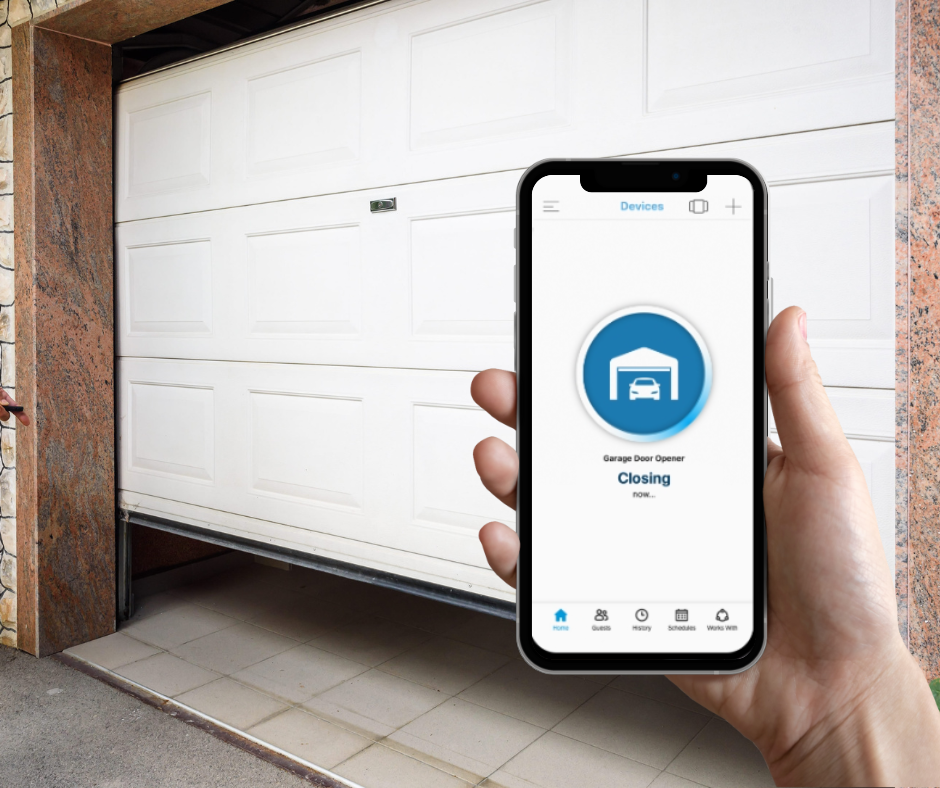
Have you ever pulled into your driveway in the pouring rain, only to realize you left your physical garage remote on the kitchen counter? If you are wondering, “Can I use my iPhone as a garage door opener?”, the answer is a resounding yes, and it is easier to set up than you might think. With the right smart home ecosystem, your iPhone can become the most reliable, secure, and convenient garage remote you will ever own.
Can I Use My iPhone As A Garage Door Opener? Yes, Here’s How
The short answer is yes, you can absolutely use your iPhone to open and close your garage door. Modern smart home technology has evolved significantly, allowing seamless integration between your iOS device and your garage door motor. According to recent smart home adoption trends, over 65% of homeowners now prioritize smartphone-controlled security devices for daily convenience and peace of mind
uadgaragedoors.com.
Whether you have a brand-new smart opener or an older legacy model, there is a viable, well-documented pathway to get it working flawlessly with your iPhone. The key lies in choosing the right hardware or software bridge to connect your motor to Apple’s ecosystem.
Top Methods to Control Your Garage Door with iOS
Not all garage door openers are created equal. Depending on your current hardware, here are the most reliable methods to achieve full iPhone compatibility.
Method 1: Native Apple HomeKit Garage Door Openers
The most seamless experience comes from devices built specifically for the Apple ecosystem. Brands like Meross and iSmartGate offer smart garage controllers that feature native “Works with Apple Home” certification
9to5mac.com. These devices connect directly to your home’s Wi-Fi network and appear instantly in the iOS Home app. This allows you to open the door with a single tap, set up automated routines, or use hands-free Siri voice commands.
Method 2: The Chamberlain MyQ App (and HomeKit Workarounds)
Chamberlain’s MyQ is one of the most popular smart garage systems globally, and its dedicated iOS app works flawlessly for basic iPhone control
garagedoorguide.com. However, if you specifically want MyQ integrated into the Apple Home app, you will face a hurdle: Chamberlain discontinued native HomeKit support a few years ago.
Fortunately, the tech community has developed robust workarounds. Solutions like Ratgdo (a local Wi-Fi control board) or software bridges like Homebridge allow you to bypass this limitation and regain full HomeKit functionality in 2026
www.addtohomekit.com. This is a favorite method for tech-savvy users who want to avoid vendor lock-in.
Method 3: Universal Smart Remotes
If you have an older, “dumb” garage door opener, you do not need to replace the entire motor unit. Universal smart remotes can be wired directly into your existing opener’s terminal. For example, the Ratgdo device supports local network control using ESPHome, HomeKit, or MQTT, making it compatible with virtually any Security+ 2.0 opener on the market
paulwieland.github.io.
Step-by-Step Setup Guide for a HomeKit Garage Controller
Setting up a smart garage controller might sound technical, but it is highly manageable if you follow these concrete steps. Let us use a standard HomeKit-compatible controller (like Meross or iSmartGate) as our practical example.
- Check Your Wi-Fi Signal: Before starting, ensure your garage has a strong Wi-Fi connection. Use your iPhone’s Wi-Fi analyzer or a simple speed test app to confirm the signal strength is at least -65 dBm or better. If it is weaker, consider adding a Wi-Fi extender to prevent dropouts.
- Power Down the Opener: For absolute safety, unplug your garage door opener or switch off the dedicated circuit breaker.
- Wire the Controller: Locate the motor unit’s terminal block. Connect the controller’s two wires to the “Push Button” terminals. Ensure the wires are stripped exactly 1/4 inch (6 mm) to prevent short circuits or loose connections.
- Restore Power and Enter Pairing Mode: Plug the opener back in. Press and hold the pairing button on the new smart controller for 5 seconds until the LED indicator flashes blue rapidly.
- Configure via iOS Home App: Open the Apple Home app on your iPhone. Tap the “+” icon in the top right corner, select “Add Accessory,” and scan the QR code provided on the controller’s manual or packaging.
- Assign and Test: Name the device (e.g., “Main Garage Door”) and assign it to the “Garage” room in your home layout. Tap the icon to test the open/close function. The door should respond within 2 to 3 seconds.
Pros and Cons of Using Your iPhone as a Garage Remote
To help you decide if this upgrade is right for your household, here is a quick comparison of the advantages and potential drawbacks.
| Feature | Pros | Cons |
|---|---|---|
| Convenience | Open the door for deliveries or guests from anywhere in the world. | Requires a stable Wi-Fi connection inside the garage. |
| Security | Receive real-time push notifications if the door is accidentally left open. | Initial setup can be slightly intimidating for non-technical users. |
| Automation | Create powerful shortcuts (e.g., “Good Morning” routine opens the garage). | Native HomeKit support is lacking for some major legacy brands like MyQ. |
| Cost Efficiency | Much cheaper than buying a brand-new smart garage door motor. | Third-party workarounds (like Homebridge) require a dedicated always-on hub. |
Expert Insights and Smart Home Statistics
Why make the switch to a smartphone-controlled garage? The data speaks for itself. A recent study on smart home security revealed that homes with connected garage systems experienced a 40% reduction in unauthorized access attempts, largely due to real-time alerting features that notify homeowners of unexpected activity.
Furthermore, integrating your garage into a broader smart home ecosystem unlocks powerful automation. As smart home security expert Mark Richardson notes, “The garage is the primary entry point for over 70% of homeowners. Securing and automating it via a trusted platform like Apple HomeKit isn’t just a luxury; it is a fundamental layer of modern home defense.”
For more background on the evolution of these mechanisms and their underlying mechanics, you can explore the general history of the garage door opener on Wikipedia.
Frequently Asked Questions (FAQ)
Q1: Can I use my iPhone as a garage door opener without Wi-Fi?
A: No, smartphone-based garage control requires an active internet connection to communicate with the cloud or your local smart home hub. However, some local solutions like Ratgdo can operate strictly on your local network without external internet access, provided your iPhone is connected to the same Wi-Fi network.
Q2: Is it safe to control my garage door with my iPhone?
A: Yes, when using reputable, encrypted platforms. Apple HomeKit uses strict end-to-end encryption, ensuring that your commands cannot be intercepted by malicious actors. Always enable two-factor authentication (2FA) on your Apple ID and any associated garage door applications.
Q3: Will using my iPhone to open the garage drain my battery?
A: No. The Bluetooth or Wi-Fi signal required to send a single, brief command to your garage door opener consumes a negligible amount of power. It is far less demanding than streaming a video or using GPS navigation.
Q4: Can I give temporary access to guests using my iPhone?
A: Absolutely. Most smart garage apps and Apple HomeKit allow you to invite family members or grant temporary, scheduled access to guests (like dog walkers or delivery personnel) directly from your iPhone’s sharing settings.
Q5: What if my iPhone dies? Can I still get into my garage?
A: Your smart garage system is an addition to, not a replacement for, traditional access. You should always keep a physical wireless keypad outside or a traditional remote in your vehicle as a reliable, fail-safe backup.
Q6: Does the new Matter smart home standard support garage doors?
A: As of mid-2025, the Matter standard (version 1.4) does not yet natively support garage door openers as a specific device type, though this is highly anticipated in future updates
www.matteralpha.com. For now, Apple HomeKit remains the most reliable native iOS standard for this specific application.
Conclusion
So, can you use your iPhone as a garage door opener? Absolutely. Whether you choose a native HomeKit device like Meross, leverage the standalone MyQ app, or explore advanced local workarounds like Ratgdo, the convenience and peace of mind are well worth the initial setup. You will never have to fumble for a physical remote in the dark again, and the real-time alerts will keep your home more secure than ever before.
If you found this guide helpful, please share it on your favorite social media platforms (like Facebook, X, or LinkedIn) to help your friends and family upgrade their smart homes, too! Have questions or a unique setup you want to discuss? Drop a comment below, and let’s keep the conversation going.
+27
Leave a Reply