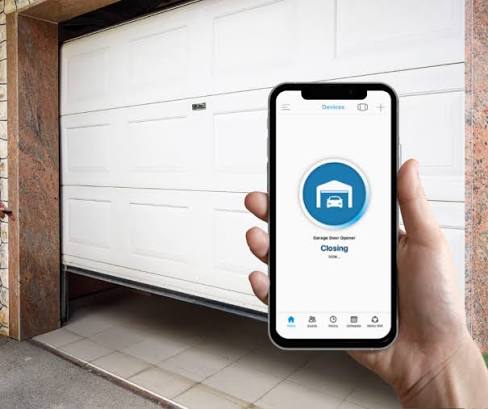
We’ve all been there: driving away from home and suddenly panicking, wondering if you left the garage door wide open. If you are currently asking yourself, “Can I Program My Garage Door Opener To My Phone?”, the short answer is a resounding yes! We know how frustrating it is to manage a busy household, and upgrading to a smart setup will give you incredible convenience and total peace of mind.
Can I Program My Garage Door Opener To My Phone? The Compatibility Check
Before you buy any equipment, you need to know what you are working with. Most homeowners assume they need to completely replace their current heavy motor to get smart features. Fortunately, that is rarely the case today.
If your current opener was manufactured after 2011, it likely has a standard radio-frequency receiver that can easily be adapted. According to the evolution of home automation, a standard garage door opener has transformed from a simple remote-controlled motor into a highly adaptable internet-connected smart device.
To check your compatibility, look up at your motor unit and find the “Learn” button.
- Yellow, Red, Purple, or Orange buttons: These are universally compatible with most smart Wi-Fi hubs.
- Green buttons: These are older (pre-1993) and might require a specialized adapter or a full system replacement.
Smart Garage Hub vs. Buying a New Opener
If your system is compatible, you have two main choices. You can either buy a smart controller hub or replace the entire unit. Here is a quick comparison to help you decide what fits your budget and DIY skills.
| Feature | Smart Garage Hub (e.g., myQ) | Brand New Smart Opener |
|---|---|---|
| Estimated Cost | $30 – $50 | $250 – $450+ |
| Installation Time | 10 – 15 Minutes | 2 – 4 Hours |
| DIY Friendly? | Extremely Easy | Moderate (requires wiring) |
| Best For… | Existing, working openers | Broken or very noisy openers |
| Camera Included? | Sometimes (varies by model) | Often built into the motor |
Expert Tip: If your current door opens smoothly and quietly, always choose the smart hub. It is the most cost-effective way to modernize your home without dealing with heavy lifting and complex wiring.
Step-by-Step: How to Connect Your Garage Door to Your Phone
Ready to take control of your home? Follow this exact tutorial to get your phone synced up safely and quickly.
Step 1: Position the Smart Hub
Unbox your smart garage hub. Plug it into a standard electrical outlet in the garage.
- Crucial Detail: The hub must be placed within 15 feet of your garage door motor for the initial pairing process.
- Ensure the hub is not blocked by large metal objects or thick concrete walls, which can interfere with the signal.
Step 2: Download the Companion App
Open the App Store (iOS) or Google Play Store (Android) on your smartphone. Download the official app recommended by your hub’s manufacturer (such as the myQ app for Chamberlain/LiftMaster). Create a secure account using a strong, unique password.
Step 3: Connect to Your 2.4 GHz Wi-Fi Network
This is where most people get stuck! Most smart home devices cannot connect to a 5 GHz Wi-Fi band.
- Open your router settings or check your Wi-Fi list.
- Connect your phone specifically to your 2.4 GHz network.
- Open the smart app and follow the prompt to link the hub to this specific network.
Step 4: Sync the Hub to the Motor
Walk over to your garage door motor unit with a step ladder.
- Locate the “Learn” button (usually near the hanging antenna wire).
- Press and release the button. An LED light will usually turn on or start blinking.
- Within 60 seconds, tap “Add Device” or “Sync” on your smartphone app.
- Wait for the app to confirm a successful connection. This usually takes about 30 to 45 seconds.
Step 5: Mount and Test
Once synced, use the provided double-sided VHB tape to permanently mount the hub to the ceiling, facing the motor.
- The Real-World Test: Step completely outside your house. Close the app, wait 10 seconds, reopen it, and tap “Close.” Watch the door shut safely. If it works, you are fully operational!
Real-World Benefits: Why This Upgrade Matters
Why go through this effort? According to a 2025 smart home security report, over 45% of US homeowners now use smart entry devices primarily to prevent package theft and monitor deliveries.
When you program your garage door to your phone, you unlock several life-changing features:
- Virtual Keys: Give a temporary digital key to your dog walker or house sitter without hiding a physical key under the mat.
- Delivery Monitoring: Watch your garage camera while a courier places groceries safely inside.
- Historical Logs: See exactly what time your teenager pulled into the driveway after school.
Advanced Feature: Set Up Geofencing (Auto-Close)
The absolute best feature of modern apps is Geofencing. This uses your phone’s GPS location to create a virtual perimeter around your house.
- Open your app settings and find the “Auto-Close” or “Geofencing” tab.
- Set the perimeter radius to 1 mile from your home.
- Enable the alerts.
Now, if you drive away and forget to close the door, the app will detect you have crossed the 1-mile boundary. It will send a push notification asking, “Did you mean to leave the garage open?” You can tap the screen to close it instantly, or set it to auto-close automatically.
Frequently Asked Questions (FAQ)
Q: Do I need a Wi-Fi connection to open my garage with my phone? Yes. Your smart hub relies on your home’s Wi-Fi to communicate with the cloud, which then communicates with your phone. If your home internet goes down, you will need to use your traditional physical remote or wall button until the Wi-Fi is restored.
Q: Is it safe from hackers? Modern smart garage apps use 128-bit or 256-bit end-to-end encryption, which is the same security standard used by major banks. To keep it safe, ensure you use Two-Factor Authentication (2FA) on your app account and never share your login credentials.
Q: Can multiple family members control the same garage door? Absolutely. You do not need to share your personal login. Most apps have a “Guest” or “Family” feature. You simply enter their email address, and they receive an invite to access the garage door from their own smartphone app. You can revoke this access at any time.
Q: What happens to my phone control if the power goes out? If your home loses electricity, the smart hub and the garage motor will turn off. Your phone control will be offline. However, once power is restored, the hub will automatically reconnect to your Wi-Fi within 2 to 3 minutes without requiring manual reprogramming.
Q: Can I integrate this with Alexa or Google Home? Yes, but with a catch. For safety reasons, voice assistants require a security PIN to open a garage door. For example, you can say, “Alexa, ask myQ to close the garage,” but to open it, she will ask, “What is your PIN?” This prevents someone from yelling through a window to unlock your home.
Conclusion
Upgrading your home’s entryway has never been easier. By answering the question, “Can I program my garage door opener to my phone?”, you are taking a massive step toward a safer, more efficient home. You will save money on installation, deter porch pirates, and never again suffer the anxiety of an open garage door while on vacation.
If this step-by-step guide saved you a headache today, please share this article on Facebook, Twitter, or Pinterest! Help your friends and neighbors discover how easy it is to modernize their homes with a simple tap of a screen.
Leave a Reply