Introduction
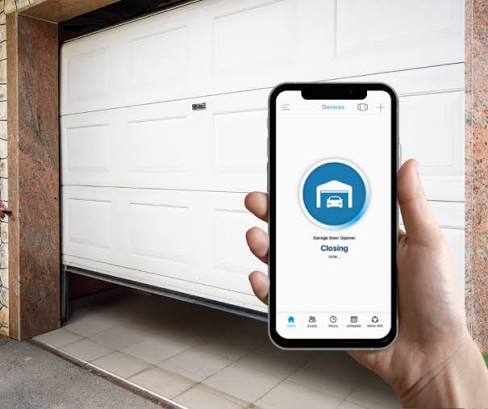
There is nothing quite as frustrating as pulling into your driveway, rain pouring down, and realizing you left your physical garage remote inside the house or in your other car. In our increasingly connected world, we expect our smartphones to handle everything from banking to lighting, so it is natural to ask: Can I program my garage door opener to my iPhone?
The short answer is yes, but it is not as simple as pressing a single “pair” button like you would with a traditional handheld remote. Most standard garage door openers do not have built-in Bluetooth or Wi-Fi capabilities that communicate directly with iOS. However, with the right smart accessories or modern hardware upgrades, you can absolutely control your garage door from your iPhone, anywhere in the world. This guide will walk you through the most reliable methods to achieve this, ensuring you never get locked out again.
Understanding the Technology: Why It Isn’t Direct Pairing
Before diving into the solutions, it is crucial to understand why you cannot simply go into your iPhone’s Bluetooth settings and pair it with a 10-year-old Chamberlain or Craftsman opener.
Traditional garage door openers use radio frequency (RF) signals, typically at 315 MHz or 390 MHz. Your iPhone, however, communicates via Wi-Fi, Bluetooth Low Energy (BLE), and Near Field Communication (NFC). These technologies speak different languages. Therefore, to bridge this gap, you need a translator—a smart device that receives commands from your iPhone over the internet or Bluetooth and sends the corresponding RF signal to your garage door motor.
According to data from Statista, the smart home market in the United States is projected to continue its robust growth, with security and access control being primary drivers for adoption. Integrating your garage door into this ecosystem is no longer a luxury; it is a standard expectation for modern homeowners.
Method 1: Using a Smart Garage Hub (The Easiest Retrofit)
If you have an existing garage door opener that works fine but lacks smart features, adding a smart hub is the most cost-effective solution. These devices attach to your current motor unit and connect to your home Wi-Fi.
Top Compatible Devices
- Chamberlain myQ Smart Garage Control: One of the most popular options. It works with most major brands installed after 1993.
- Meross Smart Garage Door Opener: A budget-friendly alternative that supports Apple HomeKit, Google Assistant, and Alexa.
- Tailwind Smart Garage Controller: Known for its sleek design and geofencing capabilities.
Step-by-Step Installation Guide
- Check Compatibility: Visit the manufacturer’s website to ensure your specific garage door opener model is compatible. You will need to know the brand and model number, usually found on a sticker on the motor unit.
- Mount the Sensor: Attach the smart hub to the ceiling near the motor unit. Most kits come with adhesive strips or screws. Ensure the door position sensor (a small magnetic piece) is aligned correctly on the door track.
- Power the Hub: Plug the device into a nearby electrical outlet. If no outlet is nearby, you may need an extension cord or a hardwired installation by a professional.
- Download the App: Install the corresponding app (e.g., myQ, Meross Home) on your iPhone.
- Connect to Wi-Fi: Follow the in-app instructions to connect the hub to your 2.4 GHz Wi-Fi network. Note: Most smart home devices do not support 5 GHz networks.
- Test the Connection: Use the app to open and close the door. Once confirmed, you can add the device to Apple HomeKit if supported.
Pro Tip: For the best experience, ensure your Wi-Fi signal is strong in the garage. If the signal is weak, consider installing a Wi-Fi extender.
Method 2: Upgrading to a Native Smart Garage Door Opener
If your current opener is old, noisy, or frequently breaks down, it might be time for a full replacement. Modern smart openers come with built-in Wi-Fi and Bluetooth, offering a more integrated and reliable experience.
Benefits of Native Smart Openers
- Enhanced Security: Encrypted connections reduce the risk of hacking.
- Quieter Operation: Newer models often use belt-drive systems instead of chain drives.
- Battery Backup: Many smart openers include battery backups to operate during power outages.
Popular Models
- LiftMaster 87504-267: Features myQ technology and battery backup.
- Chamberlain B970: A belt-drive model with ultra-quiet operation and smartphone control.
For more detailed technical specifications on garage door opener frequencies and safety standards, you can refer to Wikipedia’s entry on Garage Door Openers.
Method 3: Leveraging Apple HomeKit and Siri Shortcuts
One of the biggest advantages of using an iPhone is the seamless integration with Apple HomeKit. If your smart garage hub or opener supports HomeKit, you can control your door using Siri or the Home app.
How to Set Up HomeKit Integration
- Open the Home App: Launch the Home app on your iPhone.
- Add Accessory: Tap the “+” icon and select “Add Accessory.”
- Scan the Code: Scan the HomeKit setup code provided with your smart garage device.
- Assign to Room: Place the accessory in the “Garage” room for easier organization.
- Create Automations: You can set up automations such as:
- “When I leave home, close the garage door.”
- “When I arrive home between 6 PM and 10 PM, open the garage door.”
Using Siri Voice Commands
Once set up, you can use voice commands like:
- “Hey Siri, open the garage door.”
- “Hey Siri, is the garage door closed?”
This hands-free capability is particularly useful when your arms are full of groceries.
Comparison: Smart Hub vs. New Opener
| Feature | Smart Garage Hub | New Smart Opener |
|---|---|---|
| Cost | $30 – $100 | $300 – $600+ |
| Installation Difficulty | Easy (DIY) | Moderate to Hard (Professional recommended) |
| Compatibility | Works with existing openers | Replaces existing opener |
| Features | Basic open/close, status check | Quiet operation, battery backup, advanced security |
| Best For | Budget-conscious users, renters | Homeowners needing replacement, new builds |
Security Considerations
When connecting your garage door to the internet, security should be a top priority. Here are some best practices:
- Use Strong Passwords: Ensure your Wi-Fi and smart home app accounts have unique, complex passwords.
- Enable Two-Factor Authentication (2FA): Most reputable apps offer 2FA. Enable it to add an extra layer of security.
- Keep Firmware Updated: Regularly check for firmware updates for your smart hub or opener to patch any security vulnerabilities.
- Monitor Activity: Use the app’s history feature to monitor who opens and closes the door and when.
FAQ Section
1. Can I program my garage door opener to my iPhone without Wi-Fi?
Generally, no. Most smart garage solutions require Wi-Fi to communicate with your iPhone when you are away from home. However, some devices use Bluetooth for local control when you are within range of your garage, but this limits functionality to your immediate vicinity.
2. Is it safe to control my garage door with my iPhone?
Yes, provided you use reputable brands and follow security best practices. Leading manufacturers use encryption to protect data transmission. Always enable two-factor authentication and keep your software updated.
3. Will a smart garage hub work with my old garage door opener?
Most smart hubs are compatible with openers manufactured after 1993. However, compatibility varies by brand and model. Always check the manufacturer’s compatibility list before purchasing. If your opener is very old, it may lack the necessary safety sensors required for smart integration.
4. Can I share access to my garage door with family members?
Yes, most smart garage apps allow you to invite family members or trusted neighbors to control the door. You can usually manage permissions, such as allowing them to open but not close the door, or setting time-limited access.
5. What happens if my Wi-Fi goes down?
If your Wi-Fi goes down, you will not be able to control the garage door remotely via your iPhone. However, you can still use your physical remote control or the wall-mounted button inside the garage. Some advanced hubs have cellular backups, but these are rare and more expensive.
6. Does integrating with iPhone drain my battery?
Using the app occasionally to check status or open the door has a negligible impact on your iPhone’s battery life. Background processes for HomeKit are optimized by Apple to minimize energy consumption.
Conclusion
So, can you program your garage door opener to your iPhone? Absolutely. While you cannot pair it directly like a Bluetooth headset, using a smart garage hub or upgrading to a modern smart opener provides a seamless, secure, and convenient way to control your garage from your iOS device.
Whether you choose a budget-friendly retrofit hub or a high-end native smart opener, the benefits are clear: enhanced security, remote access, and the peace of mind that comes with knowing your garage is secure, no matter where you are.
Don’t let outdated technology hold you back. Take the first step toward a smarter home today. If you found this guide helpful, please share it with your friends and family on social media who might also be struggling with their garage door remotes!
Leave a Reply