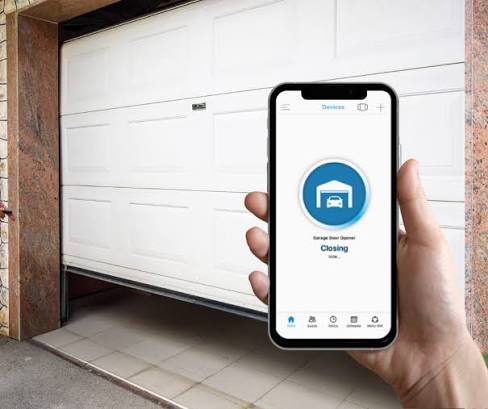
Have you ever pulled into your driveway in the pouring rain, desperately digging for a remote that is nowhere to be found? You are not alone, and the good news is that you no longer need to worry about being locked out in the cold. If you have been asking yourself, can I open my garage door with my Android phone, the answer is a resounding yes, and it is easier than you might think.
How You Can Open Your Garage Door With Your Android Phone
The short answer is yes, you can absolutely use your Android device to open and close your garage door. Modern technology has transformed the traditional garage door remote into a sophisticated, app-based experience.
According to a 2025 smart home adoption report, over 45% of US homeowners now utilize smart devices for home security and convenience, with garage door controllers ranking among the top three most installed devices. By leveraging your phone’s internet connection, you can monitor and control your garage from anywhere in the world.
There are three primary methods to achieve this, depending on your current setup and budget. Let us break them down.
Method 1: Using a Dedicated Smart Garage Door Opener
If you are in the market for a new garage door system, purchasing a built-in smart opener is the most seamless route. Brands like Chamberlain (myQ), LiftMaster, and Genie offer models with native Wi-Fi capabilities.
- How it works: The motor contains a built-in Wi-Fi chip that connects directly to your home network.
- Best for: Homeowners building a new garage or replacing an outdated motor (10+ years old).
Method 2: Adding a Smart Wi-Fi Module to an Existing Opener
You do not need to replace your entire garage door system to gain smart features. For most openers manufactured after 1993, you can purchase a third-party smart garage hub.
- How it works: A small device plugs into a standard wall outlet and connects to your opener’s wall button terminals. Popular options include the Meross Smart Garage Door Opener and Tailwind.
- Best for: Budget-conscious users who want to upgrade their current system for under $50.
Method 3: Using Universal Remote Apps (With Limitations)
Some older Android phones featured built-in Infrared (IR) blasters, allowing them to mimic traditional remotes. While rare in modern flagships, universal remote apps paired with a smart IR hub (like Broadlink) can still work.
- How it works: The app sends a signal to a local hub, which then blasts the IR or radio frequency to the garage door.
- Best for: Tech enthusiasts who already own a smart IR hub and want to experiment.
Smart Garage Control: Pros vs. Cons
| Feature | Advantages (Pros) | Disadvantages (Cons) |
|---|---|---|
| Convenience | Open the door for deliveries or guests remotely. | Requires a stable Wi-Fi or cellular connection. |
| Security | Receive real-time alerts if the door is left open. | Vulnerable to cyber threats if not properly secured. |
| Integration | Works with Google Assistant and Amazon Alexa. | Initial setup can be intimidating for non-tech users. |
| History Logs | View a timestamped log of every open/close event. | Third-party apps may require a subscription for advanced features. |
Step-by-Step Guide: Setting Up a Smart Garage Hub
If you choose Method 2 (adding a smart module), follow this concrete, step-by-step tutorial to ensure a safe and successful installation.
Step 1: Prepare Your Tools and Environment
Gather a Phillips-head screwdriver, a stable step ladder, and your Android phone. Ensure your phone is connected to a 2.4 GHz Wi-Fi network, as most smart garage hubs do not support 5 GHz frequencies.
Step 2: Power Down the Garage Door Opener
For safety, unplug the garage door motor from the ceiling outlet or turn off the dedicated circuit breaker. This prevents accidental activation while you are working with the wiring.
Step 3: Mount the Smart Hub
Plug the smart module into a standard 120V outlet located within 10 feet of the garage door motor. Use the included mounting bracket to secure it to the wall, ensuring the antenna is pointing upward for optimal signal reception.
Step 4: Wire the Module to the Opener
Locate the wall control button wires on the back of your garage door motor. Using your screwdriver, loosen the two terminal screws (usually labeled “1” and “2”). Insert the two wires from the smart hub into these terminals and tighten the screws securely. Note: Polarity does not matter for these low-voltage wires.
Step 5: Configure the Android App
- Download the manufacturer’s app (e.g., Meross or myQ) from the Google Play Store.
- Create an account and enable Two-Factor Authentication (2FA) for enhanced security.
- Follow the in-app prompts to put the hub into pairing mode (usually by holding a button for 5 seconds until an LED blinks rapidly).
- Select your 2.4 GHz Wi-Fi network and enter your password.
Step 6: Test the System
Plug the garage door motor back in. Open the app and tap “Close” or “Open.” The door should respond within 2 to 3 seconds. If it does not, double-check the terminal wire connections.
Security Considerations for Smart Garage Doors
When you connect a physical entry point to the internet, security must be a top priority. A garage door is often the largest and most vulnerable entry point to a home.
To protect your home, always change the default password on your smart hub account. Enable Two-Factor Authentication (2FA) whenever the app supports it. This ensures that even if someone guesses your password, they cannot access your garage without the secondary code sent to your Android device.
Furthermore, ensure your home Wi-Fi network is encrypted using WPA3 or WPA2-AES protocols. Understanding the fundamentals of a smart home ecosystem can help you make informed decisions about which devices you allow on your network. Avoid using public Wi-Fi to operate your garage door, as unsecured networks can be intercepted by malicious actors.
Frequently Asked Questions (FAQ)
1. Can I open my garage door with my Android phone for free?
Yes, the basic functionality of opening and closing the door via the manufacturer’s app is typically free. However, some brands may charge a monthly subscription fee for advanced features like video camera integration or extended cloud history logs.
2. Do I need Wi-Fi in my garage to use my phone as a remote?
The smart hub itself needs a Wi-Fi connection to communicate with the cloud. However, your Android phone only needs an active internet connection (via cellular data or Wi-Fi) to send the command. You do not need to be connected to the same Wi-Fi network as the garage.
3. Is it safe to connect my garage door to my Android phone?
Yes, it is highly safe provided you follow basic cybersecurity hygiene. Use strong, unique passwords, enable 2FA, and keep your router’s firmware updated. Reputable brands use end-to-end encryption to protect your commands.
4. What if my phone battery dies? Can I still open the garage?
Absolutely. Installing a smart module does not remove your existing physical controls. You can still use your traditional handheld remote, the wall-mounted button inside the garage, or the manual emergency release cord during a power outage.
5. Will this work with any older garage door opener model?
Most smart hubs work with openers manufactured after 1993 that have standard safety sensors and a wired wall button. If your opener is a vintage model with a rotary dial or lacks safety sensors, you may need to replace the entire motor unit for compatibility and safety reasons.
Conclusion
So, can I open my garage door with my Android phone? Absolutely. Whether you choose to invest in a brand-new smart opener or simply add a $40 Wi-Fi module to your existing setup, the convenience, peace of mind, and modern functionality are well worth the effort. You will never have to wonder if you left the garage open again, and letting in a neighbor or delivery driver has never been simpler.
If you found this guide helpful, please consider sharing it on your favorite social media platforms like Facebook or X (Twitter) to help your friends and family upgrade their smart homes, too! Have questions or a unique setup? Drop a comment below, and let us keep the conversation going.
Leave a Reply