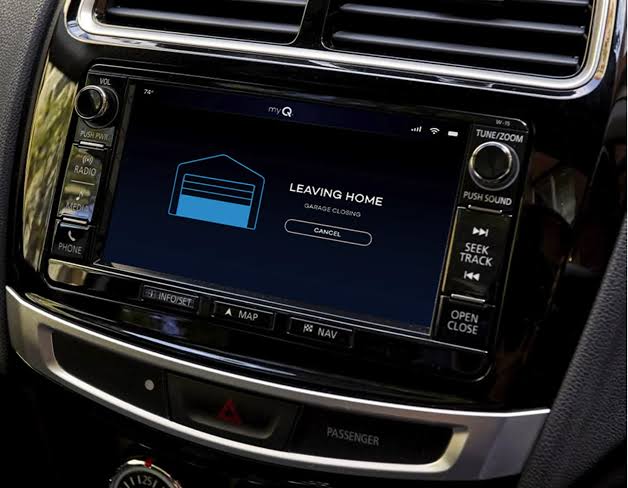
Owning a new vehicle is exciting, but figuring out the tech can sometimes feel like solving a puzzle. If you are struggling to connect your 2025 Honda CR-V Hybrid Sport Touring garage door opener, you are not alone. Many drivers find the initial setup process confusing, but with the right guidance, you can enjoy the convenience of opening your garage with just a press of a button.
This guide will walk you through everything you need to know, from basic programming to advanced troubleshooting, ensuring your daily commute starts and ends smoothly.
Why Is My 2025 Honda CR-V Hybrid Garage Opener Not Working?
Before diving into the steps, it is essential to understand why issues might occur. The 2025 Honda CR-V Hybrid Sport Touring trim comes equipped with the HomeLink system, a universal transceiver that replaces up to three remote controls for devices like garage doors, gate operators, and home lighting.
However, compatibility issues, signal interference, or incorrect programming sequences can prevent it from working. According to HomeLink’s official compatibility database, over 99% of garage door openers manufactured since 1982 are compatible, but older models may require additional hardware.
Common Reasons for Failure:
- Incorrect Programming Sequence: Missing a step during the setup process.
- Signal Interference: LED bulbs in the garage door opener motor can interfere with radio frequencies.
- Rolling Code Technology: Modern openers use security codes that change every time, requiring a specific “learning” mode.
- Weak Battery in Remote: If you are using a handheld remote to train the system, a weak battery can cause failure.
How to Program Your 2025 Honda CR-V Hybrid Garage Door Opener
Programming your HomeLink system is straightforward if you follow the steps precisely. The 2025 CR-V Hybrid Sport Touring features an updated interface, but the core process remains consistent with previous generations.
Step-by-Step Programming Guide
- Clear Existing Codes (If Necessary):
- Press and hold the two outer HomeLink buttons simultaneously for about 20 seconds.
- Wait until the indicator light flashes rapidly, indicating the memory has been cleared.
- Position Your Vehicle:
- Park your CR-V outside the garage, ensuring the front bumper is within 10–15 feet of the garage door opener motor.
- Keep the engine running or the ignition in the “ON” position to ensure consistent power.
- Initiate Learning Mode:
- Choose the HomeLink button you wish to program.
- Press and hold this button while simultaneously pressing the button on your original handheld remote.
- Hold both buttons until the HomeLink indicator light changes from a slow blink to a rapid flash. This may take up to 30 seconds.
- Sync with the Garage Door Motor:
- Locate the “Learn” or “Smart” button on your garage door opener motor unit (usually found on the back or side).
- Press and release this button. You typically have 30 seconds to complete the next step.
- Return to your CR-V and press the programmed HomeLink button three times, holding it for two seconds each time.
- Test the System:
- Press the HomeLink button again. The garage door should activate. If it does not, repeat the process, ensuring you are close enough to the motor unit.
Pro Tip: If your garage door opener uses rolling code technology (common in brands like LiftMaster, Chamberlain, and Genie), you must complete the sync step at the motor unit. Skipping this will result in the door moving only once or not at all.
Troubleshooting Common Issues with HomeLink in Honda CR-V
Even with careful programming, issues can arise. Here are some effective troubleshooting strategies.
Issue 1: The Door Moves Only Once
This is a classic sign of rolling code mismatch. The car and the opener are not fully synced.
- Solution: Repeat the sync process at the motor unit. Ensure you press the HomeLink button in the car three times after pressing the “Learn” button on the motor.
Issue 2: No Response from the Garage Door
- Check Distance: Move closer to the garage door. Walls and metal structures can block signals.
- Check Batteries: Replace the battery in your handheld remote before reprogramming.
- Interference: If you recently switched to LED bulbs in your garage opener, try reverting to incandescent bulbs temporarily to test. LED drivers can emit radio frequency noise.
Issue 3: HomeLink Button Light Does Not Flash
- Power Cycle: Turn off the car, wait 10 seconds, and restart. Try programming again.
- Reset System: Clear all HomeLink memories and start from scratch.
HomeLink vs. Traditional Remotes: A Comparison
Is upgrading to HomeLink worth it? Let’s look at the benefits.
| Feature | HomeLink System | Traditional Remote |
|---|---|---|
| Convenience | High – Integrated into the car | Low – Easy to lose or forget |
| Security | High – Rolling code encryption | Variable – Older remotes may be less secure |
| Capacity | Up to 3 devices | Usually 1 device per remote |
| Aesthetics | Clean, clutter-free dashboard | Additional item to carry |
| Cost | Included in Sport Touring Trim | $20–$50 per replacement |
As seen in the table, the 2025 Honda CR-V Hybrid Sport Touring garage door opener integration offers superior convenience and security. It eliminates the need to dig through your bag or sun visor for a separate remote.
Expert Tips for Maximizing HomeLink Performance
To ensure long-term reliability, consider these expert recommendations:
- Update Firmware: While HomeLink is hardware-based, ensure your vehicle’s infotainment system is up to date, as some newer models integrate diagnostic tools.
- Label Your Buttons: Use small labels or memorize which button corresponds to which door, especially if you program multiple devices.
- Regular Testing: Test the system monthly to ensure the battery in the garage opener motor is not affecting signal strength.
- Consult Your Manual: The 2025 CR-V owner’s manual contains specific diagrams for your trim level. Always refer to it for model-specific nuances.
FAQ Section
Q1: Can I program more than one garage door with my 2025 Honda CR-V?
Yes, the HomeLink system in the 2025 Honda CR-V Hybrid Sport Touring can store up to three different devices. You can program a second garage door, a gate, or even home lighting systems.
Q2: What if my garage door opener is very old (pre-1995)?
Older openers may not have a “Learn” button. In this case, you may need a HomeLink Compatibility Bridge, a small device that acts as an intermediary between your car and the older opener. You can purchase this from the HomeLink website or automotive retailers.
Q3: Does programming HomeLink void my garage door warranty?
No, programming a universal remote like HomeLink does not void your garage door opener’s warranty. It functions similarly to the original remote provided by the manufacturer.
Q4: Why does my garage door reverse immediately after closing?
This is usually a safety sensor issue, not a HomeLink problem. Check the alignment of the photo-eye sensors at the bottom of your garage door tracks. If they are misaligned or blocked, the door will reverse for safety.
Q5: Can I reset HomeLink if I sell my car?
Absolutely. It is highly recommended to clear all HomeLink memories before selling or trading in your vehicle. Follow the “Clear Existing Codes” step mentioned earlier to erase all stored data.
Q6: Is the HomeLink system in the 2025 CR-V Hybrid different from the gas model?
No, the HomeLink hardware and programming process are identical across the 2025 Honda CR-V lineup, including the Hybrid Sport Touring trim. The hybrid powertrain does not affect the radio frequency transmission.
Conclusion
Integrating your 2025 Honda CR-V Hybrid Sport Touring garage door opener is a simple process that significantly enhances daily convenience. By following the step-by-step guide above, you can avoid common pitfalls and enjoy seamless access to your home. Remember, patience is key during the syncing process, and always refer to your owner’s manual for model-specific details.
If you found this guide helpful, please share it with fellow Honda owners on social media. Helping others master their vehicle’s tech creates a safer and more connected driving community. Happy driving!
Leave a Reply