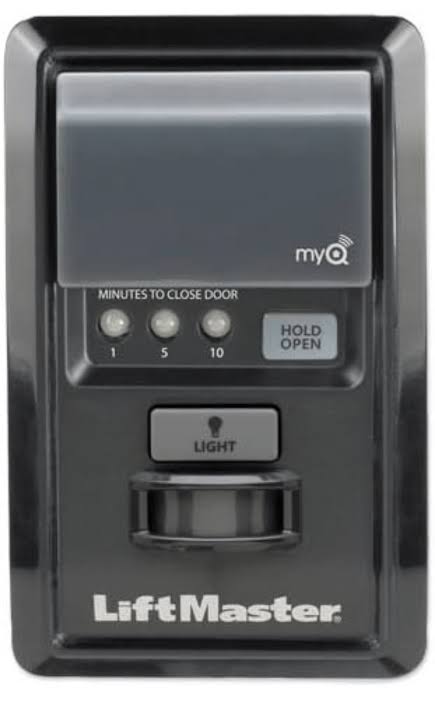
Introduction
There is nothing quite as unsettling as hearing your garage door rumble open in the middle of the night when you are fast asleep. It triggers immediate concerns about security, safety, and whether your smart home system has been compromised. If you are asking, “Why does my MyQ garage door keep opening by itself?” you are not alone; this is a common frustration among smart garage users.
In this guide, we will cut through the technical jargon and provide clear, actionable solutions. We will explore everything from simple Wi-Fi glitches to more complex sensor issues, ensuring you can regain control of your garage and your peace of mind.
Understanding the MyQ System Glitches
Before diving into fixes, it is essential to understand that the MyQ system is a bridge between your physical garage door opener and the digital world. When it acts up, it is rarely “haunted.” Instead, it is usually a communication error or a mechanical misalignment.
The MyQ ecosystem relies on three main components:
- The Hub/Opener: The physical device attached to your ceiling.
- The App/Cloud: The server that sends commands.
- The Connection: Your home Wi-Fi network.
A failure in any of these links can result in phantom openings. According to general consumer electronics reliability standards, connectivity issues account for over 60% of smart home device malfunctions. Therefore, our first step is always to look at the connection before assuming hardware failure.
Is It a Wi-Fi Connectivity Issue?
The most frequent culprit behind random garage door movements is an unstable internet connection. The MyQ hub requires a consistent signal to maintain its status with the cloud server.
Signal Interference and Dropouts
If your Wi-Fi signal drops momentarily, the MyQ hub may attempt to reconnect. In some firmware versions, this reconnection process can trigger a status update that the app interprets as a command, or worse, causes the hub to reset its state incorrectly.
How to diagnose this:
- Check your router logs for disconnections at the time the door opened.
- Move closer to the garage with your smartphone and check the signal strength bars.
- Ensure your Wi-Fi frequency is set to 2.4GHz, as MyQ hubs often struggle with 5GHz bands due to range limitations.
Router Overload
If you have dozens of smart devices connected to one router, bandwidth congestion can cause packet loss. This latency can lead to delayed commands or erroneous signals being sent to the garage door opener.
Could It Be a Faulty Safety Sensor?
Your garage door is equipped with safety sensors (usually near the floor on both sides of the door). These are designed to stop the door if an object breaks the beam. However, when they malfunction, they can cause erratic behavior.
Misalignment Issues
If the sensors are slightly out of alignment, the LED light on the receiving sensor will blink instead of staying solid. While this typically prevents the door from closing, severe interference can sometimes confuse the logic board, causing it to reverse or open unexpectedly as a safety precaution.
Dirt and Obstructions
Spider webs, dust, or direct sunlight hitting the sensor lens can interrupt the infrared beam. The system interprets this interruption as an obstacle, triggering the door to open or reverse.
Pro Tip: Clean the sensor lenses with a soft, dry cloth weekly. Ensure no objects are blocking the path between the two sensors.
Are Third-Party Integrations Causing Conflicts?
One of the biggest advantages of MyQ is its ability to integrate with other smart home platforms like Amazon Alexa, Google Home, and Apple HomeKit. However, these integrations can also be the source of the problem.
Routine and Automation Errors
Did you recently create a new routine? For example, a “Good Morning” routine that turns on lights might accidentally include a command to open the garage. Even a misplaced comma in a coding script for advanced users (like IFTTT or WebCore) can trigger unintended actions.
Account Linking Glitches
Sometimes, the token that links your MyQ account to Alexa or Google expires or becomes corrupted. This can lead to “ghost commands” where the third-party service sends a signal without user input.
Troubleshooting Step:
- Disable all third-party integrations temporarily.
- Monitor the door for 24 hours.
- If the issue stops, re-enable integrations one by one to identify the culprit.
Is Someone Else Accessing Your Account?
While less common, unauthorized access is a serious possibility. If your password is weak or reused across multiple sites, your account could be compromised.
Checking Activity Logs
The MyQ app allows you to view activity history. Look for openings that occurred when you were not home and did not issue a command.
| Time of Event | User/Source | Action |
|---|---|---|
| 10:00 AM | John (You) | Opened |
| 02:30 AM | Unknown/App | Opened |
| 08:00 AM | Alexa | Closed |
If you see entries marked “Unknown” or from devices you do not recognize, change your password immediately. Enable Two-Factor Authentication (2FA) if available for your MyQ account to add an extra layer of security. For more information on smart home security protocols, you can refer to general cybersecurity guidelines on Wikipedia.
Hardware Malfunctions: The Control Board
If software and connectivity checks yield no results, the issue may lie within the garage door opener’s internal control board.
Stuck Relays
The relay is the electronic switch that tells the motor to run. Over time, relays can become stuck in the “closed” position due to power surges or wear and tear. A stuck relay will continuously send power to the motor, causing the door to open or close without permission.
Power Surges
Lightning strikes or local grid fluctuations can damage the sensitive electronics in the MyQ hub or the opener itself. This damage may not be visible but can cause erratic behavior.
Solution: If you suspect hardware failure, unplug the unit for 5 minutes to perform a hard reset. If the problem persists, contact Chamberlain/LiftMaster support or a professional technician.
Step-by-Step Troubleshooting Guide
Follow these steps in order to isolate and fix the issue.
- Perform a Hard Reset: Unplug the MyQ hub and the garage door opener from power. Wait for 60 seconds. Plug them back in. This clears temporary memory glitches.
- Update Firmware: Open the MyQ app. Go to Device Settings > Check for Updates. Ensure both the hub and the opener have the latest firmware.
- Inspect Sensors: Verify that the sensor LEDs are solid green (or amber, depending on the model). Clean the lenses and realign if necessary.
- Check Wi-Fi Strength: Use a Wi-Fi analyzer app to ensure the signal in the garage is above -70 dBm. If not, consider a Wi-Fi extender.
- Review Integrations: Disconnect Alexa/Google Home temporarily to rule out automation errors.
- Change Passwords: Update your MyQ password and enable 2FA to secure your account.
FAQ Section
Q: Can a power outage cause my MyQ door to open?
A: Yes. When power is restored after an outage, some older MyQ models may default to an “open” state or require a recalibration cycle that involves moving the door. Ensure your opener has a battery backup if this is a frequent issue.
Q: Why does my garage door open when I use my car remote?
A: This is likely not a MyQ issue but a programming conflict. Your car remote may be programmed to the same frequency as a neighbor’s opener, or the “lock” feature on your wall console is disabled. Reprogram your car remote to ensure it only controls your specific opener.
Q: Is it safe to leave my MyQ door open if it keeps glitching?
A: No. If the door is opening randomly, it poses a significant security risk. Until the issue is resolved, disconnect the MyQ hub from power and use the manual wall button or physical remote only. This isolates the smart features while keeping the basic functionality intact.
Q: How do I know if my MyQ hub is broken?
A: If the hub fails to connect to Wi-Fi even after a reset, or if the LED indicator shows a solid red light (error state) that does not clear, the hardware may be faulty. Contact Chamberlain support for a replacement if under warranty.
Q: Does sunlight affect MyQ sensors?
A: Direct sunlight can indeed interfere with infrared safety sensors. If the sun hits the sensor directly at certain times of the day, it can blind the receiver, causing the door to reverse or fail to close. Shading the sensors can resolve this.
Conclusion
Dealing with a garage door that opens on its own is stressful, but it is rarely unsolvable. By systematically checking your Wi-Fi connection, inspecting safety sensors, reviewing third-party integrations, and securing your account, you can identify the root cause. Most often, the issue is a simple connectivity glitch or a misaligned sensor rather than a catastrophic hardware failure.
Don’t let a glitchy smart device compromise your home’s security. Take action today by following the troubleshooting steps outlined above. If you found this guide helpful, please share it with friends or family who might be struggling with their own smart home quirks. Stay secure, and enjoy the convenience of a properly functioning MyQ system!
Leave a Reply