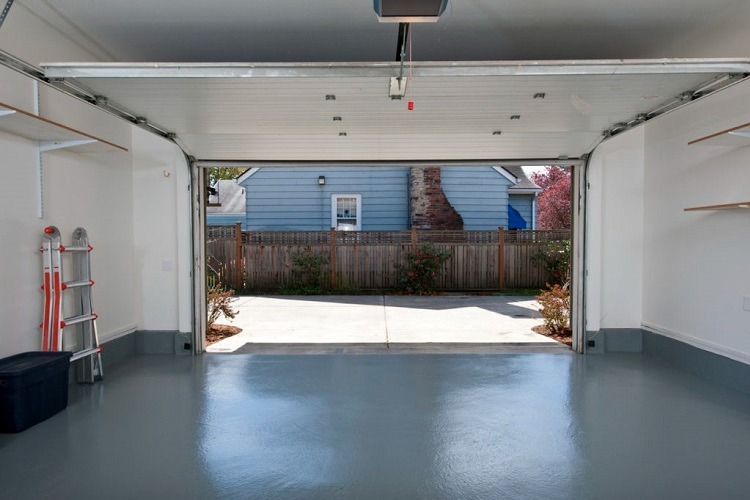
Have you ever stood in your driveway, pressed the remote, watched your garage door descend, and then—just as it touches the ground—it immediately reverses back up? It is frustrating, inconvenient, and can leave you feeling stuck. If you are thinking, “When I close my garage door it opens again,” you are not alone; this is one of the most common issues homeowners face with automatic openers.
The good news is that this problem is rarely a sign of a broken motor. In most cases, it is a safety feature doing exactly what it was designed to do: protecting your car, your pets, and your family. Understanding why it happens is the first step to fixing it quickly and safely.
Why Does My Garage Door Reverse Immediately?
Before grabbing your tools, it is essential to understand the logic behind your garage door opener. Modern openers are equipped with two primary safety mechanisms that trigger a reversal: photo-eye sensors and force limits.
According to federal safety standards established in 1993, all residential garage door openers must have an auto-reverse mechanism. This mandate was introduced to prevent entrapment and injury. If the system detects any obstruction or resistance while closing, it assumes something is in the way and reverses direction.
Therefore, when your door closes and then opens again, it is not “glitching.” It is telling you that it perceives an obstacle. Your job is to find out what that obstacle is—whether it is a physical object, a misaligned sensor, or a mechanical binding issue.
Check the Photo-Eye Sensors First
The most common culprit behind the “close-then-open” phenomenon is the photo-eye sensor system. These are the small plastic units mounted near the bottom of your garage door tracks, usually about 6 inches off the ground. One unit sends an invisible infrared beam to the other. If that beam is interrupted, the door will not close.
Signs of Sensor Issues
- Blinking Lights: Most sensors have an LED light. If the light is blinking or off entirely, the beam is blocked or misaligned.
- Physical Obstruction: Dirt, spider webs, or leaves can block the lens.
- Misalignment: If the brackets have been bumped, the eyes may no longer be facing each other directly.
How to Fix Sensor Alignment
- Clean the Lenses: Use a soft, dry cloth to wipe away any dust or debris from both sensor lenses.
- Check the Indicator Lights: Look at the LEDs on both sensors. Typically, one will have a steady green light (sending) and the other a steady amber or red light (receiving). If either is blinking, they are misaligned.
- Adjust the Brackets: Loosen the wing nut or screw holding the sensor bracket. Gently adjust the sensor until the indicator light turns solid. Tighten the bracket carefully without moving the sensor.
- Test the Door: Press the close button. If the door stays down, you have solved the problem.
For more detailed technical specifications on safety standards, you can refer to the U.S. Consumer Product Safety Commission guidelines regarding garage door operators.
Inspect the Track and Rollers for Obstructions
If your sensors are clean and aligned, the next place to look is the physical path of the door. The door travels along metal tracks guided by rollers. If there is any resistance, the opener’s force limit will trigger a reversal to prevent damage to the motor or the door itself.
Common Physical Blockages
- Debris in the Track: Small stones, twigs, or hardened grease can create bumps.
- Damaged Rollers: Cracked or chipped rollers can catch on the track.
- Bent Tracks: Even a slight bend in the metal track can cause the door to bind.
Step-by-Step Inspection
- Disconnect the Opener: Pull the red emergency release cord to disconnect the door from the opener. This allows you to move the door manually.
- Lift the Door Halfway: Let go of the door. It should stay in place. If it falls or rises, your springs may be unbalanced (call a professional for spring issues).
- Run Your Hand Along the Track: Feel for any burrs, dents, or debris. Remove any foreign objects.
- Check Roller Movement: Manually move the door up and down. Listen for grinding or scraping noises. If a roller is stuck, it may need lubrication or replacement.
Adjust the Down Force Limit
If the sensors are working and the track is clear, the issue might be the down force setting. This setting tells the motor how much pressure to apply when closing the door. If the setting is too low, the motor thinks it has hit an obstacle (like the ground) and reverses. If it is too high, it can be dangerous.
Warning: Adjusting force limits requires caution. Too much force can cause injury or damage. Always make small adjustments.
How to Adjust Down Force
- Locate the Adjustment Screws: On most openers, there are two screws on the main body labeled “Up Force” and “Down Force” (or sometimes arrows pointing up and down). They are usually flat-head screws.
- Identify the Down Force Screw: Refer to your owner’s manual if you are unsure which screw controls the downward movement.
- Make a Small Adjustment: Turn the screw clockwise in small increments (e.g., 1/8th of a turn). This increases the force.
- Test the Door: Close the door. If it still reverses, turn the screw another 1/8th turn. Repeat until the door closes fully.
- Safety Test: Once the door closes, place a 2×4 piece of wood flat on the ground under the center of the door. Close the door again. The door must reverse upon hitting the wood. If it does not reverse, you have set the force too high. Reduce the force slightly until it passes this test.
Examine the Remote Control and Wall Button
Sometimes, the issue is not with the door itself but with the signal being sent. A stuck button on your wall console or a weak battery in your remote can send intermittent signals that confuse the opener.
Troubleshooting Steps
- Check the Wall Button: Ensure the button is not physically stuck in the “pressed” position. Clean around the button with compressed air.
- Replace Remote Batteries: Weak batteries can send erratic signals. Replace them with fresh alkaline batteries.
- Interference: Rarely, nearby electronics can interfere with the signal. Try operating the door from different distances to see if the issue persists.
Comparison: Sensor Issue vs. Force Issue
To help you diagnose faster, here is a quick comparison table:
| Symptom | Likely Cause | Quick Fix |
|---|---|---|
| Door reverses before touching the ground | Photo-Eye Sensors | Clean lenses and realign brackets |
| Door touches ground, pauses, then reverses | Down Force Limit | Increase down force slightly |
| Door jerks or binds during movement | Track/Roller Obstruction | Clear debris and lubricate rollers |
| Door reverses randomly | Signal Interference | Check remote batteries and wall button |
FAQ Section
1. Why does my garage door close halfway and then open again?
This is almost always a sensor issue. The infrared beam is likely being interrupted by dirt, sunlight glare, or misalignment. Check the LED lights on your sensors; if they are blinking, realign them until the lights are solid.
2. Can weather affect my garage door sensors?
Yes. Direct sunlight hitting the receiving sensor can overwhelm the infrared beam, causing the door to reverse. Additionally, extreme cold can cause metal tracks to contract, leading to binding. If it’s sunny, try shading the sensors with your hand to see if the door closes.
3. Is it safe to adjust the force limits myself?
It is safe if done cautiously and in small increments. However, you must always perform the safety reversal test (using a 2×4 block of wood) after adjusting. If you are uncomfortable doing this, or if your door has torsion springs (the large springs above the door), hire a professional technician.
4. My garage door opens fine but won’t stay closed. What should I do?
If the door goes down and immediately comes back up, check the sensors first. If the sensors are fine, increase the down force limit slightly. If the door goes down partway and stops, check for obstructions in the track.
5. How often should I maintain my garage door?
Experts recommend a basic inspection every six months. This includes cleaning the sensors, lubricating the rollers and hinges with silicone-based lubricant (not WD-40), and testing the auto-reverse safety feature.
Conclusion
Dealing with a garage door that says “When I close my garage door it opens again” is a common headache, but it is rarely a catastrophic failure. By systematically checking your photo-eye sensors, clearing track obstructions, and adjusting the down force limit, you can resolve the issue in most cases.
Remember, your garage door is a heavy mechanical device with powerful springs. While DIY troubleshooting is great for sensors and minor adjustments, always prioritize safety. If you suspect a spring issue or if the problem persists after these steps, contact a licensed garage door technician.
Did this guide help you fix your garage door? Share this article with your neighbors or on social media to help others solve this frustrating problem!
Leave a Reply