If your remote suddenly stops working or you’ve just bought a new one, you’re probably wondering how to sync Genie garage door opener to remote. This is a common issue for homeowners, but the solution is usually quick and straightforward. With just a few steps, you can restore full control of your garage door without needing professional help.
What Does It Mean to Sync a Genie Garage Door Remote?
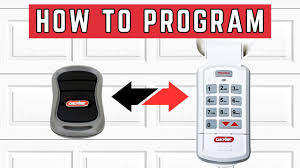
Syncing (or programming) your remote connects it wirelessly to your Genie garage door opener so it can send signals to open or close the door.
Why Syncing Matters:
- Ensures secure communication between remote and opener
- Removes interference from old or unused remotes
- Restores functionality after battery replacement
Read too: How Do You Change Code On Garage Door Keypad Fast?
Most Genie systems use rolling code technology for enhanced security, which changes the signal each time you use the remote.
For more on this technology, visit:
https://en.wikipedia.org/wiki/Rolling_code
How To Sync Genie Garage Door Opener To Remote (Step-by-Step)
Step 1: Locate the “Learn” or “Program” Button
- Find the Learn or Program/Set button on the opener motor
- Usually located on the back or side of the unit
- Often labeled clearly or near LED indicators
💡 Tip: You may need a ladder to safely reach it.
Step 2: Press the Program Button
- Press and release the Program/Set button
- The LED light will begin blinking
- This indicates the opener is in pairing mode
⏱️ You typically have 30 seconds to complete the next step.
Step 3: Press the Remote Button
- Press the button on your remote control
- Hold for 1–2 seconds, then release
- Repeat once or twice if needed
✔️ The opener light will blink or click, confirming successful pairing.
Step 4: Test the Remote
- Press the remote button again
- Ensure the garage door opens and closes smoothly
✔️ If it works, your remote is successfully synced.
Genie Programming Methods by Model Type
Different Genie models may have slight variations.
| Model Type | Button Label | Special Instructions |
|---|---|---|
| New Genie Models | Program/Set | Press once, then remote |
| Older Models | Learn | Hold button slightly longer |
| Intellicode Units | Program | Press remote twice |
💡 Always check your specific model manual for exact steps.
Why Your Genie Remote Won’t Sync
Sometimes syncing doesn’t work on the first try.
Common Causes:
1. Dead Remote Battery
- Replace with a fresh CR2032 or equivalent
2. Out of Range
- Stand within 10–15 feet of the opener
3. Interference
- Nearby electronics may block signals
4. Memory Full
- Clear existing codes and reprogram
How to Reset Genie Garage Door Opener
If syncing fails repeatedly, try a full reset.
Reset Steps:
- Press and hold the Program button
- Hold for 10 seconds until LED turns off
- Release and reprogram all remotes
⚠️ This will erase all previously connected devices.
Signs Your Remote Needs Re-Syncing
Recognizing the symptoms helps you act quickly.
Watch for These Signs:
- Remote works intermittently
- Door responds only at close range
- No response at all
- LED on remote lights up, but door doesn’t move
Advantages vs Disadvantages of Syncing Your Remote
Advantages:
- Quick and easy process (under 5 minutes)
- No tools required
- Improves security by removing old remotes
Disadvantages:
- Must reprogram all remotes after reset
- Requires access to opener unit
- May need multiple attempts
Pro Tips for Successful Syncing
Best Practices:
- Replace batteries before syncing
- Use a unique remote button for each door
- Avoid syncing near strong electronic interference
- Test multiple times after programming
🔒 Security Tip: Re-sync your system every 6–12 months to remove unused devices.
Real-World Example
A homeowner installed a new Genie remote after losing the original:
- Time spent: 3 minutes
- Cost: $15 (remote only)
- Result: Fully functional garage door
✔️ No technician required—just simple syncing steps.
Preventive Maintenance Tips
Keep your Genie system working smoothly:
- Check remote batteries every 6–12 months
- Clean opener sensors regularly
- Avoid dropping or damaging remotes
- Keep opener firmware updated (if smart-enabled)
FAQ: How To Sync Genie Garage Door Opener To Remote
1. How long does it take to sync a Genie remote?
Usually 2–5 minutes, depending on the model.
2. Can I sync multiple remotes to one opener?
Yes, most Genie openers support multiple remotes.
3. Why is my Genie remote not working after syncing?
Possible reasons include dead batteries, interference, or incorrect steps.
4. Do I need the old remote to sync a new one?
No, you can program a new remote directly using the Program button.
5. How many remotes can a Genie opener support?
Most models support 3–7 remotes, depending on memory capacity.
6. Is syncing the same as resetting?
No. Syncing adds a remote, while resetting clears all programmed devices.
Conclusion
Learning how to sync Genie garage door opener to remote is a simple yet essential skill for maintaining your garage’s convenience and security. With just a few steps, you can restore access, connect new remotes, and ensure smooth operation.
Don’t let a non-working remote slow you down—take a few minutes to sync it today. If this guide helped you, share it on social media so others can easily fix their garage door issues too!
Leave a Reply