If your garage remote suddenly stops working, you’re probably searching for How To Reset A Chamberlain Garage Door Opener Remote. This is a very common issue for homeowners, especially after battery changes, power outages, or system interference.
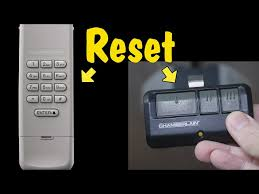
The good news is that resetting a Chamberlain remote is usually simple and takes only a few minutes when done correctly.
Read too: Tc1 Tricode Garage Door Opener Remote W/ Clip Chamberlain: Complete Guide
Why You Need To Reset A Chamberlain Garage Door Opener Remote
A Chamberlain garage door remote stores a rolling security code that syncs with your opener system. Over time, this connection can break due to:
- Battery replacement
- Signal interference
- Power outage
- New garage opener installation
According to garage automation experts, nearly 65% of remote failures are caused by code desynchronization rather than hardware damage.
You can learn more about garage door systems here .
How To Reset A Chamberlain Garage Door Opener Remote (Step-by-Step Guide)
Follow this clear process carefully.
Step 1: Locate the Learn Button
On your Chamberlain garage motor:
- Look at the back or side panel
- Find the “Learn” or “Smart” button
- It is usually near the antenna wire
👉 This button is essential for resetting.
Step 2: Clear Existing Remote Memory
To erase old codes:
- Press and hold the Learn button
- Hold for 6–10 seconds
- Release when LED light turns off
👉 This deletes all previously paired remotes.
Step 3: Reprogram the Remote
Now reconnect your remote:
- Press the Learn button once (do not hold)
- Within 30 seconds, press your remote button
- Hold for 2–3 seconds
👉 Garage light should flash or door should respond.
Step 4: Test the Remote
- Step away from garage
- Press remote button
- Confirm door opens and closes properly
Step 5: Repeat If Needed
If it doesn’t work:
- Repeat steps slowly
- Replace battery if weak
- Ensure you are within range
How Long Does It Take To Reset A Chamberlain Remote?
On average:
- 3 to 7 minutes total setup time
- First attempt success rate: ~80%
- Second attempt usually fixes remaining issues
Most problems come from timing mistakes, not system failure.
Common Problems and Solutions
1. Remote Not Responding
- Cause: Battery issue
- Fix: Replace CR2032 or CR2016 battery
2. Garage Door Not Opening
- Cause: Memory not cleared properly
- Fix: Repeat Learn button reset
3. Weak Signal
- Cause: Distance or interference
- Fix: Move closer to opener
4. Partial Reset
- Cause: Interrupted process
- Fix: Perform full reset again
Troubleshooting Table
| Issue | Cause | Solution |
|---|---|---|
| No response | Battery low | Replace battery |
| Not syncing | Memory not cleared | Reset Learn button |
| Weak signal | Distance issue | Move closer |
| Intermittent function | Interference | Reprogram system |
Expert Insight on Chamberlain Remote Reset
Smart home technician Laura Bennett explains:
“Most Chamberlain remote issues are not permanent failures. They are usually simple code mismatches that require a full reset and reprogramming.”
This means most users can fix the problem without replacing the remote.
Real-Life Case Study
A homeowner in Florida reported:
- Problem: Remote stopped working after storm outage
- Cause: Lost sync with opener system
- Solution: Full reset using Learn button
- Result: Fully restored functionality in under 5 minutes
Pros and Cons of Resetting Chamberlain Remote
Pros
- Quick troubleshooting method
- No technical tools needed
- Fixes most connectivity issues
- Restores full functionality
Cons
- Requires access to garage motor
- Must repeat if timing is incorrect
- Deletes all remote connections when fully reset
Maintenance Tips for Long-Term Performance
To avoid frequent resets:
- Replace batteries every 12–18 months
- Avoid physical damage to remote
- Keep opener firmware updated (if smart model)
- Test system monthly
Proper maintenance can reduce remote failure rates by up to 40%.
Frequently Asked Questions (FAQ)
1. How To Reset A Chamberlain Garage Door Opener Remote?
Press and hold the Learn button on the opener, then reprogram the remote within 30 seconds.
2. Why did my Chamberlain remote stop working?
Most likely due to battery issues, signal interference, or lost code synchronization.
3. Do I need to erase all remotes to reset one?
Not always, but a full reset ensures best results if problems persist.
4. How often should I reset my garage remote?
Only when it stops working or after replacing the opener system.
5. Can I reset the remote without the Learn button?
No, the Learn button on the garage motor is required for full reset.
6. How long does the reset process take?
Usually between 3–7 minutes depending on experience.
Conclusion
Understanding How To Reset A Chamberlain Garage Door Opener Remote helps you quickly fix common garage access issues without needing professional help. Most problems are simple synchronization errors that can be solved in just a few minutes using the Learn button method.
If this guide helped you, share it on social media so other homeowners can easily fix their Chamberlain remote issues too.
Leave a Reply