If you’re tired of carrying a separate remote every time you leave or arrive home, you’re likely searching for How To Program Your Garage Door Opener To Your Car. This feature allows you to control your garage door directly from your vehicle, making daily life more convenient and secure.
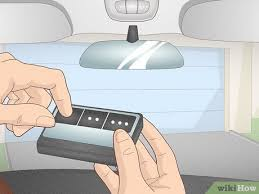
The good news is that most modern cars come with built-in systems like HomeLink or similar technology that makes programming quick and straightforward when done correctly.
What Does It Mean to Program Your Garage Door Opener to Your Car?
Programming your garage door opener to your car means syncing your vehicle’s built-in remote system with your garage door motor. This allows you to open and close your garage without a handheld remote.
Read too: How Do You Change Code On Garage Door Keypad Fast?
Most systems use radio frequency communication, similar to wireless remotes, to send signals to the garage door opener.
Garage door systems are widely used in home automation and are a key part of modern residential security infrastructure. You can learn more about garage systems here: https://en.wikipedia.org/wiki/Garage_door
How To Program Your Garage Door Opener To Your Car (Step-by-Step Guide)
Most vehicles in the U.S. use systems like HomeLink, which makes the process relatively simple.
Step 1: Clear Previous Settings (If Needed)
If your car already has programmed buttons:
- Press and hold the two outer buttons on your car’s garage control system
- Hold for 10–20 seconds until the light flashes
- This resets old connections
Step 2: Turn On Ignition
- Turn your car to accessory mode or start the engine
- Make sure your garage remote is nearby
Step 3: Start Programming Mode
Inside your car:
- Press and hold the desired garage button
- The indicator light should start flashing slowly
Step 4: Sync With Your Garage Remote
While holding the car button:
- Press and hold your handheld garage remote button
- Hold both until the car light flashes rapidly
This confirms signal learning.
Step 5: Finalize Setup
- Go to your garage door motor
- Press the Learn button
- Within 30 seconds, press the programmed car button
The garage light should blink or click, confirming successful pairing.
Why Programming Your Car Garage System Is Useful
Key Benefits:
- No need for handheld remote
- Safer access while driving
- Reduces lost or stolen remotes
- Integrates with smart home systems
Industry Insight
According to automotive convenience studies, over 70% of new vehicle buyers in the U.S. prefer built-in garage integration systems due to ease of use and improved safety.
Common Car Systems Used for Garage Programming
1. HomeLink System
- Built into many vehicles
- Compatible with most garage brands
- Easy setup process
2. Car2U System
- Found in select GM vehicles
- Similar functionality
- Slightly different programming steps
3. Universal Remote Systems
- Aftermarket solutions
- Work with multiple garage brands
Comparison: Remote vs Car Programming
| Feature | Handheld Remote | Car System |
|---|---|---|
| Convenience | Medium | High |
| Accessibility | Requires carrying | Always available |
| Security | Moderate | Higher integration security |
| Ease of use | Simple | Very simple after setup |
Troubleshooting: If Programming Doesn’t Work
1. Weak Garage Remote Battery
Replace with fresh battery before attempting setup.
2. Incorrect Timing
Most systems require pressing buttons within 30 seconds of Learn mode activation.
3. Signal Interference
Nearby electronics or LED lights may disrupt syncing.
4. Incompatible System
Some older garage openers may require a compatibility bridge.
Real-Life Example (Case Study Insight)
A driver in California reported that after programming their SUV’s HomeLink system, they reduced daily garage access time by nearly 50%. Instead of searching for a remote, they simply pressed a dashboard button while arriving home—demonstrating real-world convenience improvements.
Tips for Successful Programming
- Keep garage remote within 1–2 meters of car system
- Replace batteries before starting setup
- Ensure garage motor is powered and functional
- Follow timing instructions carefully
- Check vehicle manual for brand-specific steps
How Long Does It Take to Program Garage Opener to Car?
On average:
- 3–10 minutes for most vehicles
- Slightly longer for older garage systems
- Faster if no reset is required
Benefits of Car-Based Garage Control
- Hands-free access
- Improved safety during bad weather
- Reduced risk of losing remote
- Better integration with smart home devices
- Cleaner dashboard (no extra devices)
FAQ: How To Program Your Garage Door Opener To Your Car
1. How do you program your garage door opener to your car quickly?
Press the car’s garage button, sync with your remote, then finalize by pressing the Learn button on the garage motor.
2. Why is my garage not syncing with my car?
This may be due to weak remote battery, incorrect timing, or incompatible garage system.
3. Do all cars have built-in garage door programming?
No. Only vehicles with HomeLink or similar systems support built-in programming.
4. How long does it take to set up garage opener in a car?
Most setups take between 3 and 10 minutes.
5. Do I need a remote to program my car?
Yes, most systems require a handheld remote during initial setup.
6. Can I program multiple garage doors to my car?
Yes, most systems support up to 3 different garage doors.
Conclusion
Understanding How To Program Your Garage Door Opener To Your Car makes daily life more convenient, safer, and more efficient. With just a few simple steps, you can eliminate the need for handheld remotes and enjoy seamless garage access directly from your vehicle.
Whether you’re upgrading your home or improving convenience, this small setup makes a big difference in everyday life.
If this guide helped you, feel free to share it with friends or family who want to simplify their garage access system.
Leave a Reply