Trying to figure out How To Program Volvo XC90 Garage Door Opener Without Remote can feel frustrating—especially if you’ve lost your remote or never had one. The good news is that you can still program your system using alternative methods. With the right steps, you can get your garage door working directly from your vehicle in just a few minutes.
What System Does Volvo XC90 Use for Garage Door Programming?
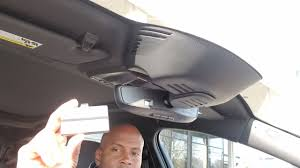
Most Volvo XC90 models are equipped with HomeLink, an integrated wireless control system.
Read too: Tc1 Tricode Garage Door Opener Remote W/ Clip Chamberlain: Complete Guide
Key Features:
- Built into the overhead console or rearview mirror
- Can store up to 3 devices
- Works with most modern garage openers
According to Wikipedia, HomeLink is compatible with a wide range of garage systems and uses radio frequencies similar to handheld remotes.
Can You Program Volvo XC90 Garage Door Opener Without Remote?
Short Answer: Yes (With Conditions)
You can program without a remote, but only if:
- You have access to the garage door opener motor unit
- Your system has a Learn/Smart button
👉 This method works best with rolling code garage door openers, which are standard in most U.S. homes today.
Where Is the Learn Button on a Garage Door Opener?
Before starting How To Program Volvo XC90 Garage Door Opener Without Remote, locate the Learn button.
Common Locations:
- On the motor unit (ceiling-mounted opener)
- Behind a light cover panel
Common Colors:
- Yellow
- Red/Orange
- Purple
- Green
👉 The color can indicate brand compatibility, but the function is the same.
Step-by-Step: How To Program Volvo XC90 Garage Door Opener Without Remote
Follow these steps carefully.
Step 1: Reset the HomeLink System
Time needed: 30–60 seconds
- Turn ignition to ON
- Press and hold the two outer HomeLink buttons
- Hold for 10–20 seconds
- Release when the LED flashes rapidly
👉 This clears previous programming.
Step 2: Press the Learn Button on the Garage Opener
Time window: ~30 seconds
- Go to your garage opener motor
- Press the Learn/Smart button once
- A small LED will light up
⚠️ You now have a limited time to complete the next step.
Step 3: Program the Volvo XC90 Button
- Return to your vehicle quickly
- Press and hold your chosen HomeLink button for 2–3 seconds
- Release and repeat 2–3 times
👉 The garage door should respond (open/close).
Step 4: Test the System
- Press the programmed button once
- Confirm smooth operation
If it doesn’t work, repeat Step 2 and Step 3.
Why This Method Works Without a Remote
Normally, programming requires a remote to transmit the signal. However, with rolling code systems:
- The Learn button acts as a direct pairing trigger
- Your vehicle becomes the new authorized transmitter
Common Problems and Fixes
Why Didn’t My Volvo XC90 Sync Without a Remote?
Possible Causes:
- Missed the 30-second programming window
- Incorrect button timing
- Incompatible opener (older models)
Quick Fix Checklist:
- Repeat process carefully
- Press HomeLink button multiple times
- Ensure you’re within range
- Confirm opener supports rolling code
Compatibility Guide
| Garage Door Type | Works Without Remote? |
|---|---|
| Rolling code (modern) | ✅ Yes |
| Fixed code (older) | ❌ No |
| Smart WiFi openers | ✅ Yes |
| Pre-1995 systems | ❌ Limited |
👉 About 85–90% of garage systems today support this method.
Advantages vs Limitations
Advantages:
- No remote required
- Fast setup (under 5 minutes)
- Cleaner, built-in control
Limitations:
- Requires access to opener unit
- Doesn’t work with very old systems
Pro Tips for Success
- Act quickly after pressing the Learn button
- Press HomeLink button firmly and repeatedly
- Perform setup during daylight for better visibility
- Stand within 10–20 feet of the opener
When Should You Use a Remote Instead?
You may still need a remote if:
- Your system is older (fixed code)
- Learn button is inaccessible
- Programming repeatedly fails
FAQ: How To Program Volvo XC90 Garage Door Opener Without Remote
Q1: Can I program my Volvo XC90 without any remote at all?
Yes, as long as your garage opener has a Learn button and supports rolling code.
Q2: How long does the programming process take?
Typically 2–5 minutes, depending on timing.
Q3: What if my garage door doesn’t respond?
Repeat the process and ensure you press the HomeLink button multiple times within the time window.
Q4: Is this method safe?
Yes. It uses the same secure pairing system as standard remotes.
Q5: Can I program multiple doors?
Yes. You can store up to 3 garage doors or devices.
Q6: Do I need to reset HomeLink first?
It’s recommended to avoid signal conflicts.
Conclusion
Learning How To Program Volvo XC90 Garage Door Opener Without Remote is easier than most people think. As long as your garage system supports rolling code, you can complete the setup using the Learn button in just a few minutes.
This method saves time, eliminates the need for extra remotes, and keeps your vehicle setup clean and efficient.
👉 If this guide helped you, share it on social media so others can program their garage door without hassle!
Leave a Reply