If your garage remote suddenly stops working or you’ve just bought a new one, figuring out How To Program Remote To Genie Garage Door Opener can feel confusing. The good news? It’s actually a simple process once you know the exact steps. In this guide, you’ll learn a clear, beginner-friendly method to get your remote working in minutes.
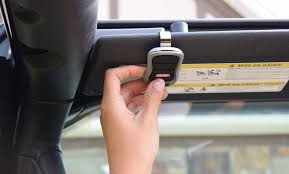
What Do You Need Before Programming?
Before you start, make sure you have everything ready. This avoids interruptions during the process.
Checklist:
- Genie garage door opener unit (installed and powered)
- Remote control (new or existing)
- Ladder (if the opener is mounted high)
- Fresh batteries (recommended: replace before programming)
Read too: Tc1 Tricode Garage Door Opener Remote W/ Clip Chamberlain: Complete Guide
💡 Tip: Weak batteries are one of the most common reasons programming fails.
Where Is the Learn Button on a Genie Garage Door Opener?
The Learn button is the key to programming your remote.
How to Find It:
- Located on the motor unit (ceiling-mounted opener)
- Usually behind a light cover or panel
- Color may vary: red, green, purple, or yellow
Why It Matters:
The Learn button allows the opener to recognize and store your remote’s signal.
How To Program Remote To Genie Garage Door Opener (Step-by-Step)
This is the most important part. Follow these steps carefully.
Step 1: Locate and Press the Learn Button
Press and release the Learn button on your Genie opener.
- A small LED light will begin blinking
- This means the system is ready to pair
Step 2: Press the Remote Button
Within 30 seconds, press the button on your remote.
- Hold for about 2–3 seconds
- Release and wait
Step 3: Test the Remote
Press the remote again.
- If the door moves → ✅ Success
- If not → repeat the process
Programming Time and Signal Range
| Factor | Details |
|---|---|
| Programming window | ~30 seconds |
| Signal range | 50–100 feet (15–30 meters) |
| Time required | 2–5 minutes total |
According to industry data, over 70% of programming failures are due to missing the 30-second window or weak batteries.
How To Program Multiple Remotes
Want to add more remotes? No problem.
Steps:
- Press the Learn button again
- Repeat the same process for each remote
- Test each one individually
💡 Most Genie openers can store up to 7 remote devices.
Troubleshooting: Why Isn’t My Genie Remote Working?
Even if you follow the steps, issues can still happen.
Common Problems & Fixes
1. Remote Not Responding
- Replace batteries
- Ensure you’re within range
2. Learn Button Not Lighting Up
- Check power supply
- Inspect circuit breaker
3. Remote Works Intermittently
- Possible signal interference
- Reprogram the remote
4. Memory Full
- Reset opener and reprogram devices
How To Reset a Genie Garage Door Opener
If nothing works, resetting might help.
Steps:
- Press and hold the Learn button for 10 seconds
- LED light will turn off
- All remotes are erased
⚠️ You’ll need to reprogram all remotes after this.
Genie Remote Compatibility Guide
Not all remotes work with all models.
| Remote Type | Compatible Models |
|---|---|
| Intellicode | Most modern Genie openers |
| DIP Switch | Older models |
| Universal Remote | Multi-brand compatibility |
For more technical background on remote communication systems, you can read about it here:
https://en.wikipedia.org/wiki/Remote_control
Tips for Faster and Easier Programming
- Stand close to the opener during setup
- Avoid pressing buttons too quickly
- Use fresh batteries every 6–12 months
- Label remotes if you have multiple users
Advantages vs Disadvantages
✅ Advantages
- Quick setup (under 5 minutes)
- No professional required
- Works with multiple remotes
❌ Disadvantages
- Limited memory capacity
- Signal interference possible
- Requires ladder access in some cases
FAQ: How To Program Remote To Genie Garage Door Opener
1. How long does it take to program a Genie remote?
Typically 2–5 minutes, depending on familiarity and setup.
2. Can I program a Genie remote without the Learn button?
No. The Learn button is essential for syncing the remote.
3. Why does my Genie remote stop working after programming?
This could be due to low battery, interference, or memory issues.
4. Can I use a universal remote with Genie?
Yes, as long as it supports Genie’s frequency and protocol.
5. How many remotes can a Genie opener store?
Most models support up to 7 remotes.
6. Do I need a technician to program the remote?
No. The process is designed for homeowners and is easy to follow.
Conclusion
Learning How To Program Remote To Genie Garage Door Opener is a simple skill that saves time and money. With just a few steps, you can quickly sync your remote and restore full access to your garage.
If this guide helped you, consider sharing it with friends or family who might be dealing with the same issue. 🚪✨
Leave a Reply