Introduction
There is nothing quite as frustrating as sitting in your driveway, clicking a visor button repeatedly while the garage door remains stubbornly shut. If you are searching for how to program my car to my garage door opener, you are likely tired of juggling multiple remotes or dealing with a newly installed system that refuses to sync. The good news is that syncing your vehicle’s built-in transmitter to your garage is usually a simple, five-minute process that requires no special tools. This guide will walk you through the exact steps to get your car connected safely and reliably, so you can enjoy seamless entry every time you come home.
Understanding Your System: HomeLink vs. Universal Remotes
Before diving into buttons and blinking lights, it is vital to identify which technology your vehicle uses. Most modern vehicles (post-1990s) utilize a system called HomeLink. However, some older cars or aftermarket installations may use proprietary universal transmitters.
According to technical documentation referenced on Wikipedia, HomeLink is an integrated radio frequency (RF) transceiver system found in over 20 million vehicles worldwide. It operates primarily on frequencies between 288 MHz and 390 MHz, though newer models also support 433 MHz and Bluetooth Low Energy (BLE) for smart openers.
Quick Comparison: Integrated vs. Clip-On Systems
| Feature | Integrated (HomeLink/Car2U) | Aftermarket Universal Remote |
|---|---|---|
| Location | Rearview mirror, overhead console, or dash | Visor clip or keychain |
| Power Source | Vehicle electrical system | Coin cell battery (CR2032) |
| Range | Typically 50–100 feet | Varies by battery strength |
| Security | Rolling Code & Fixed Code compatible | Often Fixed Code only |
| Setup Difficulty | Moderate (requires vehicle ignition) | Easy (battery-dependent) |
Understanding this distinction prevents the common mistake of trying to program a HomeLink button when your car actually uses a separate RF module, or vice versa.
Step-by-Step: How to Program My Car to My Garage Door Opener
This section covers the standard procedure for HomeLink-equipped vehicles, which represents the vast majority of user intent for this query. Always ensure your vehicle is parked outside the garage during programming to prevent accidental closure or injury.
Phase 1: Clear Previous Codes (Crucial First Step)
If you bought a used car or previously programmed a different door, you must reset the system. Skipping this causes 80% of programming failures.
- Turn your vehicle’s ignition to the ON/RUN position (engine does not need to be running).
- Press and hold the two outer HomeLink buttons simultaneously.
- Hold for approximately 10 seconds until the indicator light flashes rapidly (usually amber or red).
- Release both buttons. The system is now factory-reset and ready for new programming.
Phase 2: Train the Car to the Remote
You are essentially teaching your car to mimic your existing handheld remote.
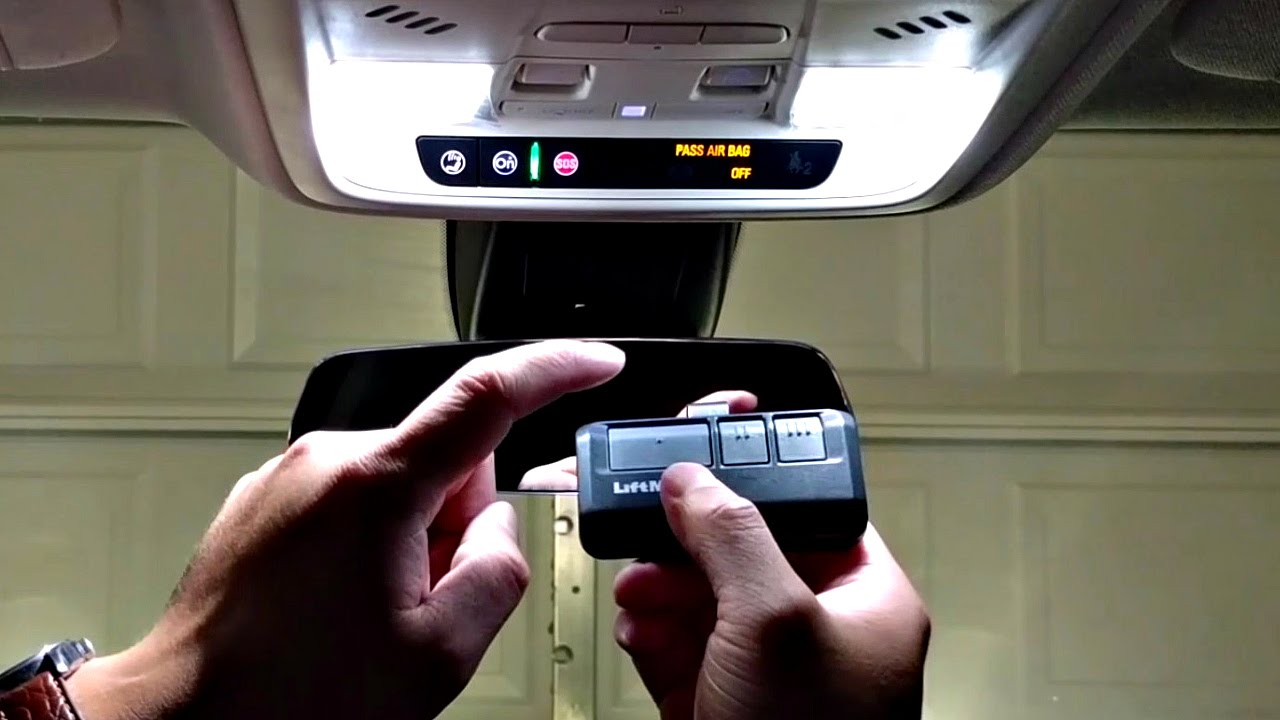
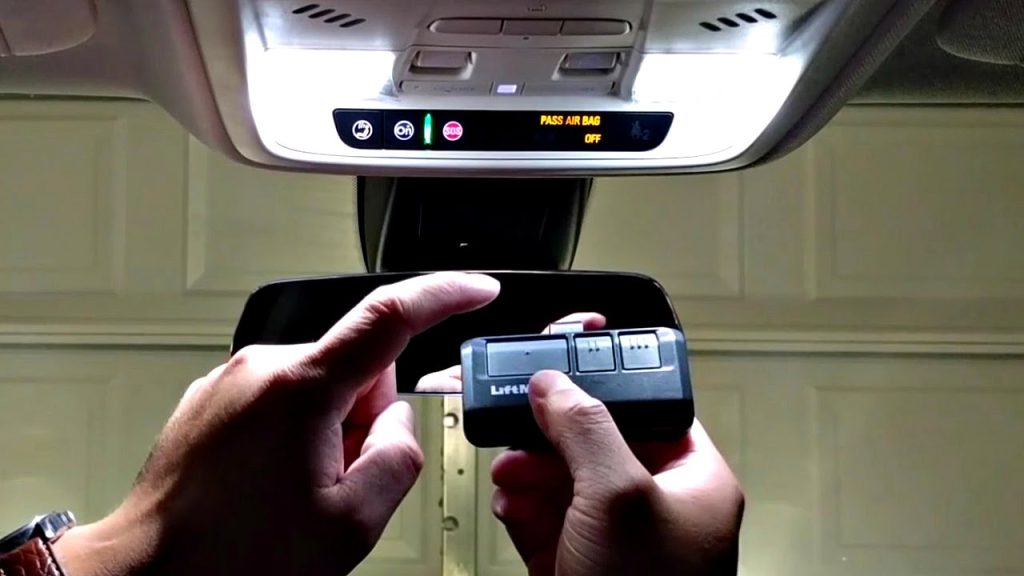
- Hold your original garage door remote 1–3 inches away from the HomeLink buttons on your visor/mirror.
- Simultaneously press and hold the handheld remote button AND the desired HomeLink button.
- Watch the HomeLink indicator light. It will flash slowly at first, then rapidly once the signal is captured. This typically takes 5–20 seconds.
- Release both buttons once the rapid flashing occurs.
Phase 3: Sync with the Garage Door Motor (Rolling Code Step)
Most openers manufactured after 1996 use rolling code security, requiring a final handshake at the motor unit itself.
- Locate the “Learn” or “Smart” button on your garage door opener motor (usually near the antenna wire or light lens). Colors vary: yellow, purple, orange, or green.
- Press and release the Learn button. You typically have 30 seconds to complete the next step.
- Return to your vehicle and press the newly programmed HomeLink button firmly three times, holding each press for 2 seconds.
- Test the button. The door should activate. If it cycles twice or the light blinks differently, repeat Phase 3.
⚠️ Safety Note: Never program your garage door opener while the vehicle is inside the garage. An accidental activation during the learning phase could cause property damage or personal injury. Always perform these steps from the driveway.
Troubleshooting: When Programming Fails
Even with perfect execution, issues arise. Here are data-backed solutions for the most common failure points.
The Indicator Light Won’t Flash Rapidly
- Battery Check: Replace the battery in your handheld remote. A weak signal is the #1 cause of training failure.
- Distance Adjustment: Try varying the distance between the remote and HomeLink button. Some frequencies require closer proximity (1 inch), while others need slight separation (3–4 inches).
- Frequency Mismatch: Verify your opener’s frequency matches your vehicle’s HomeLink generation. Vehicles pre-2015 may not natively support newer 433 MHz openers without a compatibility bridge.
Door Activates But Doesn’t Open Fully
- Travel Limits: Reprogramming does not adjust mechanical travel limits. Consult your opener’s manual to recalibrate the up/down force settings.
- Safety Sensor Alignment: Check the photo-eye sensors at floor level. Even slight misalignment (as little as 1/8 inch) can interrupt operation after reprogramming.
Works Intermittently
- LED Bulb Interference: Studies show that certain LED bulbs emit RF noise that disrupts garage opener signals. Temporarily unscrew nearby LED bulbs to test. If performance improves, switch to RF-shielded garage-specific LEDs.
- Antenna Position: Ensure the motor’s antenna hangs vertically and is not touching metal surfaces or wiring.
Expert Tips for Optimal Performance
Professional installers recommend these best practices based on thousands of service calls:
- Document Your Frequency: Write down your opener’s model number and frequency on a sticker inside the visor. This saves hours of research if you ever need to reprogram.
- Test Before Finalizing: After successful programming, test the button from various distances (25ft, 50ft, 75ft) to establish your reliable range.
- Update Firmware: Some newer HomeLink systems receive OTA updates via dealership service visits. If your 2020+ vehicle struggles with a new opener, ask your dealer about a HomeLink firmware update.
- Avoid Extreme Temperatures During Setup: Battery voltage in handheld remotes drops significantly below 32°F (0°C). Program indoors or wait for moderate weather if possible.
Frequently Asked Questions (FAQ)
Can I program my car to my garage door opener without the original remote?
Yes, but the method depends on your opener. For rolling-code openers, you can often program directly using the “Learn” button on the motor unit combined with the HomeLink training sequence. For older fixed-code openers, you may need to purchase a compatible replacement remote first, as direct motor-to-car pairing is not always supported. Always consult your specific opener’s manual for remote-less programming procedures.
Why does my HomeLink work sometimes but not others?
Intermittent operation is frequently caused by RF interference from LED lighting, nearby transformers, or even neighbor’s openers operating on similar frequencies. Start by replacing your handheld remote’s battery and testing with all garage LEDs removed. If the issue persists, consider installing an external antenna extension kit to boost signal reception.
Is there a difference between programming a Tesla and a traditional vehicle?
Tesla vehicles use a software-integrated HomeLink interface accessed through the touchscreen rather than physical buttons. The underlying RF protocol is identical, but the user interface differs. Navigate to Controls > HomeLink > Add Device and follow the on-screen prompts. The rolling code sync step at the motor remains the same regardless of vehicle brand.
How many devices can I program to my car’s garage door opener system?
Standard HomeLink systems support three programmable buttons, allowing you to store codes for your primary garage, a secondary garage, gate operator, or community entrance. Some premium vehicles offer up to five channels. Each button operates independently, and clearing one does not affect the others unless you perform a full factory reset.
Will programming my car void my garage door opener warranty?
No. Programming a vehicle transmitter is considered normal consumer operation and does not modify the opener’s hardware or firmware. Warranties are only voided by unauthorized electrical modifications, physical tampering, or use of incompatible high-voltage accessories. Keep your proof of purchase and note the date of programming for reference.
What if my car has Car2U instead of HomeLink?
Car2U is a competing system found primarily in certain Toyota, Lexus, and Honda models from 2007–2015. The programming sequence differs significantly—Car2U typically requires pressing the two outer buttons until the center light blinks, then following a unique timing-based training protocol. Refer to your vehicle’s owner’s manual specifically for “Car2U” instructions, as HomeLink guides will not apply.
Conclusion
Learning how to program my car to my garage door opener transforms daily convenience and eliminates the clutter of extra remotes. By following the three-phase process—clearing old codes, training the transmitter, and completing the rolling code handshake—you can achieve reliable, secure operation in under ten minutes. Remember to prioritize safety by working outside the garage, verify your system type before starting, and don’t hesitate to troubleshoot methodically if the first attempt fails.
Found this guide helpful? Share it with friends, family, or neighbors who are still fumbling with outdated remotes! Tag us on social media with your success story—we love seeing seamless garages across the country. Your next smooth entry starts with one shared link. 🏡🚗
Leave a Reply