Trying to use more than one remote for your garage door? You’re not alone. Many homeowners search for how to program garage door opener with two remotes when they want convenient access for multiple drivers or family members. The process is simple once you understand how your opener system works.
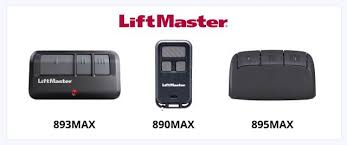
How To Program Garage Door Opener With Two Remotes (Full Guide)
If you want both remotes to control the same garage door, you’ll need to program them individually or copy the signal depending on your system.
👉 Don’t worry—we’ll walk you through both methods.
Read too: Tc1 Tricode Garage Door Opener Remote W/ Clip Chamberlain: Complete Guide
How Do Garage Door Remotes Work?
Garage door remotes communicate wirelessly with your opener.
Key concept:
- They send signals using Radio frequency
- The opener receives and matches the signal
- If matched, the door opens or closes
📊 Fact: Over 90% of modern garage openers use rolling code technology for better security.
Method 1: Program Two Remotes Using the Learn Button (Most Common)
This is the easiest and most reliable method.
Step-by-Step Instructions
Step 1: Locate the Learn Button
- Go to your garage door opener motor unit
- Find the Learn or Program button
- Usually under the light cover
👉 The button color may vary (yellow, red, purple, green).
Step 2: Program the First Remote
- Press and release the Learn button
- A light will turn on (you have 30 seconds)
- Press the button on Remote #1
- Wait for the light to blink or click
👉 This confirms successful programming.
Step 3: Program the Second Remote
- Press the Learn button again
- Press the button on Remote #2
- Wait for confirmation
👉 Each remote must be programmed separately.
Step 4: Test Both Remotes
- Press each remote
- Ensure both open and close the garage door
Method 2: Clone One Remote to Another (Older Systems)
Some older remotes allow signal copying.
Steps:
- Hold Remote #1 (working remote)
- Hold Remote #2 (new remote)
- Press and hold both buttons simultaneously
- Wait for LED indicator to change
👉 This method only works on compatible systems.
Which Method Should You Use?
📊 Comparison Table
| Method | Best For | Difficulty | Reliability |
|---|---|---|---|
| Learn Button | Modern openers | Easy | High |
| Remote Cloning | Older systems | Medium | Moderate |
👉 Most users should use the Learn button method.
How Many Remotes Can You Program?
Most garage door openers allow:
- 3–5 remotes on average
- Some advanced models support up to 10+ devices
📊 Tip: Check your opener manual for exact limits.
Common Problems and Fixes
❌ Remote not working
✔ Reprogram using Learn button
❌ Only one remote works
✔ Program the second remote separately
❌ No response from opener
✔ Check power and batteries
❌ Signal is weak
✔ Move closer to opener
Why Use Two Garage Door Remotes?
Benefits:
- Convenient for multiple drivers
- Backup remote in case one fails
- Easier access for family members
Do You Need to Erase Old Remotes First?
Not always—but it’s recommended if:
- You lost a remote
- You bought a used home
- Security is a concern
How to reset:
- Hold the Learn button for 6–10 seconds
- This clears all programmed remotes
Safety Tips When Programming Remotes
- Always keep the door in view
- Avoid programming when door is moving
- Keep remotes away from children
- Test safety sensors after setup
How Long Does Programming Take?
- Average time: 2–5 minutes
- With multiple remotes: 5–10 minutes
👉 It’s one of the fastest garage DIY tasks.
Advanced Tip: Programming Car + Remote Together
You can also sync:
- Car HomeLink system
- Multiple handheld remotes
👉 This creates a fully integrated system.
Pros vs Cons of Multiple Remotes
✔ Advantages
- More convenience
- Redundancy
- Easy access for everyone
❌ Disadvantages
- Slight security risk if lost
- Requires occasional reprogramming
FAQ: How To Program Garage Door Opener With Two Remotes
1. Can I use two remotes on one garage door?
Yes, most openers support multiple remotes.
2. Do I need to program both remotes separately?
Yes, each remote must be programmed individually.
3. Why is my second remote not working?
It may not be programmed correctly or has a dead battery.
4. Can I clone a remote instead of using the Learn button?
Only if your system supports cloning (older models).
5. How many remotes can I connect?
Typically 3–5, depending on your opener model.
6. Will programming one remote erase the other?
No, unless you reset the entire system.
Conclusion
Learning how to program garage door opener with two remotes is simple and incredibly useful for everyday convenience. Whether you’re adding a second remote for a family member or creating a backup, the Learn button method makes the process quick and reliable.
With just a few minutes of setup, you can enjoy seamless access to your garage from multiple devices.
👉 If this guide helped you, share it on social media so others can easily program their garage door remotes too!
Leave a Reply