Introduction
There’s nothing more frustrating than pulling into your driveway after a long day, only to realize you still have to dig out that bulky garage remote from your cup holder. If you’re wondering how to program garage door opener to Ford F150, you’re definitely not alone — it’s one of the most common questions new F-150 owners ask. The good news? With the built-in HomeLink® system, you can sync your garage door to your truck in under 10 minutes, no tools required.
In this complete guide, we’ll walk you through every step of the process, troubleshoot common issues, and share expert tips so you can get it right the first time.
Why Program Your Garage Door Opener to Your Ford F150?
Before we dive into the steps, let’s talk about why this upgrade is worth your time. According to industry data, more than 43 million households in the United States use remote-operated garage door systems
www.marketreportsworld.com, and around 55% of homeowners use their garage as the main entryway into their homes
garagedesignsource.com. That means your garage door is probably one of the most-used entry points in your house.
Programming your garage door opener to your Ford F150 gives you:
- Convenience: Open your garage without fumbling for a separate remote.
- Security: Modern HomeLink systems use rolling code technology, which generates a new security code every time the remote is used support.chamberlaingroup.com.
- Cleaner Interior: One less cluttering device in your truck.
- Resale Value: A properly programmed HomeLink system is a small but appreciated feature when selling your vehicle.
Where Are the HomeLink Buttons on a Ford F150?
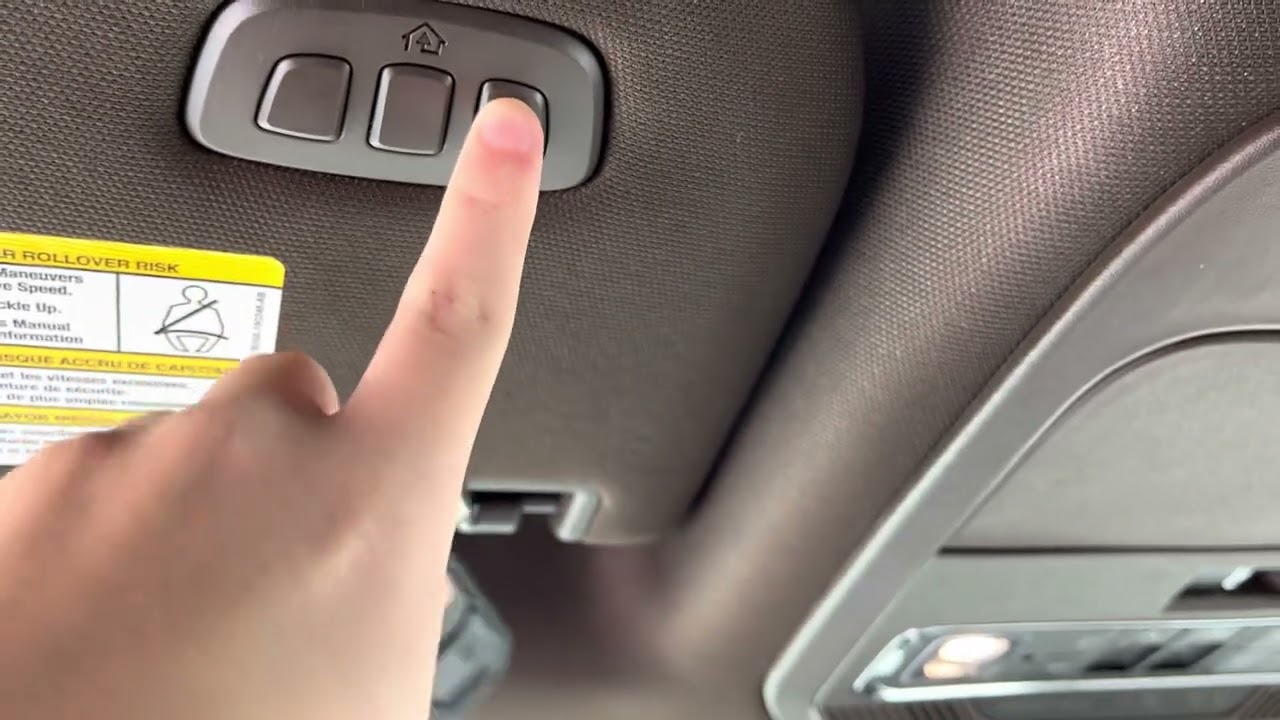
Before you start, you need to locate the HomeLink buttons on your truck. On most Ford F-150 models (2015–2025), the HomeLink panel is located in one of two places:
- The Overhead Console: Near the rearview mirror, usually behind a small flip-down panel.
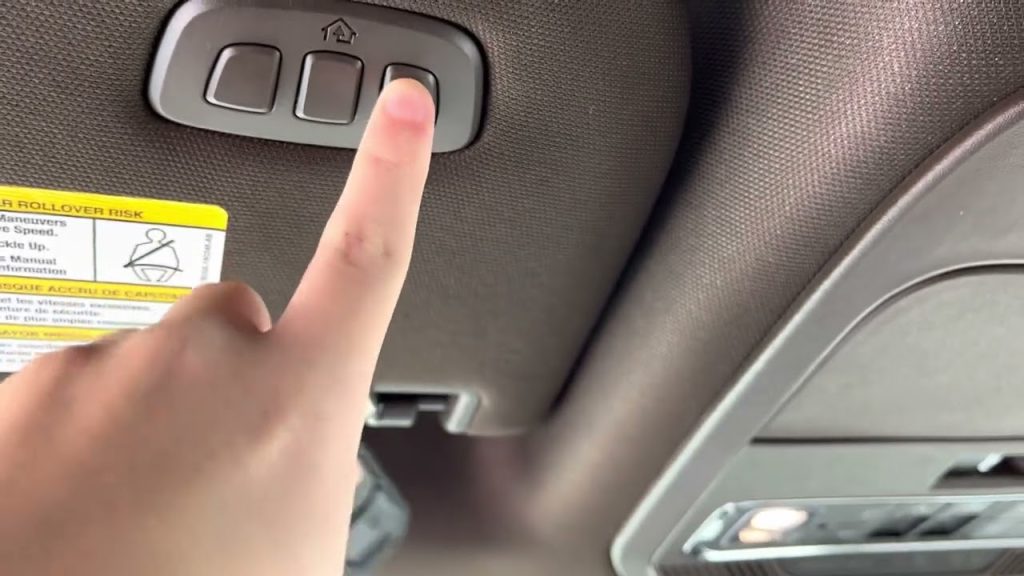
- The Sun Visor: On higher trims (Lariat, King Ranch, Platinum, Limited), the three HomeLink buttons are integrated into the driver’s side sun visor www.fordoffeasterville.com.
If you don’t see the buttons, check your owner’s manual or look for a small panel labeled with three icons (usually circles or squares). On F-150 models without factory HomeLink, you can install an aftermarket visor with HomeLink — many owners report it’s a simple plug-and-play swap
www.f150gen14.com.
How To Program Garage Door Opener To Ford F150: Step-by-Step
Now for the main event. This process works for most Ford F-150 models from 2015 to 2025. Make sure your garage door is closed before you begin, and park your truck just outside the garage with the ignition ON (engine running or in accessory mode).
Step 1: Clear Previous HomeLink Codes (Optional but Recommended)
If you bought your F-150 used, or if previous programming attempts failed, start fresh:
- Locate the two outer HomeLink buttons (buttons 1 and 3).
- Press and hold both buttons simultaneously for about 20 seconds www.justanswer.com.
- Watch the indicator light — it will blink rapidly when all codes are erased www.fordoffeasterville.com.
- Release the buttons. Your HomeLink system is now reset.
Step 2: Begin the Initial Programming
- Hold your handheld garage door remote 1–3 inches away from the HomeLink button you want to program.
- Press and hold both the HomeLink button you chose and the button on your handheld remote at the same time.
- Keep holding both until the HomeLink indicator light blinks slowly, then transitions to a rapid blink (this usually takes 20–60 seconds).
- Release both buttons.
Step 3: Sync With the Garage Door Motor (Rolling Code Units)
Most garage door openers manufactured after 1996 use rolling code technology
www.corvetteforum.com. If your HomeLink light blinks rapidly but the door doesn’t move, you need to complete this step:
- Go to your garage door motor unit (the box mounted on your garage ceiling).
- Locate the “Learn” or “Smart” button — it’s usually colored (yellow, purple, orange, or green) and located on the back or side of the motor tt-blogs.dealerfire.com.
- Press and hold the Learn button for 3–5 seconds until the indicator light on the motor blinks or turns on tt-blogs.dealerfire.com.
- You now have 30 seconds to return to your F-150 support.toyota.com.
- Inside the truck, press and hold the programmed HomeLink button for 2 seconds, then release www.fordservicecontent.com.
- Repeat this press-hold-release cycle one or two more times to sync the rolling code www.f150gen14.com.
- Your garage door should now activate.
Step 4: Test the System
- Park your F-150 at your usual distance from the garage (typically 15–50 feet).
- Press the programmed HomeLink button firmly for 2 seconds www.fordservicecontent.com.
- The door should respond immediately.
Pro Tip: If the door doesn’t respond, try moving the truck closer to the garage. Signal range can vary based on the age of your opener and local interference.
Fixed-Code vs. Rolling Code: Which One Do You Have?
Not all garage door openers use the same technology. Here’s a quick comparison to help you identify yours:
| Feature | Fixed-Code (Older Models) | Rolling Code (Modern Models) |
|---|---|---|
| Manufactured Before | 1996 | 1996 or later |
| Security Level | Low (code never changes) | High (code changes each use) www.wallengaragedoors.com |
| Programming Steps | 2 steps | 3 steps (requires Learn button) |
| Common Brands | Older Chamberlain, Stanley | LiftMaster, Chamberlain, Genie |
| Sync Required? | No | Yes, within 30 seconds |
If your garage door opener was installed before 1996, you can skip Step 3 entirely. For everything else, assume it’s rolling code and follow the full process.
Common Garage Door Opener Brands and Their Learn Button Colors
Finding the Learn button can be tricky. Here’s a quick reference for popular brands:
- LiftMaster / Chamberlain: Yellow, purple, orange, or green Learn button tt-blogs.dealerfire.com
- Genie: Usually a red or purple “Learn Code” button on the back panel
- Overhead Door: Purple or red “Learn” button near the antenna wire
- Craftsman: Yellow or purple Learn button
If you can’t find the Learn button, check your opener’s manual or search the model number online.
Troubleshooting: What If It Doesn’t Work?
Even with careful steps, things can go wrong. Here are the most common issues and how to fix them:
The HomeLink Light Never Blinks
- Make sure your F-150’s ignition is ON (not just accessory mode on some models).
- Check the battery in your handheld remote — a weak battery won’t transmit the signal.
- Move the remote closer to the HomeLink button (1 inch or less).
The Light Blinks Rapidly but the Door Won’t Move
- You likely missed the rolling code sync. Repeat Step 3 carefully.
- Make sure you press the Learn button on the motor before returning to the truck.
- Complete the 2-second press-hold cycle in your truck within 30 seconds of pressing Learn.
The Door Works Sometimes, Not Always
- Signal interference from LED bulbs, Wi-Fi routers, or nearby radio towers can cause issues.
- Try repositioning the motor’s antenna (the hanging wire near the motor).
- Reprogram the HomeLink button from scratch.
Only One of My Three HomeLink Buttons Works
- Each button must be programmed individually. Repeat the full process for each button you want to use.
- Remember: you can program up to three devices (garage door, gate, even a home lighting system).
Expert Insight: Why Rolling Code Matters
According to security experts, rolling code technology was developed specifically to prevent a type of theft called “code grabbing,” where criminals intercept the signal from your garage remote and replay it later to break in
support.chamberlaingroup.com. By changing the code every single time you use it, HomeLink and modern openers make this nearly impossible.
The Consumer Technology Association reports that 68% of U.S. households have garage door openers compatible with sectional doors
www.marketdataforecast.com, and the shift toward smart, rolling-code systems continues to grow. In fact, recent research shows 11% of U.S. internet households now own a smart garage door opener, with adoption accelerating as home security becomes a bigger priority
www.parksassociates.com.
For more background on how in-vehicle remote systems work, you can explore the broader topic of HomeLink on Wikipedia.
FAQ: Your Questions About Programming a Ford F150 Garage Door Opener Answered
1. Can I program a garage door opener to my Ford F150 without a handheld remote?
In most cases, no — you need the original handheld remote to complete the initial training of the HomeLink button. However, if your garage opener has a “Learn” button, some newer systems allow direct programming by pressing the Learn button and then the HomeLink button in sequence. Check your opener’s manual for specifics.
2. How many devices can I program to my Ford F150 HomeLink?
The HomeLink system in your F-150 supports up to three separate devices
www.fordoffeasterville.com. You can use all three for garage doors, or mix them with gate openers, home lighting systems, or even a smart lock.
3. Will programming my F150 erase my handheld remote?
No. Programming your Ford F150 does not affect your existing handheld remote. Both will continue to work independently.
4. What if I buy a new house with a different garage door?
Simply reprogram one of your HomeLink buttons using the same steps above. You don’t need to erase the old code unless you want to free up a button.
5. Does the Ford F150 HomeLink work with MyQ / Chamberlain smart openers?
Yes, but Chamberlain/LiftMaster openers with MyQ technology sometimes require an additional step. You may need to press the Learn button twice before programming the HomeLink button in your truck. If the standard process fails, consult your opener’s manual for “HomeLink compatibility” instructions.
6. Is it safe to program HomeLink while the garage door is open?
For safety reasons, Ford recommends starting the process with the garage door fully closed. This prevents accidental activation while you’re still learning the system.
Conclusion
Learning how to program garage door opener to Ford F150 is one of those small upgrades that makes a surprisingly big difference in your daily routine. With the built-in HomeLink system, you get a cleaner truck interior, better security through rolling code technology, and the simple joy of pulling into your driveway and watching your garage door open automatically.
The entire process takes about 10 minutes, requires no tools, and works on nearly every F-150 model from the last decade. Just remember the three golden rules: clear old codes first, complete the rolling code sync within 30 seconds, and test from your usual parking distance.
Leave a Reply