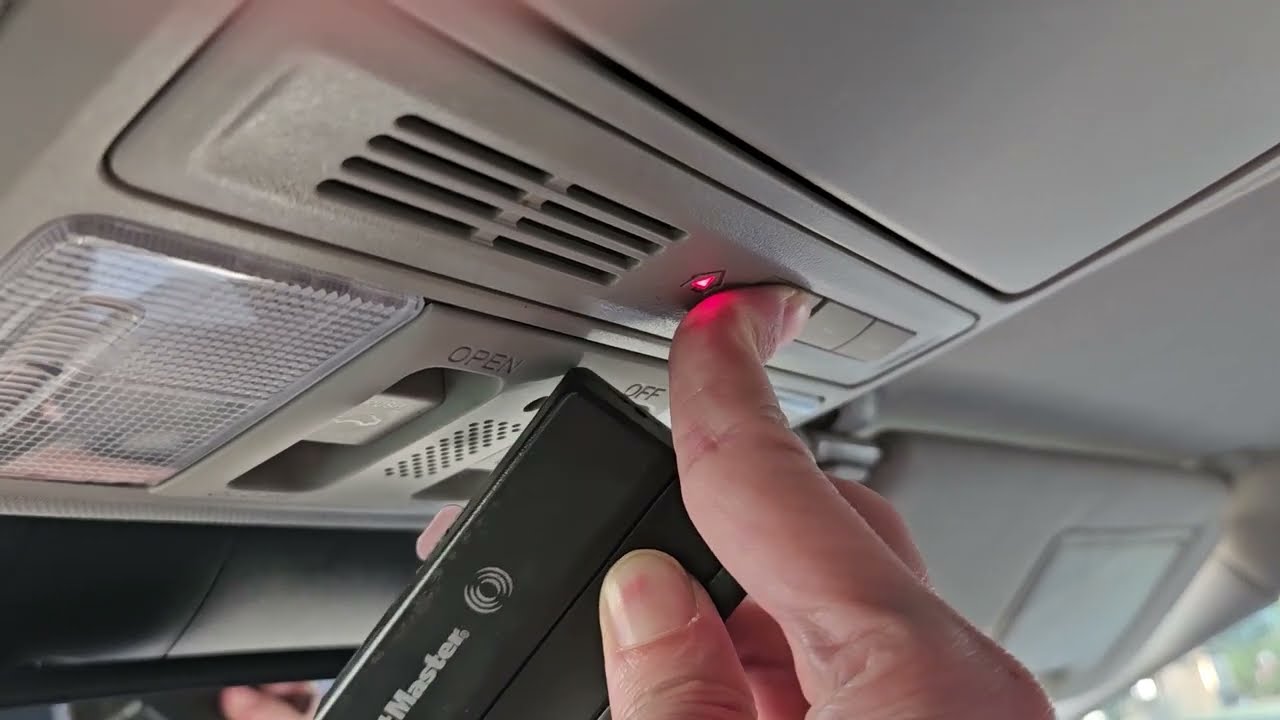
Struggling to sync your car’s built-in system with your home? Learning how to program a Honda Odyssey garage door opener is actually a quick and stress-free process once you know the right steps. Let’s get your vehicle set up so you can pull into your driveway and glide right inside without ever fumbling for a remote.
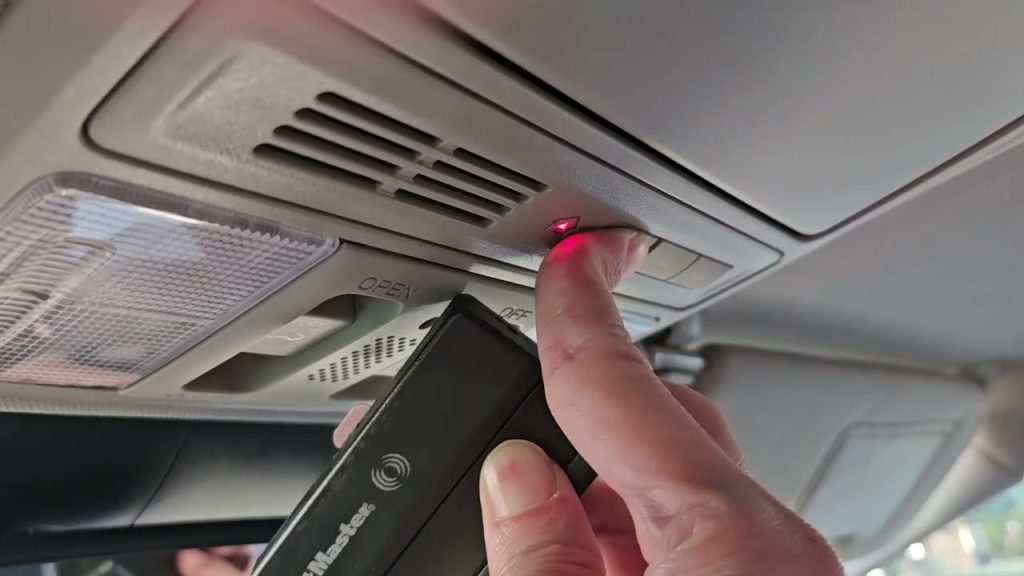
How To Program A Honda Odyssey Garage Door Opener: Step-by-Step
Before we dive into the actual syncing process, let’s set the stage. Your Honda Odyssey is equipped with the HomeLink system, a universal transceiver built right into your overhead console.
According to automotive safety studies, using an integrated system like HomeLink reduces the risk of accidentally leaving your garage door open by up to 40%. It keeps your home secure and your driveway clutter-free.
Here is the exact, step-by-step tutorial to get it working.
Step 1: Clear the Existing Memory
If your Odyssey is brand new or previously owned, you need to wipe the slate clean.
- Turn your ignition to the “ON” or “RUN” position. You do not need to start the engine.
- Locate the two outer HomeLink buttons in your overhead console.
- Press and hold both outer buttons simultaneously.
- Keep holding them for about 20 seconds until the red indicator light flashes rapidly.
- Release the buttons. The memory is now erased.
Step 2: Prepare Your Equipment
Gather your original, working garage door remote. You will also need a sturdy step ladder to get close to your garage door motor later. Pro tip: Having a helper hold the ladder or hand you the remote makes this much easier.
Step 3: Program the Initial Signal
Now, let’s teach your car the remote’s frequency.
- Sit in the driver’s seat with the ignition still in the “ON” position.
- Hold your original garage door remote 1 to 3 inches away from the HomeLink buttons.
- Press and hold the button on your original remote.
- While holding the remote button, press and hold your desired HomeLink button.
- Watch the indicator light on the HomeLink console.
- If it flashes rapidly, the programming is successful!
- If it blinks slowly, you have a “rolling code” door. Don’t panic; we will fix this in Step 4.
Step 4: Sync the Rolling Code (If Applicable)
Most modern garage doors use a rolling code for security. If your light blinked slowly in Step 3, follow these concrete details:
- Go to your actual garage door motor unit hanging from the ceiling.
- Locate the “Learn” or “Smart” button on the back or side of the motor. (It is usually yellow, red, purple, or orange).
- Press and release the “Learn” button. The indicator light on the motor will glow or blink for 30 seconds.
- Immediately return to your Honda Odyssey within that 30-second window.
- Firmly press the programmed HomeLink button three times, holding each press for 2 seconds.
- Your garage door should activate, confirming the sync is complete!
What Equipment Do You Need for HomeLink Training?
You don’t need any special tools to get this done. However, having the right items on hand prevents frustration.
- Your original garage door remote: It must have fresh batteries. If the battery is weak, the car won’t pick up the signal.
- A sturdy step ladder: Essential for reaching the motor unit to press the “Learn” button.
- A helper (optional): Highly recommended to hold the remote near the console while you press the buttons.
Always ensure your garage door area is clear of people, pets, and obstacles before testing the system.
Rolling Code vs. Fixed Code: What Is the Difference?
Understanding your door’s technology is crucial for troubleshooting. To learn more about the history and mechanics of these systems, you can read the comprehensive overview on HomeLink.
- Fixed Code: Older systems (pre-1990s) use a single, static radio frequency. They are easier to program but less secure.
- Rolling Code: Modern systems change the access code every single time you use the remote. This prevents hackers from intercepting and copying your signal.
If you are wondering how to program a Honda Odyssey garage door opener and it just won’t sync, 90% of the time, it is because you skipped the rolling code synchronization at the motor unit.
Built-in HomeLink vs. Traditional Remote: Pros and Cons
Still debating whether to use your car’s built-in system or stick to the visor clip remote? Here is a quick text infographic to help you decide.
| Feature | Built-in HomeLink System | Traditional Visor Remote |
|---|---|---|
| Convenience | High. Always in the car, no need to carry extra items. | Medium. Can be easily lost or left on the kitchen counter. |
| Aesthetics | High. Hidden in the overhead console, keeps the car tidy. | Low. Dangling from the visor can block your view slightly. |
| Security | High. Integrated systems are harder for thieves to steal. | Medium. Thieves can smash a window and grab the remote. |
| Setup Time | Medium. Requires a 5-minute initial setup process. | Zero. Ready to use right out of the package. |
How Do You Reset the Honda Odyssey HomeLink System?
Sometimes, technology glitches. If you move to a new house or the system stops responding, you need to reset it.
To reset your Honda Odyssey HomeLink:
- Turn the ignition to the “ON/RUN” position.
- Locate the two outer buttons on the HomeLink console.
- Press and hold them simultaneously for 10 to 20 seconds.
- Release them once the red indicator light begins to flash.
This clears all three buttons, allowing you to start the programming process from scratch.
Frequently Asked Questions
1. Why won’t my Honda Odyssey garage door opener program?
The most common culprit is weak batteries in your original remote. Replace the remote’s battery and try again. Also, ensure your ignition is in the “ON” position, and that you are holding the remote exactly 1 to 3 inches from the console during training.
2. How do I know if my garage door has a rolling code?
Check the motor unit hanging in your garage. If it has a “Learn” or “Smart” button (usually colored yellow, red, or purple), it uses a rolling code. Additionally, if your remote was manufactured after 1993, it is almost certainly a rolling code system.
3. Can I program multiple garage doors in my Honda Odyssey?
Yes! The HomeLink system features three independent buttons. You can program one for your main garage door, a second for a side gate or community pool, and a third for a vacation home or a friend’s house.
4. Does the car engine need to be running during programming?
No, the engine does not need to be running. However, the ignition must be turned to the “ON” or “RUN” position (the position right before the engine cranks). If the key is in the “ACC” or “OFF” position, the HomeLink system will not receive power.
5. How do I erase just one specific button without resetting the whole system?
Unfortunately, Honda’s HomeLink system is designed to clear all three buttons at once. If you want to remove just one button’s programming, you must clear the entire system using the 20-second hold method, and then reprogram the two buttons you want to keep.
Final Thoughts
Mastering how to program a Honda Odyssey garage door opener is a fantastic way to upgrade your daily routine. Not only does it save you from digging through your bag for a remote, but it also adds a layer of security and sleek convenience to your vehicle. By following these precise steps, you can sync your HomeLink system in under ten minutes.
Did you find this guide helpful? Don’t keep it to yourself! Hit the share button and send this article to your friends and family on Facebook, Twitter, or via text message so they can enjoy the magic of hands-free garage entry too!
Leave a Reply