Locked out of your garage or tired of carrying a remote everywhere? You’re not alone. Many homeowners are now choosing keypads for convenience and security. In this guide, you’ll learn How To Install A Keypad For Garage Door Opener quickly and safely—even if you’re a complete beginner.
Why Install a Garage Door Keypad?
A keypad adds a new level of flexibility to your garage access system.
Read too: How Do You Change Code On Garage Door Keypad Fast?
Key Benefits:
- Keyless Entry: No need to carry remotes or keys
- Convenience: Perfect for families or shared access
- Improved Security: Custom PIN codes reduce unauthorized access
- Backup Access: Useful if your remote is lost or battery dies
📊 Home improvement experts note that adding a keypad can increase both usability and perceived home value.
What Tools and Materials Do You Need?
Before starting, gather everything you need to avoid interruptions.
Tools Checklist:
- Drill with bits (typically 3/16 inch)
- Screwdriver
- Measuring tape
- Pencil for marking
Materials:
- Wireless garage door keypad
- Mounting screws (usually included)
- Batteries (often 9V or AA)
What Type of Garage Keypad Should You Choose?
Not all keypads are the same. Choosing the right one ensures compatibility.
Common Types:
| Type | Best For | Pros | Cons |
|---|---|---|---|
| Universal Keypad | Multiple brands | Flexible | Setup may vary |
| Brand-Specific | Same opener brand | Easy pairing | Limited compatibility |
| Smart Keypad | Smart homes | App integration | Higher cost |
💡 Tip: Always check compatibility with your garage opener model before purchasing.
How To Install A Keypad For Garage Door Opener (Step-by-Step)
Follow these steps carefully for a smooth installation.
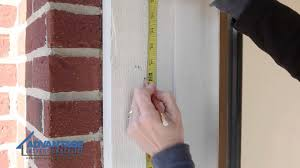
Step 1: Choose the Installation Location
- Mount the keypad at least 5 feet (1.5 meters) above the ground
- Place it near the garage door frame
- Ensure it’s within clear sight of the door
📍 Avoid areas exposed to direct rain or extreme sunlight.
Step 2: Mark and Drill Holes
- Hold the keypad bracket against the wall
- Mark screw positions using a pencil
- Drill pilot holes (about 3/16 inch diameter)
🔧 This prevents cracking or uneven mounting.
Step 3: Mount the Keypad
- Attach the keypad bracket using screws
- Tighten securely but avoid over-tightening
- Snap or slide the keypad onto the bracket
✔️ Ensure it is stable and aligned.
Step 4: Insert Batteries
- Open the battery compartment
- Insert batteries according to polarity (+/-)
- Close the cover securely
🔋 Weak batteries can cause programming issues.
Step 5: Program the Keypad
- Locate the “Learn” button on your garage door opener
- Press and release it (LED light will turn on)
- Enter your desired 4-digit PIN on the keypad
- Press Enter
⏱ You usually have 30 seconds to complete this step.
Step 6: Test the Keypad
- Enter your PIN
- Press Enter
- The garage door should open or close
✅ If it works, installation is complete!
Where Should You NOT Install a Garage Keypad?
Avoid these common mistakes:
- ❌ Too close to the ground (easy access for children)
- ❌ Behind obstacles (poor signal)
- ❌ Direct exposure to heavy rain
- ❌ Near heat sources
How Long Does Installation Take?
Most installations take:
- 10–20 minutes for beginners
- Under 10 minutes for experienced users
👉 No professional help is usually required.
Advantages vs Disadvantages of Garage Keypads
Pros and Cons
| Advantages | Disadvantages |
|---|---|
| Keyless convenience | Requires battery maintenance |
| Easy to install | PIN can be forgotten |
| Multiple user access | Needs occasional reprogramming |
What If the Keypad Doesn’t Work?
If your keypad isn’t responding, try these fixes:
Troubleshooting Steps:
- Check Batteries
Replace with fresh batteries. - Reprogram the Keypad
Repeat the programming steps carefully. - Check Distance
Ensure the keypad is within range of the opener. - Inspect Buttons
Worn-out keys may not register input.
How Secure Is a Garage Door Keypad?
Modern keypads offer strong security features:
Security Highlights:
- Rolling code technology
- Millions of code combinations
- Temporary PIN options (on smart models)
For more technical details on garage systems, visit:
https://en.wikipedia.org/wiki/Garage_door_opener
Expert Insight: Why Keypads Are Worth It
Home improvement professionals often recommend keypads for families and active households.
They provide:
- Quick access for kids after school
- Safe entry for guests or service providers
- Backup access during emergencies
Maintenance Tips After Installation
Keep your keypad working smoothly:
- Replace batteries every 6–12 months
- Clean keypad surface regularly
- Update PIN codes periodically
- Test functionality monthly
Signs You Need to Replace Your Keypad
Watch for these issues:
- Delayed response
- Buttons not working
- Fading display
- Frequent reprogramming needed
FAQ: How To Install A Keypad For Garage Door Opener
Q1: Can I install a garage keypad without professional help?
Answer: Yes, most installations are simple and take less than 20 minutes.
Q2: What is the best height to install a keypad?
Answer: Around 5 feet (1.5 meters) above ground level for safety and convenience.
Q3: Can I use one keypad for multiple garage doors?
Answer: Some advanced models support multiple doors, but not all.
Q4: What happens if I forget my PIN?
Answer: You’ll need to reset and reprogram the keypad.
Q5: Does weather affect keypad performance?
Answer: Yes, extreme heat or moisture can reduce lifespan.
Q6: How often should I change my PIN?
Answer: Every 6–12 months or whenever security is a concern.
Conclusion
Learning How To Install A Keypad For Garage Door Opener is a simple upgrade that delivers big benefits. In just a few minutes, you can enjoy keyless convenience, improved security, and easier access for your entire household.
Whether you’re replacing a remote or upgrading your system, a keypad is a smart investment. If you found this guide helpful, share it on social media—someone else might need this easy solution too!
Leave a Reply