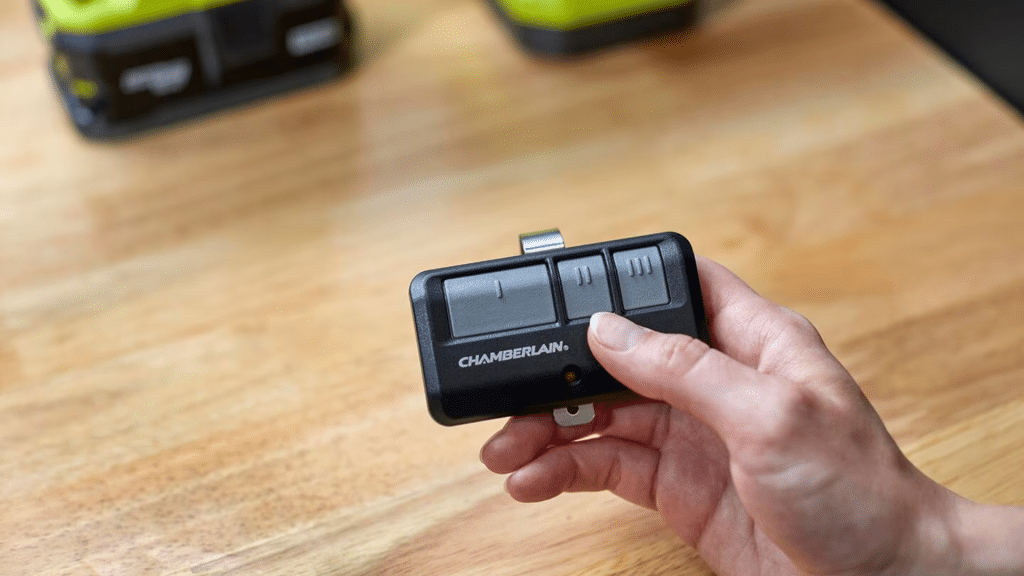
Struggling to get your new clicker to work can be incredibly frustrating, especially when you are stuck outside in the cold or rain. If you are wondering how to connect a remote to a garage door opener, don’t worry—we are here to help you sync it quickly and easily. Let’s get your door opening smoothly again!
How To Connect A Remote To A Garage Door Opener: What You Need First
Before we dive into the actual programming, it is crucial to gather the right tools and prepare your workspace. Proper preparation prevents unnecessary trips back and forth to the garage.
First, ensure you have a sturdy step ladder. You will need to reach the motor unit mounted on your garage ceiling. Next, check the battery compartment of your new remote. Insert fresh batteries—usually CR2032 coin cells or standard AAA batteries, depending on your model.
Safety is also a top priority. Always ensure the garage door area is completely clear of pets, children, and obstacles before testing the motor. According to the International Door Association (IDA), over 70% of homeowners use their garage as their primary entrance, making a safely functioning opener essential for daily convenience.
Identifying Your Opener Type: Learn Button vs. DIP Switches
Not all garage door systems are created equal. The modern electric garage door opener was invented in 1926 and has evolved significantly, meaning your programming steps will depend on the age and type of your motor.
Most modern systems use a “Learn” button or a “Smart” button. Older models (pre-1990s) might still use DIP switches (tiny physical toggles inside the remote and motor).
Here is a quick comparison table to help you identify your system:
| Opener Type | Identification Feature | Frequency/Security | Programming Method |
|---|---|---|---|
| DIP Switch | Tiny physical toggle switches inside the motor and remote. | Low security (310 MHz) | Match the physical switch patterns exactly. |
| Learn Button | A colored button (Yellow, Purple, Red/Orange, Green) on the motor. | Rolling code (315/390 MHz) | Press Learn button, then press remote button. |
| Smart/Wi-Fi | No physical Learn button; connects via a smartphone app. | High security (2.4 GHz Wi-Fi) | Sync via the manufacturer’s mobile app. |
Universal Remote vs. OEM Remote: Pros and Cons
When buying a replacement, you likely chose between a universal remote and an Original Equipment Manufacturer (OEM) remote. Here is a quick text infographic to help you understand your choice:
Universal Remote Pros: Highly versatile, works with multiple brands, usually cheaper, can program multiple doors. Cons: Can be slightly more complex to program, may not support advanced smart features.
OEM Remote (Brand Specific) Pros: Guaranteed compatibility, easiest to program, supports all brand-specific features. Cons: More expensive, only works with that specific brand of opener.
Step-by-Step Tutorial: Syncing Your New Remote
Now that you have your tools and know your system type, let’s look at the exact steps for the most common modern system: the Learn Button opener.
Step 1: Clear the Old Memory (Optional but Recommended) If you are having connection issues, it is best to start fresh. Locate the Learn button on your motor unit. Press and hold it down for about 6 to 10 seconds until the indicator LED turns off or blinks rapidly. This erases all previously paired remotes. Note: You will need to reprogram all your existing remotes and keypads after doing this.
Step 2: Locate the “Learn” or “Smart” Button Climb your ladder and look at the back or side of the motor head, right near where the white antenna wire hangs down. The button is usually square or round and colored Yellow, Purple, Red/Orange, or Green.
Step 3: Activate Programming Mode Press and release the Learn button. You will know it worked because the indicator LED next to the button will light up solid or start blinking. You have exactly 30 seconds to complete the next step before the system times out.
Step 4: Program the Remote While the LED is active, take your new remote and press the main button you want to use. Press and hold it for 3 to 5 seconds, then release. Wait one second, and repeat this process 2 to 3 times. This sends the rolling code signal to the motor.
Step 5: Test the Connection Climb down from your ladder. Stand about 10 feet away from the garage door. Press the button on your remote. The door should activate immediately, and the motor’s LED light might flash or turn off to confirm success.
Troubleshooting Common Connection Issues
Did the door refuse to budge? Do not panic. Here are the most common reasons your remote is not connecting, and how to fix them:
- Dead or Weak Batteries: Even if the remote’s LED lights up, the battery might not have enough juice to send a strong radio signal. Always use brand-new, high-quality alkaline or lithium batteries.
- Radio Frequency Interference: Cheap, poorly shielded LED light bulbs installed in the motor unit can block the 315 MHz or 390 MHz radio frequencies. If your remote only works when you are inches away, try unscrewing the garage light bulbs and testing again.
- Antenna Issues: The small wire hanging from the motor is the antenna. Ensure it is fully extended, hanging straight down, and not tangled or wrapped around any metal parts.
- Out of Range During Programming: If you stand too far away while pressing the remote button in Step 4, the motor won’t receive the signal. Always stand within 5 to 10 feet of the motor during the syncing process.
- Dirty Battery Contacts: If the remote has been sitting in a drawer for months, the metal contacts might be oxidized. Wipe them gently with a cotton swab dipped in rubbing alcohol.
Frequently Asked Questions (FAQ)
Q1: Can I use any remote for my garage door opener? A: No, you cannot use just any remote. The remote must be compatible with your opener’s specific frequency (usually 315 MHz or 390 MHz) and its rolling code technology. Universal remotes are designed to work with multiple brands, but you must check the compatibility list on the packaging before purchasing.
Q2: How do I reset my garage door opener to factory settings? A: To reset the motor to its factory settings, locate the “Learn” or “Smart” button on the back of the motor unit. Press and hold the button down for about 10 to 15 seconds until the indicator LED turns off completely. This clears all paired remotes, keypads, and smart home connections.
Q3: Why does my remote only work when I am very close to the door? A: This is almost always caused by one of three things: a dying battery in the remote, radio frequency interference from LED light bulbs in the motor, or a damaged antenna wire on the motor unit. Start by replacing the remote battery, as it is the cheapest and easiest fix.
Q4: How many remotes can I connect to a single garage door opener? A: Most modern residential garage door openers can store between 4 to 5 different remote controls in their memory, alongside one wireless keypad and one hardwired wall console. If you reach the limit, you will need to clear the memory and reprogram your devices.
Q5: My remote has a “Lock” button. Did I accidentally lock the system? A: Yes! Many wall consoles and remotes feature a “Lock” or “Vacation” button. If this is activated, the motor will disable all wireless remotes to prevent unauthorized entry while you are away. Simply press and hold the Lock button on your wall console for 2 seconds to deactivate it.
Conclusion
Learning how to connect a remote to a garage door opener is a simple DIY task that can save you the hefty service fee of calling a professional technician. By identifying your opener type, following the precise 30-second programming window, and troubleshooting common interference issues, you can restore full access to your garage in minutes.
Leave a Reply