If your garage door suddenly stops working during a power outage or shows a low battery warning, you’re not alone. Many homeowners search for how to change the battery in a garage door opener when their system becomes unreliable. The good news is that replacing the battery is a simple DIY task that can restore full functionality in minutes.
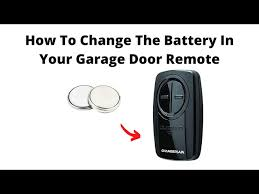
What Does a Garage Door Opener Battery Do?
A garage door opener battery serves as a backup power source, allowing your door to operate even when electricity is unavailable.
Key Functions:
- Keeps your garage door working during outages
- Maintains safety and accessibility
- Supports emergency operation
Read too: How Do You Change Code On Garage Door Keypad Fast?
📊 Industry Insight: In the U.S., battery backup systems became standard in many regions after safety regulations required garage doors to function during power failures.
To learn more about battery systems, visit:
https://en.wikipedia.org/wiki/Battery_(electricity)
Signs Your Garage Door Opener Battery Needs Replacement
Before diving into the steps, look for these warning signs:
Common Indicators:
- Beeping sounds every 30–60 seconds
- Flashing LED lights on the opener
- Door doesn’t operate during power outages
- Slower or weaker motor response
🔋 Most opener batteries last 1–3 years, depending on usage and environment.
How To Change The Battery In A Garage Door Opener (Step-by-Step)
Step 1: Disconnect Power for Safety
- Unplug the garage door opener
- Turn off the circuit breaker if needed
⚠️ This prevents electrical hazards during the process.
Step 2: Locate the Battery Compartment
- Typically found on the back or side of the opener unit
- Covered by a small plastic panel
- May require a screwdriver to open
💡 Tip: Refer to your opener manual for exact location.
Step 3: Open the Battery Cover
- Remove screws or clips
- Carefully open the compartment
- Avoid damaging wires or connectors
Step 4: Remove the Old Battery
- Disconnect the battery terminals
- Note the polarity (red = positive, black = negative)
- Gently remove the battery
📌 Most systems use a 12V rechargeable battery.
Step 5: Install the New Battery
- Connect the new battery with correct polarity
- Secure it firmly in place
- Ensure wires are properly attached
Step 6: Close the Compartment
- Replace the cover
- Tighten screws if applicable
- Make sure it’s sealed properly
Step 7: Restore Power and Test
- Plug the opener back in
- Test the garage door
- Check for warning lights or sounds
✔️ If everything works normally, the replacement is successful.
Common Battery Types for Garage Door Openers
| Battery Type | Voltage | Lifespan | Common Use |
|---|---|---|---|
| 12V Rechargeable | 12V | 1–3 years | Most openers |
| SLA Battery | 12V | 2–3 years | Backup systems |
| Lithium-ion | Varies | 2–5 years | Newer smart systems |
Troubleshooting After Battery Replacement
If your opener still doesn’t work:
1. Incorrect Installation
- Check polarity and connections
2. Faulty Battery
- Ensure the battery is new and compatible
3. System Reset Needed
- Reset the opener if required
4. Electrical Issues
- Verify power supply and wiring
Advantages vs Disadvantages of Battery Replacement
Advantages:
- Restores backup functionality
- Improves reliability
- Low cost ($20–$50)
- Easy DIY process
Disadvantages:
- Requires periodic replacement
- Limited lifespan
- Must use compatible battery
Pro Tips to Extend Battery Life
Best Practices:
- Replace battery every 2 years proactively
- Keep opener in a moderate temperature (50–80°F)
- Avoid frequent unnecessary use during outages
- Use manufacturer-recommended batteries
🔋 Expert Tip: High-quality batteries can last up to 30% longer.
Real-World Example
A homeowner experienced a power outage and their garage door failed to open:
- Diagnosis: Dead backup battery
- Replacement time: 10 minutes
- Cost: $25
- Result: Full operation restored during outages
✔️ A simple fix prevented a major inconvenience.
When Should You Replace the Entire Opener Battery System?
Sometimes a simple replacement isn’t enough.
Consider replacement if:
- Battery compartment is damaged
- Opener is older than 10–15 years
- System frequently malfunctions
- Battery drains quickly
Common Mistakes to Avoid
Avoid These Errors:
- Installing battery with wrong polarity
- Using incompatible battery type
- Skipping safety steps
- Forgetting to test after installation
FAQ: How To Change The Battery In A Garage Door Opener
1. How long does it take to replace the battery?
Typically 5–10 minutes.
2. What type of battery do garage door openers use?
Most use 12V rechargeable batteries.
3. Why is my opener beeping?
It usually indicates a low or dead battery.
4. Can I replace the battery myself?
Yes, it’s a simple DIY task.
5. How often should I replace the battery?
Every 1–3 years, depending on usage.
6. What happens if I don’t replace the battery?
Your garage door won’t work during power outages.
Conclusion
Knowing how to change the battery in a garage door opener is essential for maintaining reliability and safety. With just a few simple steps, you can ensure your garage door works even during power outages.
This quick and affordable maintenance task saves time, prevents frustration, and keeps your home accessible at all times. If this guide helped you, share it on social media so others can easily fix their garage door opener too!
Leave a Reply