If you’re trying to figure out How To Change Code On Chamberlain Garage Door Opener, you’re probably dealing with a security concern, a lost code, or just want to update access for your home. This is a common situation for homeowners who use smart garage systems.
The good news is that changing the code is usually straightforward once you understand the system. In this guide, you’ll learn safe, step-by-step methods to reset and update your Chamberlain garage door opener code without confusion.
What Does Changing the Garage Door Code Mean?
Changing the code on a Chamberlain opener means updating the digital signal or PIN that allows your remote, keypad, or car system to open the garage door.
Read too: Tc1 Tricode Garage Door Opener Remote W/ Clip Chamberlain: Complete Guide
Modern systems use rolling code technology, which changes the access signal each time the door is used for better security. According to basic security principles used in access control systems (see: https://en.wikipedia.org/wiki/Access_control), changing codes regularly reduces unauthorized entry risks.
Why You Should Change Your Chamberlain Garage Code
There are several important reasons homeowners update their garage door codes:
- You moved into a new house
- A remote was lost or stolen
- You suspect unauthorized access
- You want to improve home security
- You are resetting smart home devices
Security Insight
A 2023 home security report by SafeHome noted that over 9% of break-ins involve garage access points, making garage code management an important safety step.
Tools You Need Before Changing the Code
Before starting, make sure you have:
- A ladder (if the motor unit is mounted high)
- Access to the garage door motor unit
- Your remote control or keypad
- A stable power connection
No special technical tools are required for most Chamberlain models.
How To Change Code On Chamberlain Garage Door Opener
Below is the standard method used in most Chamberlain rolling-code systems.
Step 1: Locate the Learn Button
- Find the motor unit on the ceiling
- Look for a colored “LEARN” button (usually yellow, red, or purple)
- This button is key for resetting and reprogramming
Step 2: Clear Existing Codes
- Press and hold the LEARN button for about 6–10 seconds
- The indicator light will turn off or blink
- This erases all previously connected remotes and keypads
⚠️ Important: This step disconnects all devices, so you’ll need to reprogram them.
Step 3: Reprogram the Remote or Keypad
- Press the LEARN button once (do not hold it)
- Within 30 seconds, press the button on your remote
- The light will flash or click, confirming pairing
Repeat this process for additional remotes.
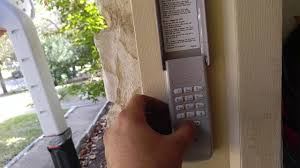
Step 4: Set a New Keypad Code (If Applicable)
- Enter your new 4-digit PIN on the keypad
- Press ENTER or SEND
- Wait for the garage door to respond
Troubleshooting Common Issues
Garage Door Won’t Respond
- Check battery in remote or keypad
- Ensure motor unit has power
- Repeat programming steps
Code Not Saving
- You may be outside the 30-second programming window
- Try resetting the LEARN button again
Signal Interference
Wireless devices can sometimes interfere. Keep routers or smart hubs away from the motor unit if possible.
Comparison: Old Code System vs Rolling Code System
| Feature | Old Fixed Code | Chamberlain Rolling Code |
|---|---|---|
| Security | Low | High |
| Code Reuse | Yes | No |
| Hack Resistance | Weak | Strong |
| Recommended Today | No | Yes |
Modern Chamberlain systems use rolling code encryption for better protection.
When Should You Fully Reset the System?
You should fully reset your garage opener if:
- You lost all remotes
- You bought a used garage opener
- You are upgrading home security systems
- You experience repeated connection issues
Expert Tip for Better Security
Home security experts recommend changing garage access codes at least once every 12 months, especially if multiple people have had access in the past.
FAQ: How To Change Code On Chamberlain Garage Door Opener
1. Do I need Wi-Fi to change the code?
No. Most Chamberlain openers can be programmed manually without Wi-Fi.
2. Will resetting erase all remotes?
Yes. A full reset clears all connected devices.
3. How long does programming take?
Usually 5–10 minutes if done correctly.
4. Can I change the code from my phone?
Only smart Chamberlain models connected to apps like myQ support phone control.
5. What if my LEARN button doesn’t work?
Check power supply or consult a technician, as the board may be faulty.
Conclusion
Learning How To Change Code On Chamberlain Garage Door Opener is an important skill for maintaining home security and managing access safely. The process is simple: locate the LEARN button, reset existing codes, and reprogram your devices.
By updating your garage code regularly, you reduce security risks and ensure only trusted users can access your home.
If this guide helped you, consider sharing it with others who might need a quick garage security upgrade.
Leave a Reply