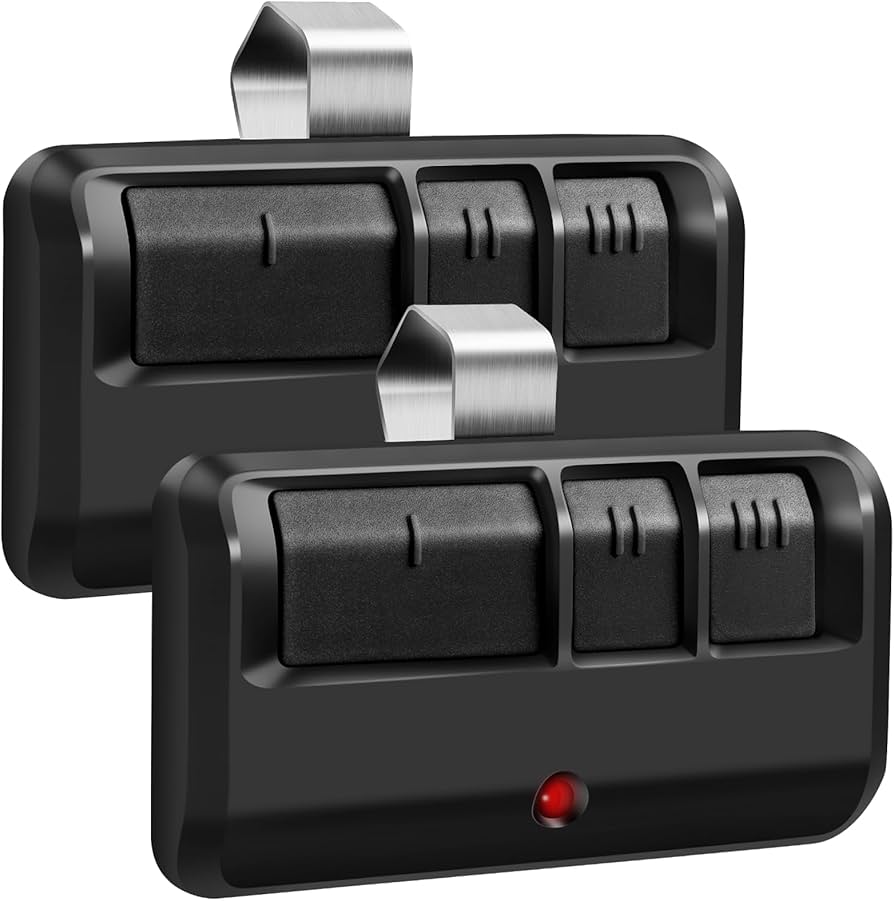
Have you ever stood in your driveway, pressing the button on your garage door remote only to hear… silence? It is a frustrating scenario that happens to millions of homeowners every year. Whether your old remote was lost, broken, or simply stopped working due to battery failure, knowing how to buy a new garage door opener remote is essential for restoring convenience and security to your home.
This guide will walk you through everything you need to know, from identifying your current system to choosing between brand-specific and universal remotes. We will help you make an informed decision so you can get back inside your garage without the hassle.
Why You Need the Right Garage Door Remote
Before diving into the purchasing process, it is important to understand why not just any remote will work. Garage door openers operate on specific radio frequencies and security codes. Using an incompatible remote can result in:
- Failure to pair: The remote simply won’t communicate with the opener motor.
- Security risks: Older, non-encrypted remotes are vulnerable to code-grabbing theft techniques.
- Wasted money: Buying the wrong model means returning it or buying another one.
According to industry experts, over 60% of garage door service calls are related to remote control issues or compatibility errors. By taking the time to research before you buy, you can avoid these common pitfalls.
Step 1: Identify Your Current Garage Door Opener Model
The first and most critical step in learning how to buy a new garage door opener remote is identifying your existing opener. You cannot choose a replacement if you do not know what you currently have.
Locate the Manufacturer and Model Number
Look at the motor unit hanging from your garage ceiling. There should be a label or sticker on the back or side of the unit. This label typically contains:
- Brand Name: (e.g., Chamberlain, LiftMaster, Genie, Craftsman)
- Model Number: A series of letters and numbers (e.g., “LiftMaster 8500” or “Genie Intellicode”)
- Frequency: Usually 315 MHz, 390 MHz, or 433 MHz.
If the label is faded or missing, check your original installation manual or the receipt from when the door was installed. If all else fails, take a clear photo of the motor unit and contact the manufacturer’s customer support.
Determine the Type of Technology
Garage door openers use different coding technologies:
- Fixed Code: Older systems where the code never changes. These are less secure and harder to find replacements for.
- Rolling Code (Intellicode/Security+): Modern systems where the code changes every time you press the button. Most remotes sold today are rolling code compatible.
Pro Tip: If your opener was installed after 1997, it likely uses rolling code technology. This is a federal safety standard in the United States.
Step 2: Choose Between Brand-Specific vs. Universal Remotes
Once you know your model, you have two main choices: buy a remote made by the same manufacturer or buy a universal remote. Here is a comparison to help you decide.
| Feature | Brand-Specific Remote | Universal Remote |
|---|---|---|
| Compatibility | Guaranteed if model matches | Works with most major brands |
| Ease of Programming | Very easy, often automatic | May require dip switches or learning buttons |
| Price | Higher ($30–$50) | Lower ($15–$30) |
| Features | Matches original design | Basic functionality |
| Best For | Peace of mind, exact fit | Budget-conscious, multiple brands |
When to Choose Brand-Specific
If you want a seamless experience and do not want to worry about compatibility issues, stick with the original brand. For example, if you have a LiftMaster opener, buying a LiftMaster remote ensures full feature support, including battery status indicators if available.
When to Choose Universal
Universal remotes are excellent if you have multiple garage doors from different manufacturers or if you want to save money. Brands like Chamberlain and Genie offer universal remotes that can be programmed to work with nearly any opener manufactured after 1993.
Step 3: Check Compatibility Lists
Even universal remotes have limits. Before purchasing, always check the compatibility list provided by the remote manufacturer. This list is usually found on the product packaging or the online product description.
Look for your opener’s brand and model number in the list. If your model is not listed, there is a high chance the remote will not work. For more detailed technical specifications on garage door opener frequencies and standards, you can refer to resources like Wikipedia’s page on Garage Door Openers to understand the underlying technology.
Step 4: Consider Smart Features and Add-Ons
In today’s connected world, you might want more than just a basic button press. Modern garage door remotes come with advanced features:
- Wi-Fi Connectivity: Allows you to open and close your garage door via a smartphone app.
- Voice Control: Compatible with Amazon Alexa, Google Assistant, or Apple HomeKit.
- Battery Backup: Some premium remotes have longer-lasting batteries or low-battery alerts.
- Keychain Size: Compact remotes are easier to carry on a keyring.
If you are interested in smart home integration, look for remotes that support MyQ technology (for Chamberlain/LiftMaster) or Aladdin Connect (for Genie). These ecosystems allow you to monitor your garage door status remotely, which is a significant security upgrade.
Step 5: Where to Buy Your Replacement Remote
Now that you know what to buy, where should you buy it?
- Online Retailers (Amazon, eBay): Offer the widest selection and competitive prices. Always check seller ratings and return policies.
- Home Improvement Stores (Home Depot, Lowe’s): Great for immediate needs. Staff can sometimes help with compatibility questions.
- Manufacturer Websites: Best for finding exact OEM (Original Equipment Manufacturer) parts.
- Local Garage Door Companies: Ideal if you need professional programming assistance.
Warning: Avoid buying extremely cheap, no-name remotes from unknown sellers. These may lack proper encryption and could pose a security risk to your home.
Step 6: Programming Your New Remote
Buying the remote is only half the battle. You must program it to work with your opener. While steps vary by model, here is a general guide:
- Locate the “Learn” Button: On your garage door motor unit, find the small button labeled “Learn,” “Smart,” or “Program.” It is usually near the antenna wire.
- Press the Learn Button: Press and release it. An indicator light will turn on or blink.
- Press the Remote Button: Within 30 seconds, press and hold the button on your new remote that you want to use.
- Wait for Confirmation: The motor unit’s light will blink or you will hear a click. This confirms the code has been accepted.
- Test the Remote: Press the button again to ensure the door opens and closes correctly.
If this method does not work, consult the manual included with your remote. Some older models require setting dip switches inside the remote to match the opener.
FAQ Section
Q1: Can I use a universal remote for any garage door opener?
A: Most universal remotes work with openers manufactured after 1993 that use rolling code technology. However, they may not work with very old fixed-code systems or proprietary brands like Wayne Dalton. Always check the compatibility list before buying.
Q2: How much does a new garage door remote cost?
A: Basic universal remotes cost between $15 and $25. Brand-specific remotes range from $30 to $50. Smart remotes with Wi-Fi capabilities can cost $40 to $100.
Q3: Do I need a professional to program my new remote?
A: No, most modern remotes are designed for DIY programming. The process usually takes less than five minutes. However, if you have an older system or feel uncomfortable climbing a ladder to access the motor unit, a professional can help.
Q4: What if my new remote doesn’t work after programming?
A: First, check the batteries. Then, ensure you are within range of the opener. If it still fails, try resetting the opener’s memory and reprogramming. If issues persist, the remote may be incompatible or defective.
Q5: Can I copy my existing remote to a new one?
A: Generally, no. For security reasons, rolling code remotes cannot be directly cloned. You must program the new remote to the opener unit itself. Some specialized tools exist for cloning fixed-code remotes, but this is rare for residential use.
Q6: Is it safe to buy a used garage door remote?
A: It is not recommended. Used remotes may have worn-out buttons, weak batteries, or outdated security protocols. Additionally, you would need to reset your opener’s memory to remove previous codes, which can be complicated. Buying new ensures reliability and security.
Conclusion
Learning how to buy a new garage door opener remote does not have to be stressful. By identifying your current model, choosing between brand-specific and universal options, and checking compatibility lists, you can find the perfect replacement quickly and affordably.
Remember, investing in a high-quality remote with modern security features protects your home and provides peace of mind. Whether you opt for a simple universal remote or a smart Wi-Fi-enabled device, the right choice will keep your garage accessible and secure.
Did you find this guide helpful? Share it with friends and family who might be struggling with their garage door remotes! Let’s help everyone get back into their garages with ease.
Leave a Reply