If you’re asking “How Do You Program A Universal Garage Door Opener”, you’re likely trying to connect a new remote or replace an old one. Universal remotes are designed to work with many brands—but that flexibility can make setup feel confusing.
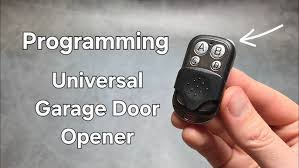
The good news? With the right steps, you can program a universal garage door opener in just a few minutes—no technical experience required.
Read too: Tc1 Tricode Garage Door Opener Remote W/ Clip Chamberlain: Complete Guide
How Do You Program A Universal Garage Door Opener? (Quick Answer)
To program a universal garage door opener:
- Press the Learn button on your garage opener
- Press the remote button within 30 seconds
- Wait for a light blink or click
- Test the remote
Let’s break this down into a detailed, beginner-friendly guide.
Step-by-Step: How To Program A Universal Garage Door Opener
Step 1: Locate the Learn Button on the Opener
The Learn (or Program) button is usually found:
- On the motor unit (ceiling-mounted opener)
- Under the light cover
- Near the antenna wire
💡 It’s often colored (yellow, purple, red, or green).
Step 2: Activate Learn Mode
- Press and release the Learn button
- An LED light will turn on
- You now have 30 seconds to complete programming
Step 3: Program the Universal Remote
- Press and hold the button on your universal remote
- Hold for 2–3 seconds, then release
- Repeat until:
- The garage opener light blinks, or
- You hear a clicking sound
Step 4: Test the Connection
Press the programmed button:
- Garage door should open/close
- If not, repeat the process
How Long Does Programming Take?
| Step | Time Required |
|---|---|
| Locate Learn button | 1–2 minutes |
| Enter Learn mode | 10 seconds |
| Program remote | 1–2 minutes |
| Testing | 1 minute |
👉 Total time: Under 5 minutes
What If Your Opener Doesn’t Have a Learn Button?
Older garage door openers use a different method.
Programming with DIP Switches (Older Systems)
- Open the remote casing
- Locate DIP switches inside
- Match switch positions with opener
- Close remote and test
📌 This method is common in pre-1993 systems.
Why Won’t My Universal Remote Program?
Here are the most common issues and fixes.
1. Incompatible Remote
Not all universal remotes support every brand.
Fix:
Check compatibility list before programming.
2. Missed the 30-Second Window
Learn mode expires quickly.
Fix:
Press Learn button again and retry.
3. Weak Battery
Low battery reduces signal strength.
Fix:
Replace battery (usually CR2032 or similar).
4. Memory Full
Some openers store limited remotes.
Fix:
Clear memory and reprogram.
How To Reset a Garage Door Opener
Resetting can solve many programming issues.
Steps:
- Press and hold Learn button for 6–10 seconds
- LED light turns off
- All stored remotes are erased
- Reprogram devices
⚠️ Warning: This removes all previously connected remotes.
Compatibility: Will a Universal Remote Work?
Compatible With Most Brands:
- Chamberlain
- LiftMaster
- Craftsman
- Genie
May Not Work With:
- Very old openers
- Proprietary systems
How Universal Garage Door Openers Work
Universal remotes use radio frequency signals to communicate with your opener.
Modern systems use rolling code technology, which:
- Changes the code each time you press the button
- Prevents unauthorized access
- Improves security
Learn more here:
https://en.wikipedia.org/wiki/Garage_door_opener
Real-Life Example
Scenario:
A homeowner buys a universal remote to replace a lost one.
Steps Taken:
- Pressed Learn button
- Programmed remote in 2 minutes
Result:
Garage door fully operational again.
Advantages vs Disadvantages of Universal Remotes
Advantages:
- Works with multiple brands
- Affordable replacement
- Easy setup
Disadvantages:
- Not 100% compatible with all systems
- May require trial and error
Safety Tips During Programming
- Ensure garage door area is clear
- Keep children and pets away
- Don’t stand under moving door
- Test safety reversal after setup
Maintenance Tips for Long-Term Use
- Replace batteries every 12–18 months
- Keep remote clean and dry
- Test functionality monthly
- Store a backup remote
When Should You Call a Professional?
Consider expert help if:
- Remote won’t sync after multiple attempts
- Opener has electrical issues
- System is outdated
FAQ: How Do You Program A Universal Garage Door Opener
1. Can a universal remote work with any garage door?
Most modern systems are compatible, but always check the model.
2. Do I need the original remote?
No, the Learn button allows direct programming.
3. Why does my remote work intermittently?
Likely due to battery or signal interference.
4. How many remotes can I program?
Most openers allow 3–7 remotes.
5. Can I program my car instead of a remote?
Yes, if your vehicle supports HomeLink.
6. What if my opener is very old?
You may need a compatible receiver upgrade.
Conclusion
Now you know exactly how do you program a universal garage door opener—and as you’ve seen, the process is simple, quick, and beginner-friendly.
By following the steps in this guide, you can successfully sync your remote, troubleshoot issues, and enjoy convenient access to your garage again.
If this guide helped you, don’t forget to share it on social media so others can easily program their garage door opener too! 🚪
Leave a Reply