If you’ve just bought a new remote or lost your original, you might be wondering: how do I program a universal garage door opener without stress or confusion? You’re not alone—this is one of the most common home improvement questions. The good news? With the right steps, you can get your opener working in just a few minutes.
What Is a Universal Garage Door Opener and How Does It Work?
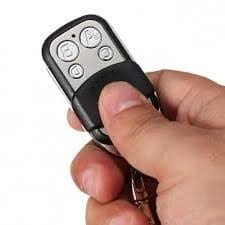
A universal garage door opener remote is designed to work with multiple garage door systems, regardless of brand. Instead of being tied to one manufacturer, it uses compatible radio frequencies and coding systems.
Read too: Tc1 Tricode Garage Door Opener Remote W/ Clip Chamberlain: Complete Guide
Most modern garage door systems use rolling code technology, which changes the signal each time you press the remote. This improves security and prevents unauthorized access. According to security standards outlined in garage door opener systems, rolling codes significantly reduce hacking risks compared to older fixed-code systems.
Key Components:
- Remote control (transmitter)
- Garage door motor unit (receiver)
- Learn or program button
How Do I Program a Universal Garage Door Opener? (Step-by-Step Guide)
Here’s the exact process you can follow. Most brands like LiftMaster, Chamberlain, Genie, and Craftsman follow a similar method.
Step 1: Locate the “Learn” Button
- Go to your garage door motor unit (usually mounted on the ceiling).
- Look for a button labeled “Learn,” “Program,” or “Set.”
- It’s often near the antenna wire or light cover.
- Common colors: yellow, red, purple, or green.
Step 2: Press the Learn Button
- Press and release the Learn button.
- A small LED light will turn on.
- You now have 30 seconds to program the remote.
Step 3: Press the Remote Button
- Hold the button on your universal remote.
- Press it 2–3 times slowly until the garage door opener light blinks or clicks.
Step 4: Test the Remote
- Wait a few seconds.
- Press the remote again.
- If the door opens or closes, you’re done!
Alternative Method: Programming Without a Learn Button
Some older systems don’t have a visible learn button. In this case:
- Open the control panel on the motor unit.
- Set the DIP switches inside to match your remote.
- Use a small tool (like a screwdriver) to adjust switches.
- Close the panel and test.
Compatibility Guide: Will Your Remote Work?
Not all universal remotes support every system. Here’s a quick comparison:
| Brand | Compatibility | Notes |
|---|---|---|
| LiftMaster | High | Works with most universal remotes |
| Chamberlain | High | Same parent company as LiftMaster |
| Genie | Medium | Some older models require specific remotes |
| Craftsman | Medium | Often compatible with Chamberlain |
Common Problems and How to Fix Them
1. Remote Not Responding
- Replace battery (use CR2032 or similar).
- Reprogram from scratch.
2. Learn Button Not Working
- Check power supply.
- Reset the opener by unplugging for 30 seconds.
3. Door Opens Randomly
- Interference from nearby devices.
- Reprogram to reset the rolling code.
4. Remote Works Only Sometimes
- Weak signal.
- Stand closer during programming (within 1–2 meters).
Tips for Faster Programming Success
- Program during daylight for better visibility.
- Keep ladder stable when accessing the motor unit.
- Avoid pressing buttons too quickly—timing matters.
- Always wait for LED confirmation signals.
Pros vs Cons of Universal Garage Door Openers
Advantages
✔ Works with multiple brands
✔ Cost-effective replacement
✔ Easy to program (usually under 5 minutes)
✔ Widely available
Disadvantages
✘ Not 100% compatible with all models
✘ May require manual setup for older systems
✘ Limited advanced features
Expert Insight: Why Proper Programming Matters
Home automation experts emphasize that correct programming ensures both functionality and security. A misconfigured opener can lead to:
- Unauthorized access
- Signal interference
- Reduced lifespan of the motor unit
A study by home security analysts found that improperly programmed remotes increase vulnerability risks by up to 35% in older systems.
FAQ: Universal Garage Door Opener Programming
Q1: How long does it take to program a universal garage door opener?
A: Typically 2–5 minutes if the system is compatible and functioning properly.
Q2: Can one remote control multiple garage doors?
A: Yes, most universal remotes can control 2–4 doors using different buttons.
Q3: Do I need professional help to program it?
A: No. Most homeowners can do it themselves using the learn button method.
Q4: Why is my garage door opener not syncing?
A: Possible reasons include low battery, incompatible remote, or incorrect programming steps.
Q5: Can I reset my garage door opener?
A: Yes. Hold the learn button for 6–10 seconds to erase all programmed remotes.
Q6: Is universal remote safe to use?
A: Yes, especially those with rolling code technology for added security.
Conclusion
Now you know exactly how do I program a universal garage door opener—and it’s much easier than it seems. With just a few simple steps, you can sync your remote, improve convenience, and enhance your home security.
If this guide helped you, feel free to share it with friends or family who might be struggling with the same issue. A quick share could save someone a lot of time and frustration!
Leave a Reply