If you have to hold button for garage door to close, it’s a clear sign something isn’t working correctly. While the door may still function, this issue can be frustrating—and even unsafe. The good news? In most cases, it’s caused by a simple problem you can fix yourself in minutes.
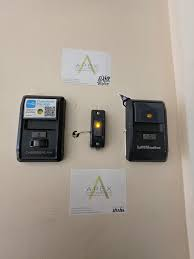
Why Do I Have To Hold Button For Garage Door To Close?
When your garage door only closes while holding the wall button, it usually means the safety sensor system is malfunctioning.
Read too: Tc1 Tricode Garage Door Opener Remote W/ Clip Chamberlain: Complete Guide
The Main Reason:
Your opener disables automatic closing when it detects a safety issue.
This safety mechanism is part of modern garage systems explained in https://en.wikipedia.org/wiki/Garage_door_opener, designed to prevent accidents and injuries.
What Are Garage Door Safety Sensors?
Safety sensors are small devices located near the bottom of your garage door tracks.
Their Function:
- Emit an invisible beam across the door opening
- Detect obstacles or misalignment
- Prevent the door from closing on objects or people
If the beam is interrupted or misaligned, the door won’t close unless you hold the button manually.
Top Reasons This Problem Happens
1. Misaligned Sensors
- Sensors are not facing each other
- Even slight misalignment can trigger the issue
2. Dirty Sensor Lenses
- Dust, dirt, or spider webs block the beam
- Very common and easy to fix
3. Obstruction in the Path
- Objects blocking the sensor
- Even small items can interfere
4. Wiring Issues
- Loose or damaged wires
- Signal not reaching the opener
5. Sunlight Interference
- Direct sunlight hitting sensors
- Causes false readings
How To Fix: Step-by-Step Guide
Follow these steps to solve the problem:
Step 1: Check for Obstructions
- Look along the bottom of the door
- Remove any objects blocking the path
Step 2: Clean the Sensors
- Use a soft cloth
- Gently wipe both sensor lenses
- Avoid harsh chemicals
Step 3: Align the Sensors
- Ensure both sensors face each other
- Indicator lights should be steady (not blinking)
- Adjust until alignment is correct
Step 4: Inspect Sensor Lights
- One light = sending unit
- One light = receiving unit
Light Status:
- Solid light: working correctly
- Blinking/off: problem detected
Step 5: Check Wiring
- Inspect wires for damage
- Ensure connections are secure
- Replace if necessary
Step 6: Test the Door
- Press the wall button once
- Door should close without holding
How Long Does It Take to Fix?
Time Estimate:
- Inspection: 2–3 minutes
- Cleaning: 2 minutes
- Alignment: 3–5 minutes
Total: 5–10 minutes
When Should You Call a Professional?
Call a technician if:
- Sensors are properly aligned but still not working
- Wiring is damaged inside walls
- Opener motor is malfunctioning
- Door behaves unpredictably
Pros vs Cons of Fixing It Yourself
Advantages
✔ Quick and easy solution
✔ No cost in most cases
✔ Improves safety immediately
Disadvantages
✘ May require troubleshooting skills
✘ Hidden wiring issues can be complex
Expert Insight: Why This Safety Feature Exists
Garage door injuries led to stricter safety standards. Experts estimate that over 20,000 injuries per year were reduced significantly after sensor systems became mandatory.
This is why your door forces you to hold the button—it ensures you are actively monitoring the closing process.
Common Mistakes to Avoid
- Ignoring blinking sensor lights
- Forcing the door to close
- Misaligning sensors further
- Using harsh cleaning chemicals
How to Prevent This Issue in the Future
Maintenance Tips:
- Clean sensors every 1–2 months
- Check alignment regularly
- Keep the area clear
- Inspect wiring annually
Comparison: Normal vs Faulty Operation
| Feature | Normal Operation | Faulty Operation |
|---|---|---|
| Button press | One tap | Must hold |
| Sensor lights | Solid | Blinking/off |
| Closing behavior | Automatic | Manual hold |
| Safety system | Active | Triggered |
Other Possible Causes (Less Common)
- Faulty control board
- Damaged opener logic
- Remote signal issues
FAQ: Garage Door Won’t Close Properly
Q1: Why do I have to hold button for garage door to close?
A: Usually due to misaligned or blocked safety sensors.
Q2: Is it safe to keep using the door like this?
A: It works, but it’s not ideal—fix the issue for safety.
Q3: How do I know if sensors are aligned?
A: Both indicator lights should be solid, not blinking.
Q4: Can sunlight affect sensors?
A: Yes, direct sunlight can interfere with the beam.
Q5: How often should I clean the sensors?
A: Every 1–2 months.
Q6: What if cleaning doesn’t fix the issue?
A: Check wiring or contact a professional.
Conclusion
If you have to hold button for garage door to close, don’t ignore it—it’s your system telling you something is wrong. In most cases, the issue is as simple as dirty or misaligned sensors.
By following the steps in this guide, you can fix the problem quickly and restore normal operation. If this article helped you, consider sharing it with others—you might save someone else from the same frustrating issue!
Leave a Reply