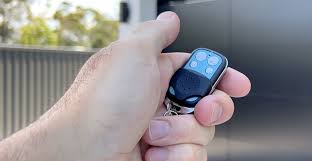
Have you ever stood in your driveway, pressing the button on your garage door remote only to hear silence? It is a frustrating moment that disrupts your daily routine and leaves you wondering if you need to call an expensive technician. Many homeowners ask themselves, “Can I just buy a new garage door remote?“ The short answer is yes, and in most cases, it is a simple, affordable DIY task that takes less than ten minutes.
In this guide, we will walk you through everything you need to know about replacing your garage door remote. We will cover compatibility, programming steps, and common pitfalls to avoid, ensuring you get back into your garage without hassle or unnecessary expense.
Understanding Compatibility: Not All Remotes Are Created Equal
Before rushing to the hardware store, it is crucial to understand that garage door openers are not universally compatible with every remote on the shelf. While the idea of a “universal” remote is appealing, success depends on matching the frequency and security technology of your existing opener unit.
Frequency Matters
Most modern garage door openers operate on one of three frequencies: 315 MHz, 390 MHz, or 433 MHz. Older models might use different frequencies. If you buy a remote with the wrong frequency, it simply will not communicate with your motor unit. You can usually find this information on a label located on the back of your current remote or on the motor unit itself inside the garage.
Security Codes: Fixed vs. Rolling
Another critical factor is the type of security code your system uses:
- Fixed Code: Older systems (pre-1990s) use a static code. These are easier to clone but less secure.
- Rolling Code (Security+): Modern systems change the code every time you press the button to prevent hacking. Most remotes sold today are designed for rolling code systems.
If you have a newer opener, ensure the replacement remote explicitly states it supports “Learning” or “Smart” technology. For a deeper technical understanding of radio frequency standards in consumer devices, you can refer to general telecommunications resources like Wikipedia’s entry on Radio Frequency.
Step-by-Step Guide: How to Program Your New Remote
Once you have purchased the correct remote, the next step is programming it. While procedures vary by brand (Chamberlain, LiftMaster, Genie, Craftsman), the general process follows a similar pattern. Here is a universal approach that works for most major brands.
Step 1: Locate the “Learn” Button
Open your garage door motor unit housing. Look for a small button, usually colored yellow, purple, red, or green. This is the “Learn” or “Program” button. It is often located near the antenna wire hanging from the unit.
Step 2: Clear Old Codes (Optional but Recommended)
If you are replacing a lost remote or suspect security issues, press and hold the “Learn” button for about 6–10 seconds until the indicator light blinks or turns off. This clears all previously paired remotes. Note: You will need to reprogram all remaining remotes and keypads if you do this.
Step 3: Initiate Programming Mode
Press the “Learn” button once briefly. The indicator light will turn on or start blinking, signaling that the unit is ready to accept a new remote. You typically have 30 seconds to complete the next step.
Step 4: Sync the Remote
Within those 30 seconds, press and hold the button on your new remote that you wish to use. Hold it for about 3–5 seconds. Watch the motor unit’s light; it should blink or flash to confirm the code has been accepted.
Step 5: Test the Connection
Stand clear of the door and press the remote button again. The door should activate. If it does not, repeat the process, ensuring you are within range (usually 10–20 feet) during programming.
Universal Remotes vs. Brand-Specific Remotes
When shopping, you will encounter two main types of replacements. Choosing the right one can save you money or ensure better reliability.
| Feature | Brand-Specific Remote | Universal Remote |
|---|---|---|
| Compatibility | Guaranteed for specific brands (e.g., LiftMaster only) | Works with most major brands (Chamberlain, Genie, etc.) |
| Price | Typically higher ($30–$50) | More affordable ($15–$25) |
| Ease of Setup | Plug-and-play, often pre-synced | May require dip-switch settings or complex coding |
| Reliability | High, optimized for the system | Variable, depends on quality |
| Best For | Users wanting zero hassle | Budget-conscious DIYers |
Expert Tip: If your opener is more than 10 years old, a universal remote might struggle with older fixed-code systems. In such cases, buying an OEM (Original Equipment Manufacturer) remote is safer.
Troubleshooting Common Issues
Even with the right remote, things can go wrong. Here are the most common issues and how to fix them.
The Remote Won’t Program
- Check the Battery: Ensure the new battery is inserted correctly with the positive side facing up. A weak battery can prevent signal transmission.
- Interference: LED light bulbs in your garage can sometimes interfere with radio signals. Try turning off the garage lights while programming.
- Distance: Stand closer to the motor unit during the programming process.
The Remote Works Intermittently
- Battery Contact: Open the remote and check if the battery contacts are corroded or loose. Clean them with a dry cloth.
- Antenna Wire: Ensure the antenna wire on the motor unit is hanging down and not tucked inside the metal casing.
The Door Reverses Immediately
This is rarely a remote issue. It indicates a problem with the safety sensors or force settings. Check that the sensor eyes at the bottom of the door tracks are aligned and clean.
When to Call a Professional
While replacing a remote is generally straightforward, there are scenarios where professional help is advisable:
- Lost All Remotes: If you have no working remotes to access the garage, a technician can help reset the system securely.
- Older Opener Models: If your opener is from the 1980s or early 1990s, finding compatible parts may be difficult, and upgrading the entire unit might be more cost-effective.
- Security Concerns: If you suspect your previous remote was stolen, a professional can ensure all codes are wiped and the system is secure against cloning.
FAQ Section
1. Can I use any universal remote for my garage door?
No, not every universal remote works with every opener. You must check the packaging to ensure it lists your specific brand (e.g., Chamberlain, Genie, Craftsman) and frequency. Most modern universal remotes work with 90% of openers manufactured after 1993.
2. How much does a new garage door remote cost?
A basic universal remote typically costs between $15 and $25. Brand-specific OEM remotes range from $30 to $50. Smart remotes that connect to Wi-Fi can cost $40 to $60.
3. Do I need to reprogram my wall keypad when I get a new remote?
No, programming a new handheld remote does not affect your wall-mounted keypad. They operate independently. However, if you clear the memory of the motor unit (by holding the Learn button), you will need to reprogram both the remote and the keypad.
4. Why is my new remote not working even after programming?
The most common reason is a dead or incorrectly installed battery. Double-check the battery orientation. If that fails, try reprogramming it, ensuring you press the Learn button on the motor unit first. Also, verify that the remote is compatible with your opener’s frequency.
5. Can I program a second-hand remote?
Yes, but only if it is compatible with your system. You must clear the old codes from the remote (if possible) and then program it to your opener as if it were new. Note that some older remotes cannot be cleared and may not work with newer rolling-code systems.
6. Is it safe to buy a used garage door remote?
It is generally not recommended due to security risks. A used remote may still be linked to the previous owner’s system, or it may have been cloned. For security and reliability, always buy new remotes from reputable retailers.
Conclusion
So, can I just buy a new garage door remote? Absolutely. It is a cost-effective and simple solution that restores convenience to your home. By checking your opener’s frequency, choosing the right type of remote, and following the programming steps carefully, you can solve this problem in minutes.
Remember, the key to success is compatibility. Take a moment to identify your model number before purchasing. If you follow this guide, you will avoid common mistakes and enjoy seamless access to your garage once again.
Did you find this guide helpful? Share it with friends or family who might be struggling with their garage door remotes! Let’s help everyone stay connected and secure.
Leave a Reply