If you’ve ever left home wondering whether you closed your garage door, you’re not alone. Many homeowners now ask, Can I Control My Garage Door With My Phone to gain more convenience and peace of mind. The answer is yes—and it’s easier to set up than you might think.
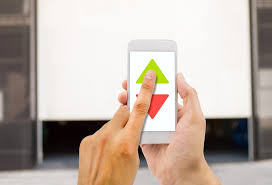
Can I Control My Garage Door With My Phone?
Yes, you absolutely can control your garage door with your smartphone. Thanks to modern smart garage door openers and Wi-Fi controllers, you can open, close, and monitor your garage from anywhere.
Read too: How Do You Change Code On Garage Door Keypad Fast?
This works by connecting your garage door system to your home Wi-Fi network and linking it to a mobile app.
💡 Fact: According to smart home industry reports, over 45% of U.S. households now use at least one smart home device, and garage door control is among the fastest-growing categories.
How Does Phone Control for Garage Doors Work?
Smart garage systems use wireless communication and cloud-based apps.
Key Components:
- Wi-Fi-enabled garage opener or smart controller
- Mobile app (iOS or Android)
- Internet connection
The system sends signals from your phone to the opener via secure servers.
👉 Learn more about the technology behind smart devices here:
https://en.wikipedia.org/wiki/Home_automation
What Do You Need to Get Started?
Before setting up phone control, make sure you have:
- A garage door opener (compatible or upgradeable)
- Stable Wi-Fi connection (2.4 GHz recommended)
- Smartphone (iOS or Android)
- Smart garage controller (if your opener isn’t already smart)
How To Control Your Garage Door With Your Phone (Step-by-Step)
Step 1: Check Compatibility
Look at your garage door opener model. Many newer units already support smart features.
Step 2: Install a Smart Garage Controller
If your opener isn’t smart:
- Purchase a controller (e.g., MyQ, Nexx, Tailwind)
- Mount it near your opener
- Connect wires to the motor unit
Step 3: Download the Mobile App
- Install the app recommended by your device
- Create an account
Step 4: Connect to Wi-Fi
- Open the app
- Follow setup instructions
- Connect to your 2.4 GHz Wi-Fi network
Step 5: Pair the Garage Door
- Press the Learn button on your opener
- Confirm pairing through the app
Step 6: Test the System
- Open and close the door via your phone
- Check notifications and alerts
✅ Setup typically takes 15–30 minutes.
Best Smart Garage Door Controllers (Comparison)
| Device | Price Range | Features | Ease of Use |
|---|---|---|---|
| Chamberlain MyQ | $30–$80 | App control, alerts | Easy |
| Nexx Garage | $50–$100 | Voice control, Alexa support | Moderate |
| Tailwind iQ3 | $70–$120 | Auto-open, geofencing | Moderate |
Benefits of Controlling Your Garage Door With Your Phone
Convenience
- Open/close from anywhere
- No need for physical remotes
Security
- Real-time alerts
- Activity history
Smart Integration
- Works with Alexa, Google Assistant
- Automates daily routines
Drawbacks to Consider
Internet Dependency
- Requires Wi-Fi connection
Setup Complexity
- Initial installation may take time
Compatibility Issues
- Older openers may need adapters
Real-Life Use Case
Imagine you’re at work and a package arrives. Instead of leaving it outside, you can:
- Open your garage remotely
- Let the delivery person place it inside
- Close the garage instantly
This simple action reduces theft risk and adds convenience.
Expert Tips for Better Performance
- Use a strong Wi-Fi signal near your garage
- Enable two-factor authentication (2FA)
- Keep your app updated
- Regularly check system logs
🔐 Security experts recommend enabling alerts for every door activity.
Can You Control Your Garage Door Without Wi-Fi?
Yes, but with limitations.
Alternatives:
- Bluetooth controllers (short range)
- RF remotes (traditional clickers)
However, these do not offer remote access outside your home.
Is It Safe to Control Your Garage Door With Your Phone?
Yes—if properly configured.
Safety Measures:
- Encrypted connections
- Secure login credentials
- Regular firmware updates
Most modern systems use advanced encryption similar to online banking.
Common Problems and How to Fix Them
App Not Connecting
- Check Wi-Fi signal
- Restart router
Door Not Responding
- Re-pair the device
- Check power supply
Delayed Response
- Improve internet speed
- Reduce network congestion
FAQ: Can I Control My Garage Door With My Phone
Q1: Do I need a smart garage opener?
Not necessarily. You can add a smart controller to most existing openers.
Q2: Is there a monthly fee?
Most apps are free, but some advanced features may require subscriptions.
Q3: Can multiple users control the garage?
Yes, you can share access with family members.
Q4: What happens if Wi-Fi goes down?
You can still use a manual remote or wall control.
Q5: Can I automate opening based on location?
Yes, some systems offer geofencing, which opens the door when you arrive home.
Q6: Is installation difficult?
No, most setups take under 30 minutes and require basic tools.
Conclusion
So, Can I Control My Garage Door With My Phone? Absolutely—and it’s one of the easiest ways to upgrade your home’s convenience and security. With just a small investment and a quick setup, you can monitor and control your garage door from anywhere.
Take the next step toward a smarter home today. And if you found this guide helpful, share it on social media so others can enjoy the same convenience!
Leave a Reply