It can be startling when your garage door suddenly opens and closes by itself. This unexpected behavior not only disrupts your routine but can also pose a safety risk for your family, pets, or vehicles. Understanding why your garage door is opening and closing by itself helps you identify the problem quickly and fix it safely.
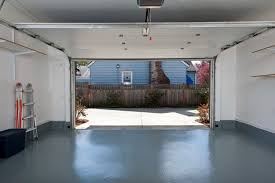
In this article, we will explore common causes, troubleshooting techniques, preventive measures, and professional solutions. By the end, you’ll know how to restore control and ensure your garage door functions safely.
Common Causes of a Self-Operating Garage Door
Several factors can cause a garage door to behave unpredictably. Here’s what to look out for:
1. Interference From Nearby Devices
Garage door openers operate using radio frequency signals. Sometimes:
- Other remote controls (neighboring garage doors or wireless devices) can trigger your door.
- Wireless signals from home automation systems, car alarms, or even certain electronics may interfere.
Experts note that 315 MHz and 390 MHz openers are particularly susceptible to interference if nearby devices operate on the same frequency.
Read too: Tc1 Tricode Garage Door Opener Remote W/ Clip Chamberlain: Complete Guide
2. Faulty Remote Control
A remote control with a stuck button or low battery can send intermittent signals, causing your garage door to open and close unexpectedly.
- Remove the battery for testing.
- Observe if the door stops behaving erratically.
3. Misaligned or Dirty Sensors
Modern garage doors use infrared safety sensors near the floor to prevent accidents. Misalignment or debris can send false signals to the opener.
Signs of sensor issues:
- Lights blinking continuously
- Door reverses after partially closing
- Door stops mid-way
4. Electrical Surges or Wiring Issues
Power fluctuations can trigger the opener randomly. Consider:
- Inspecting the outlet and wiring
- Using a surge protector for the garage door opener
Electrical issues are more common in older homes or after storms.
5. Opener Malfunction
The garage door opener itself may have internal faults:
- Faulty logic board or circuit
- Loose connections
- Worn-out motor components
Replacing or repairing the opener may be required if multiple troubleshooting steps fail.
6. Accidental Programming
Sometimes, the garage door opener may have been programmed incorrectly, allowing multiple devices to control it. Reprogramming can fix the issue.
Step-By-Step Troubleshooting
Follow these steps to safely identify and fix the issue:
Step 1: Disconnect the Power
- Unplug the garage door opener or turn off the breaker.
- Observe if the door continues to move—if it stops, the problem is likely electrical or mechanical.
Step 2: Inspect Remotes and Keypads
- Remove batteries from all remotes.
- Check for stuck buttons.
- Test door operation manually using the wall switch.
Step 3: Check Safety Sensors
- Clean lenses with a soft cloth.
- Ensure sensors are aligned: the LED on both sensors should be solid.
- Adjust brackets if the light is blinking.
Step 4: Reset the Opener
- Most modern openers have a reset button.
- Hold the reset button for 10–30 seconds to erase old programming.
- Reprogram remotes one at a time.
Step 5: Inspect Wiring and Power Supply
- Look for frayed wires or loose connections.
- Use a surge protector to prevent electrical spikes.
- Check that outlets are grounded.
Step 6: Test Door Operation
- Reconnect power and test with a single remote.
- Observe if the door operates correctly.
- If the problem persists, consider professional inspection.
Preventive Measures
Preventing self-operating doors reduces safety risks and costly repairs.
- Regularly inspect sensors for alignment and dirt.
- Replace remote batteries annually or when signal weakens.
- Check wiring for wear and secure connections.
- Avoid programming conflicts—keep track of remotes and wall controls.
- Schedule annual professional maintenance to inspect springs, rollers, tracks, and the opener.
According to the International Door Association, preventive maintenance reduces opener-related malfunctions by up to 60%.
Safety Tips
- Never stand under a moving door.
- Keep children and pets away during troubleshooting.
- Avoid forcing the door if sensors or mechanical components are faulty.
- Use manual release only in emergencies.
When to Call a Professional
Even if you try the troubleshooting steps, some issues require expert attention:
- Persistent random door movement despite resetting
- Faulty logic board or motor in the opener
- Wiring issues beyond basic inspection
- Sensor replacement or complex calibration
Tip: Hiring certified garage door technicians ensures safe repairs and avoids risk of injury.
Cost of Professional Repair
| Service Type | Estimated Cost (USD) | Notes |
|---|---|---|
| Sensor Alignment & Cleaning | $75–$120 | Quick fix for misaligned or dirty sensors |
| Remote Replacement | $40–$80 | Includes programming |
| Opener Logic Board Repair | $150–$300 | May require professional installation |
| Full Opener Replacement | $250–$500 | Recommended for older or malfunctioning units |
Costs vary by region and complexity of the repair. Emergency services may cost more.
Signs Your Garage Door Is About to Malfunction
- Door opens or closes intermittently
- Unusual noises from the opener or springs
- Sensors’ LED blinking or flickering
- Door reverses without obstruction
- Remote signals not consistent
Acting early prevents accidents and expensive repairs.
FAQ Section
Q1: Can a garage door open by itself due to weather?
A1: Yes. Wind gusts or power surges can trigger movement, especially if the door is old or sensors are misaligned.
Q2: Could interference from neighbors’ remotes be the cause?
A2: Absolutely. Nearby openers using the same frequency can accidentally operate your door. Reprogramming your opener often resolves this.
Q3: Is it safe to keep using a door that opens by itself?
A3: No. It poses a safety risk. Disconnect the opener and troubleshoot immediately.
Q4: How do I reprogram my garage door opener?
A4: Consult your opener’s manual. Typically, you press the reset button and follow a sequence to sync remotes individually.
Q5: Can software updates fix modern smart garage openers?
A5: Yes. Many Wi-Fi-enabled openers receive firmware updates to prevent random movements and improve connectivity.
Q6: How often should I have maintenance done?
A6: At least once a year. This includes checking springs, sensors, tracks, and opener functionality.
Conclusion
Experiencing a garage door that opens and closes by itself can be alarming. Most cases are caused by remote interference, faulty sensors, electrical issues, or opener malfunctions. By following proper troubleshooting steps, inspecting sensors, resetting remotes, and performing preventive maintenance, you can restore safe operation.
If problems persist, professional inspection and repair are the safest options. Share this guide with friends and family to help them troubleshoot and maintain their garage doors safely.
Remember: Safety first! Never ignore signs of malfunction—garage doors are heavy, high-tension systems that can cause injury.
Leave a Reply