If your Genie garage door opener isn’t responding to your remote, you’re not alone. Many homeowners struggle with knowing how to sync Genie garage door opener with remote, especially after replacing batteries, installing a new remote, or resetting the system.
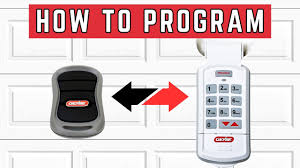
This guide will walk you through step-by-step instructions, troubleshooting tips, and expert advice to get your opener working quickly and safely.
Understanding Genie Garage Door Openers
Genie is a leading garage door opener brand, known for reliability, security, and easy-to-use remotes. Their openers generally use Learn Code or SmartCode technology, which allows you to pair multiple remotes or keypads.
Key components include:
- Motor Unit: The central device controlling the door movement.
- Remote Control: Handheld device to operate the opener.
- Wall Console/Keypad: Optional wired or wireless controllers.
- Safety Sensors: Prevent the door from closing if an object is detected.
Read too: How Do You Change Code On Garage Door Keypad Fast?
According to Consumer Reports, almost 20% of garage opener issues are caused by remote programming errors or unpaired devices.
How To Sync Genie Garage Door Opener With Remote
Follow these steps carefully for safe and effective pairing:
Tools Needed:
- Genie remote
- Ladder (if required to reach motor unit)
- Fresh batteries in remote
Step 1: Access the Learn Button
- Locate the Learn button on your Genie motor unit.
- Usually found near the antenna wire.
- Some models may have a cover you need to remove.
Step 2: Prepare the Remote
- Make sure your remote battery is fully charged.
- Hold the remote close to the motor unit for best signal reception.
Step 3: Activate Learn Mode
- Press and release the Learn button.
- The indicator light will flash, showing the motor is ready to pair.
- You have approximately 30 seconds to activate the remote.
Step 4: Sync the Remote
- Press the button on your Genie remote that you want to program.
- The motor unit’s light or LED will blink to confirm a successful sync.
Step 5: Test the Remote
- Press the button on your remote to open and close the door.
- Repeat the process for additional remotes if needed.
Tip: Only use Genie-approved remotes to ensure compatibility and avoid interference.
Common Issues and Troubleshooting
| Problem | Possible Cause | Solution |
|---|---|---|
| Remote doesn’t respond | Dead battery | Replace battery and re-sync |
| Light flashes but door doesn’t move | Remote too far | Bring remote closer and try again |
| Remote works intermittently | Signal interference | Clear obstacles, reposition remote |
| Motor light doesn’t blink | Learn button not pressed | Recheck the Learn button location and retry |
Syncing a Genie Keypad
If you have a wireless keypad, the programming process is slightly different:
- Press the Learn button on the motor unit.
- Enter your desired PIN code on the keypad.
- Press Enter (or the confirmation button depending on model).
- Motor unit’s light will flash, indicating successful registration.
- Test the keypad by entering the code and operating the door.
Advanced tip: You can program temporary codes for guests or service personnel.
Safety Tips
- Always disconnect power before handling wiring.
- Keep hands and fingers away from moving parts during programming.
- Avoid forcing the door manually while the opener is engaged.
- Use fresh batteries to prevent programming failures.
For more information about garage door mechanisms, see Wikipedia: Garage Door.
FAQ Section
Q1: Can I sync multiple remotes to one Genie opener?
A: Yes, most Genie openers allow multiple remotes. Repeat the syncing process for each device.
Q2: What if my remote still doesn’t work after syncing?
A: Check the battery, ensure you are within range, and verify that the remote is Genie-approved.
Q3: How long does the sync last?
A: The pairing lasts indefinitely unless the motor is reset or remotes are cleared.
Q4: Can I program a keypad and remote simultaneously?
A: Yes, but each device must be programmed separately using the motor’s Learn button.
Q5: Is it safe to do this myself?
A: Yes, as long as you follow the steps carefully and keep clear of moving parts.
Conclusion
Knowing how to sync Genie garage door opener with remote ensures your garage operates smoothly, safely, and securely. By following this guide, you can quickly pair remotes, keypads, and manage multiple devices with ease.
Share this guide with friends or family to help them set up their Genie garage door openers safely and effectively!
Leave a Reply