Many Lexus owners wonder how to set up garage door opener in Lexus because integrating a car’s HomeLink system with a garage door can be confusing at first. Without proper setup, your garage opener might not sync, leading to frustration and multiple retries.
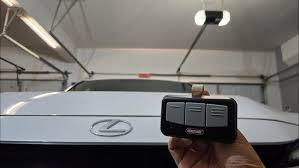
This guide will walk you through the process step by step, explain common pitfalls, and offer practical tips to ensure your Lexus remote works reliably with your garage door opener.
Understanding the Lexus Garage Door Opener System
Most Lexus vehicles come equipped with a HomeLink system, a built-in remote that allows you to operate garage doors, gates, and other compatible devices.
Key Features:
- Three programmable buttons for multiple doors.
- Rolling code technology for enhanced security.
- Ability to sync with most major garage door opener brands, including Chamberlain, LiftMaster, and Genie.
Read too: How Do You Change Code On Garage Door Keypad Fast?
Note: The HomeLink system communicates wirelessly with your garage door opener. It does not physically replace your opener but sends secure signals to it.
Step 1: Locate the HomeLink Buttons
- The HomeLink buttons are usually integrated into the overhead console or rearview mirror.
- Some models place them on the driver-side sun visor.
- Check the Lexus manual for your specific model to confirm the exact location.
Step 2: Prepare Your Garage Door Opener
- Locate the learn/program button on your garage door motor (commonly found on Genie, LiftMaster, or Chamberlain units).
- Ensure all remotes are in working condition.
- Clear nearby obstacles and make sure the garage door is closed during programming for safety.
Step 3: Programming the Lexus HomeLink
Option 1: Standard Program (Non-Rolling Code Openers)
- Turn on the Lexus ignition (engine off or on depending on model).
- Press and hold two HomeLink buttons simultaneously until the indicator light starts flashing slowly (usually 20 seconds).
- Release the buttons. The system is now in programming mode.
- Press the desired HomeLink button and hold the garage remote within 1–3 inches.
- Keep pressing both buttons until the HomeLink indicator light changes from slow blinking to solid or rapid flashing.
Option 2: Rolling Code Openers
- Press the learn button on your garage door opener motor (refer to your motor brand for exact location).
- Within 30 seconds, return to the Lexus and press the desired HomeLink button for 2 seconds and release.
- Repeat up to three times if necessary until the garage door responds.
Step 4: Test the Garage Door
- Press the programmed HomeLink button. The garage door should open or close reliably.
- If the door does not respond, repeat the programming steps carefully.
Tip: Some openers may require pressing and holding the button slightly longer during initial tests.
Common Issues and How to Solve Them
1. HomeLink Button Not Responding
- Check battery in the garage remote.
- Ensure you are within range of the garage door opener.
- Reset the HomeLink button by holding the two outer buttons for 20 seconds and reprogram.
2. Garage Door Moves Slowly or Erratically
- Check the opener’s travel limits and force settings.
- Ensure the door is properly balanced.
- Lubricate moving parts if needed.
3. Rolling Code Not Working
- Make sure the garage opener learn button was pressed within 30 seconds before programming.
- Some older models may require a two-step procedure combining learn button press and remote signal.
Benefits of Using HomeLink in Lexus
- Safety: Eliminate the need for loose remote controls.
- Convenience: Operate multiple doors and gates from a single console.
- Security: Rolling code technology prevents signal duplication.
- Integration: Compatible with most major garage door openers and smart home devices.
Tips for Maintaining Your Lexus Garage Door Opener
- Test functionality once per month to ensure consistent operation.
- Update or replace your garage door opener batteries annually.
- Keep HomeLink buttons clean and free from debris.
- Document which buttons correspond to which doors for easy recall.
FAQ Section
Q1: How do I set up a garage door opener in my Lexus?
A: Locate your HomeLink buttons, put them in programming mode, press your garage remote near the console, and follow the on-screen or indicator lights until successful.
Q2: Can I program multiple doors?
A: Yes. Lexus HomeLink systems typically support three separate buttons, each programmable to a different door or gate.
Q3: My garage door uses rolling codes. How does it affect programming?
A: Rolling code systems require pressing the learn button on the garage opener before programming HomeLink. This ensures secure synchronization.
Q4: Will programming erase my original remotes?
A: No. HomeLink programming does not affect other remotes already paired with your garage opener.
Q5: What if HomeLink fails to program?
A: Reset the HomeLink buttons by holding two outer buttons for 20 seconds, check your garage opener’s battery, and retry programming.
Q6: Is HomeLink compatible with all Lexus models?
A: Most models from the past 15–20 years include HomeLink, but check your vehicle manual to confirm compatibility.
Conclusion
Learning how to set up garage door opener in Lexus is easier than many think, especially with HomeLink. Following the step-by-step instructions ensures:
- Safe and secure operation.
- Easy integration with multiple doors or smart devices.
- Long-term reliability without cluttered remote controls.
By taking the time to correctly program HomeLink, you can enjoy a seamless garage experience every time you drive your Lexus.
Share this guide with friends and family to help them make the most of their Lexus garage door opener setup!
Leave a Reply