Trying to figure out How To Program MyQ Garage Door Opener To Car can feel confusing—especially with smart technology involved. If your car isn’t connecting or your garage won’t respond, you’re not alone. This guide breaks everything down into simple, clear steps so you can sync your system quickly and confidently.
What Is MyQ and How Does It Work?
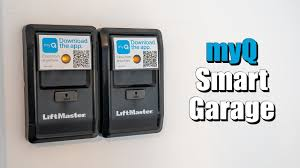
MyQ is a smart garage system developed by Chamberlain Group that allows you to control your garage door using your smartphone, car system, or voice assistants.
Read too: How Do You Change Code On Garage Door Keypad Fast?
Key Features:
- Remote access via mobile app
- Real-time alerts
- Integration with smart home devices
- Compatibility with many vehicles using HomeLink
👉 MyQ uses wireless communication similar to the systems explained in this Wikipedia article on https://en.wikipedia.org/wiki/Remote_control.
Can You Connect MyQ Garage Door Opener Directly to a Car?
This is one of the most common questions.
The Answer:
Yes—but indirectly.
Most vehicles don’t connect directly to MyQ. Instead, they use:
- HomeLink system (built into cars)
- MyQ-compatible garage opener
👉 So, the real process is syncing your car’s HomeLink to your MyQ-enabled opener.
What You Need Before Programming
Before starting, make sure you have:
- A MyQ-enabled garage door opener
- A car with HomeLink buttons
- Access to the garage motor unit
- A ladder (to reach the opener if needed)
How To Program MyQ Garage Door Opener To Car (Step-by-Step)
Step 1: Clear Existing HomeLink Codes
Start fresh to avoid conflicts.
Instructions:
- Turn your car ignition to ON
- Press and hold the two outer HomeLink buttons
- Hold for 10–20 seconds
- Release when the indicator light flashes rapidly
Step 2: Program HomeLink with Remote (If Available)
Even though MyQ is smart, many systems still require the original remote for setup.
Steps:
- Hold your garage remote 1–3 inches from HomeLink
- Press and hold:
- HomeLink button
- Remote button
- Wait 15–30 seconds
- Light changes from slow to rapid blinking
👉 This means the signal is learned.
Step 3: Sync with MyQ Garage Door Opener (Learn Button Method)
This is the most important step for MyQ systems.
Instructions:
- Go to your garage opener motor
- Locate the “Learn” button (usually yellow, red, or purple)
- Press it once
- You have about 30 seconds
- Return to your car
- Press the programmed HomeLink button 2–3 times
👉 The garage door should move if successful.
Step 4: Test the System
Always test to confirm everything works.
Test Checklist:
- Door opens fully
- Door closes properly
- No delays or signal issues
How Long Does Programming Take?
| Task | Time Estimate |
|---|---|
| Reset HomeLink | 1 minute |
| Signal programming | 2–3 minutes |
| Learn button sync | 2 minutes |
| Total | 5–10 minutes |
Common Problems and Fixes
1. Garage Door Doesn’t Respond
Cause:
- Learn button step skipped
Fix:
- Repeat Step 3
2. HomeLink Light Won’t Change
Cause:
- Weak remote battery
Fix:
- Replace battery and retry
3. MyQ App Works But Car Doesn’t
Cause:
- MyQ ≠ HomeLink direct connection
Fix:
- Use Learn button method
4. Signal Works Intermittently
Cause:
- Interference or distance
Fix:
- Reprogram closer to opener
MyQ vs HomeLink: What’s the Difference?
| Feature | MyQ | HomeLink |
|---|---|---|
| Type | Smart app system | Built-in car remote |
| Control | Smartphone | Vehicle buttons |
| Internet | Required | Not required |
| Setup | App-based | Manual programming |
👉 They complement each other, not replace each other.
Expert Tips for a Smooth Setup
1. Always Use the Learn Button
Most MyQ systems require this step.
2. Keep Distance Short
Stay within 1–3 inches when syncing signals.
3. Watch Indicator Light Closely
It tells you when the signal is captured.
4. Work Quickly During Sync
You only have about 30 seconds after pressing Learn.
Real-Life Scenario
A homeowner tried to connect MyQ to their car directly via the app.
Problem:
- Car buttons didn’t control the garage
Solution:
- Used HomeLink + Learn button method
👉 Result: Instant success.
When Should You Reprogram?
You may need to redo setup if:
- You change vehicles
- Replace garage opener
- Reset HomeLink
- Experience signal failure
Safety Tips During Programming
- Ensure garage door area is clear
- Don’t stand under moving door
- Use stable ladder when accessing motor
- Avoid programming while vehicle is moving
Advanced Tip: Programming Without Remote
If you don’t have a remote:
Alternative Method:
- Press Learn button
- Within 30 seconds, press HomeLink button repeatedly
- Repeat until door responds
👉 Note: Not all models support this.
Maintenance Tips
Keep your system reliable:
- Test monthly
- Replace remote batteries yearly
- Clean HomeLink buttons
- Update MyQ app regularly
FAQ Section
Frequently Asked Questions
1. Can MyQ connect directly to my car?
No, it connects through HomeLink or similar systems.
2. Why is my HomeLink not working with MyQ?
You may have skipped the Learn button step.
3. Do I need internet for MyQ to work with my car?
No, HomeLink works without internet.
4. How many doors can I program?
Most cars support up to 3 devices.
5. What color is the Learn button?
Usually yellow, purple, red, or orange depending on model.
6. Is MyQ compatible with all cars?
It works with most vehicles that support HomeLink.
Conclusion
Learning How To Program MyQ Garage Door Opener To Car is easier than it first appears.
By:
- Resetting HomeLink
- Syncing your remote signal
- Completing the Learn button process
You can enjoy seamless, smart garage access right from your car.
Leave a Reply