If you’ve ever wondered How To Program More Than One Garage Door Remote, you’re not alone. Many homeowners need multiple remotes for family members, multiple vehicles, or backup devices. Programming more than one remote may seem complicated, but with the right steps, it’s straightforward and ensures all your devices work seamlessly.
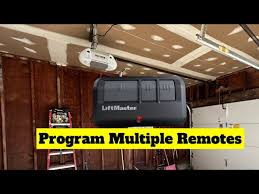
This guide explains the process clearly, including troubleshooting tips, expert advice, and security considerations.
Read too: Tc1 Tricode Garage Door Opener Remote W/ Clip Chamberlain: Complete Guide
Why Program More Than One Garage Door Remote?
Programming multiple remotes provides several benefits:
- Family Access: Each member can have their own remote
- Backup Convenience: Spare remotes ensure you’re never locked out
- Multi-Vehicle Use: Each vehicle can operate the garage easily
- Enhanced Security: Reset codes and control devices in one session
According to home automation experts, having 2–4 remotes per garage is standard practice for safety and convenience.
Understanding Your Garage Door Opener System
Most modern garage door openers communicate with remotes via radio frequency (RF) signals. Each remote has a unique code that your garage opener recognizes. When programming more than one remote:
- You’re syncing additional codes to the opener’s memory
- The opener can store multiple remotes simultaneously
- Each remote will respond independently without interfering with others
For technical details, see the general Garage Door Opener Wikipedia entry.
Step-By-Step Guide: Programming Multiple Remotes
Step 1: Locate the Learn or Program Button
- Usually on the motor unit of your garage opener
- Marked “Learn,” “Program,” or similar
- Keep remotes and opener nearby
Step 2: Clear Existing Codes (Optional but Recommended)
- Press and hold the Learn button for 10 seconds
- Wait until the LED indicator light turns off or blinks
- This ensures old, lost, or unauthorized remotes no longer operate the door
Note: Only do this if you want to start fresh with all remotes.
Step 3: Program the First Remote
- Press the Learn button once briefly; the LED will blink
- Press the button on the remote you want to program
- Hold until the motor light flashes or a click is heard
- Test the remote—door should respond immediately
Step 4: Program Additional Remotes
Repeat Step 3 for each remote:
- Press the Learn button briefly again
- Press the button on the new remote
- Confirm the opener responds
Most openers support 3–5 remotes, but check your manual for limits.
Step 5: Verify All Remotes Work
- Test each programmed remote individually
- Ensure that each responds reliably
- Keep a note of which remote corresponds to each user
Tips for Successful Programming
- Use fresh batteries in all remotes
- Avoid programming near large metal objects or electronics that may interfere
- Ensure the opener is powered on and the door is in the down position
- Follow manufacturer-specific instructions if your model differs
Troubleshooting Common Issues
| Problem | Cause | Solution |
|---|---|---|
| Remote not responding | Battery low | Replace with fresh batteries |
| Garage doesn’t react | Code not synced | Repeat programming step |
| Only one remote works | Old codes conflict | Clear all codes and reprogram |
| Indicator light won’t blink | Faulty motor board | Inspect wiring or consult technician |
DIY vs Professional Help
| Option | Pros | Cons |
|---|---|---|
| DIY | Free, convenient, quick | Risk of mistakes, may void warranty |
| Professional | Correct programming, faster, troubleshooting support | Cost $50–$100+, scheduling required |
Recommendation: If your opener is older, or if you’re uncomfortable with electronics, hiring a professional ensures smooth setup.
Benefits of Programming Multiple Remotes
- Convenience: Every family member has their own remote
- Flexibility: Easy to add or remove devices as needed
- Security: Control who has access by clearing old codes
- Peace of Mind: Reliable operation for multiple vehicles
FAQ: How To Program More Than One Garage Door Remote
1. How many remotes can a garage opener usually store?
Most openers store 3–5 remotes, but newer models can support 8–10.
2. Do I need to clear existing codes before adding a remote?
Not necessarily, but clearing ensures there are no conflicts with lost or unauthorized remotes.
3. Can all remotes be programmed at once?
Yes, you can program multiple remotes in sequence after pressing the Learn button each time.
4. What if a remote stops working after programming?
Check the battery, ensure correct programming sequence, or clear all codes and retry.
5. Is it safe to program remotes myself?
Yes, the process is straightforward. Follow steps carefully to maintain security.
6. Can I mix remote brands with the same opener?
Only compatible remotes should be used. Check your opener’s manual for approved models.
Conclusion
Programming multiple garage door remotes is simple, cost-effective, and essential for security and convenience. By following this guide on How To Program More Than One Garage Door Remote, you can:
- Add multiple devices easily
- Maintain complete control over garage access
- Ensure your system operates reliably
Share this guide with friends and family so they can enjoy seamless garage access too!
Leave a Reply