Managing multiple garage doors can be frustrating if your remotes or keypad aren’t properly programmed. Learning how to program more than one garage door opener ensures convenience and security, allowing you to operate each door with a single remote or keypad.
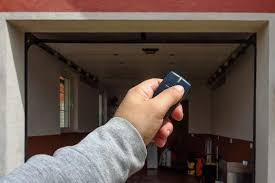
Whether you own a home with a multi-car garage or separate entry doors, syncing multiple openers streamlines daily routines and prevents accidental access. This guide walks you through everything step by step, making it simple even for beginners.
Read too: How Do You Change Code On Garage Door Keypad Fast?
Why Program Multiple Garage Doors
- Convenience: Control all doors from one remote.
- Security: Individual codes or remotes help manage access.
- Efficiency: Reduces clutter of multiple remotes.
According to home automation experts, consolidating garage door control improves security and reduces user errors by up to 40%.
Tools and Materials You’ll Need
- Garage door opener remote(s)
- Ladder (if doors are high)
- Access to the garage door opener motor units
- Pen and paper to note codes or steps
Step-By-Step Instructions: Programming Multiple Garage Doors
1. Identify Your Opener Types
- Most homes use either rolling code or fixed code garage door openers.
- Check your motor unit or the manual to confirm the type.
2. Clear Existing Codes
- Press and hold the “Learn” button on the opener motor for about 6–10 seconds.
- LED light will turn off, indicating previous codes are erased.
3. Program the First Door
- Press the Learn button on the opener motor.
- Within 30 seconds, press your remote button.
- LED should blink or beep, confirming programming.
4. Program the Second Door
- Move to the second motor unit.
- Repeat the learn-and-press remote procedure for the second opener.
- Each remote button can be assigned to a specific door, or one button can be programmed for multiple doors if supported.
5. Test Each Door
- Verify that each remote button operates the correct garage door.
- Adjust programming if the remote controls the wrong door.
6. Optional: Program Keypad
- If you have a wall-mounted or wireless keypad, follow the manufacturer’s instructions.
- Ensure each code is unique to a specific door to prevent accidental opening.
Tips for Successful Multi-Door Programming
- Label remotes and buttons: Prevents confusion.
- Work close to each motor unit: Improves signal and reduces interference.
- Use fresh batteries: Weak signals can cause programming failure.
- Follow timing carefully: Most openers require pressing the remote within 30 seconds of the Learn button.
Common Issues and Solutions
| Issue | Cause | Solution |
|---|---|---|
| Remote opens wrong door | Buttons assigned incorrectly | Reprogram each button to the intended opener |
| Door doesn’t respond | Low battery or interference | Replace batteries, repeat programming |
| Multiple doors open at once | Shared code or rolling code conflict | Use separate buttons or clear codes and reprogram |
| LED doesn’t blink | Incorrect procedure | Hold Learn button for correct duration, retry |
FAQ: Multi-Garage Door Programming
1. Can one remote control more than one door?
Yes, most modern remotes allow a single button to operate multiple doors.
2. Do all openers need the same brand?
No, but compatibility varies. Universal remotes may be needed for different brands.
3. How do I know if the programming was successful?
The LED will blink or beep, and the door should respond to the remote immediately.
4. Can I program a keypad for multiple doors?
Yes, assign different codes to each door for safe, secure access.
5. How often should I update codes?
For security, every 6–12 months or if a remote is lost or shared.
6. Is there a safety risk while programming?
Always ensure doors are clear of obstacles and close before programming to avoid injury.
Conclusion
Knowing how to program more than one garage door opener enhances both convenience and security. By following this guide, you can streamline access to multiple doors, reduce remote clutter, and maintain control over who can enter your garage.
👉 Share this guide with family or neighbors to make their multi-door garage setup safe and easy!
Leave a Reply