If you’re stuck figuring out How To Program Homelink Garage Door Opener Without Remote, you’re not alone. Many homeowners lose their remotes or buy used cars without one included. The good news? You can still connect your HomeLink system directly to your garage door opener using a simple method.
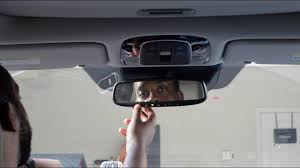
What Is HomeLink and How Does It Work?
Before diving into steps, let’s understand the basics.
What Is HomeLink?
HomeLink is a built-in system in many vehicles that allows you to:
- Open and close garage doors
- Control gates
- Operate home automation devices
Read too: How Do You Change Code On Garage Door Keypad Fast?
Instead of a handheld remote, you use buttons inside your car.
👉 HomeLink systems rely on radio frequency communication, similar to the systems explained in this Wikipedia article on garage doors.
Can You Program HomeLink Without a Remote?
Short Answer: Yes, but only with modern openers.
If your garage door opener has a “Learn” or “Smart” button, you can program HomeLink without needing the original remote.
What You Need Before You Start
Requirements:
- A HomeLink-enabled vehicle
- Access to your garage door opener motor
- A ladder (to reach the opener unit)
- A working garage door system
How To Program Homelink Garage Door Opener Without Remote (Step-by-Step)
Follow these steps carefully for a successful setup.
Step 1: Locate the Learn Button on Your Opener
- Found on the motor unit (ceiling-mounted)
- Usually near the antenna wire
Common Colors:
- Yellow
- Red/Orange
- Purple
- Green
👉 Each color may indicate a different frequency type.
Step 2: Clear Existing HomeLink Codes
This ensures no interference.
- Hold the first and third HomeLink buttons
- Hold for 10–20 seconds
- Indicator light will flash rapidly
✔ This resets the system
Step 3: Press the Learn Button
- Go to your garage opener
- Press the Learn button once
- A light will turn on (or blink)
⏱ You now have about 30 seconds to complete the next step
Step 4: Program the HomeLink Button
- Return to your car
- Press and hold the desired HomeLink button
- Hold for 2–5 seconds
- Release and repeat 2–3 times
✔ The garage door should respond
Step 5: Test the System
- Press the programmed button
- Ensure the door opens and closes smoothly
Troubleshooting Common Issues
Even if you follow steps, problems can happen.
Problem 1: HomeLink Not Responding
Cause:
- Missed timing window
✔ Fix:
- Repeat process quickly within 30 seconds
Problem 2: Door Doesn’t Move
Cause:
- Incompatible opener
✔ Fix:
- Check if your opener supports HomeLink
Problem 3: Weak Signal
Cause:
- Distance or interference
✔ Fix:
- Move closer to the opener
- Ensure antenna is hanging down
Rolling Code vs Fixed Code Systems
Understanding your system helps avoid frustration.
Comparison Table:
| Feature | Rolling Code | Fixed Code |
|---|---|---|
| Security | High | Lower |
| Learn Button Needed | ✅ Yes | ❌ No |
| Remote Required | ❌ Optional | ✅ Usually needed |
👉 Most modern systems use rolling codes for better security.
What If Your Opener Doesn’t Have a Learn Button?
If your system is older:
Options:
- Use a compatible remote
- Upgrade your opener
- Install a universal receiver
Benefits of Programming Without a Remote
Advantages:
- ✅ No need to buy a new remote
- ✅ Saves money
- ✅ Quick setup
- ✅ Direct connection
Disadvantages:
- ❌ Requires access to opener unit
- ❌ Not compatible with older systems
Real-World Example
Let’s say you bought a used car with HomeLink but no remote.
Problem:
- No way to program using traditional method
Solution:
- Use Learn button
- Sync directly
👉 Within minutes, your car controls your garage.
Safety Tips During Programming
Important:
- 🚪 Keep the garage area clear
- ⚠️ Don’t stand under a moving door
- 🔒 Secure your code after setup
Advanced Tips for Better Performance
1. Reprogram Periodically
Ensures optimal performance.
2. Keep Opener Updated
Modern systems offer better compatibility.
3. Check Battery Backup
Ensures operation during power outages.
Maintenance Tips for HomeLink Systems
Monthly Checklist:
- Test button response
- Check opener signal
- Clean car console buttons
Signs You Need Professional Help
Call a technician if:
- System won’t sync after multiple attempts
- Opener lacks compatibility
- Electrical issues appear
Frequently Asked Questions
FAQ: How To Program Homelink Garage Door Opener Without Remote
1. Can I program HomeLink without a remote?
Yes, if your opener has a Learn button.
2. How long does programming take?
Usually 5–10 minutes.
3. Why is my HomeLink not working?
It may be due to timing, compatibility, or signal issues.
4. Do all cars support HomeLink?
No, only vehicles with built-in HomeLink systems.
5. Is it safe to program HomeLink myself?
Yes, as long as you follow instructions carefully.
6. What if my opener is too old?
You may need a universal receiver or upgrade.
Conclusion
Learning How To Program Homelink Garage Door Opener Without Remote is easier than it seems when you follow the right steps.
By:
- Using the Learn button
- Following proper timing
- Testing your setup
You can quickly connect your car to your garage without needing a remote.
Leave a Reply