Trying to figure out How To Program Garage Door Opener To My Car can feel confusing—especially if you’ve never done it before. Whether you’ve bought a new car or replaced your garage opener, this guide will walk you through the entire process in a simple, beginner-friendly way.
What Does It Mean to Program a Garage Door Opener to Your Car?
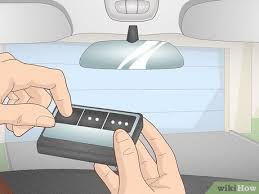
Programming your car to your garage door opener means syncing your vehicle’s built-in system (like HomeLink or Car2U) with your garage motor.
Read too: Tc1 Tricode Garage Door Opener Remote W/ Clip Chamberlain: Complete Guide
According to general information on garage automation systems (see: https://en.wikipedia.org/wiki/Garage_door_opener), modern openers use rolling code technology that allows secure communication between devices.
Why This Matters
- No need for handheld remotes
- Faster garage access
- Increased security
- Cleaner car interior (no clutter)
What You Need Before You Start
Before beginning, make sure you have:
- Access to your garage door opener motor
- Your car parked within range (3–5 feet)
- A step ladder (if needed)
- A working garage opener system
💡 Tip: Check your car manual to confirm if it supports HomeLink or a similar system.
How To Program Garage Door Opener To My Car (Step-by-Step)
Step 1: Clear Existing Car Programming
If your car was previously paired:
- Press and hold the two outer buttons on your car’s system
- Hold for 10–20 seconds
- Indicator light starts flashing rapidly
👉 This resets previous connections.
Step 2: Locate the Learn Button on Your Garage Opener
- Found on the ceiling-mounted motor unit
- Often behind a light cover
Common Learn Button Colors
| Color | System Type |
|---|---|
| Yellow | Security+ 2.0 |
| Purple | 315 MHz |
| Red/Orange | 390 MHz |
| Green | Older models |
Step 3: Activate Learn Mode
- Press and release the Learn button
- LED light turns on
- You now have 30 seconds to pair
Step 4: Program the Car Button
- Go to your car immediately
- Press and hold the desired button
- Hold for 3–5 seconds
- Release and repeat if needed
Step 5: Wait for Confirmation
- Garage light blinks
- Or clicking sound is heard
👉 This confirms successful pairing.
Step 6: Test the System
- Press the programmed button
- Garage door should open/close
Quick Programming Summary
| Step | Action | Time |
|---|---|---|
| Reset car system | Hold buttons | 20 sec |
| Press Learn button | Activate pairing | 10 sec |
| Program car | Hold button | 5 sec |
| Test | Verify operation | 10 sec |
Why Isn’t My Garage Door Opener Connecting to My Car?
1. Timing Issue
You exceeded the 30-second pairing window.
👉 Solution: Repeat the process quickly.
2. Weak Signal
Car is too far from the opener.
👉 Solution: Move within 3–5 feet.
3. Battery Problems
Low car or opener battery affects signal.
👉 Solution: Replace batteries.
4. Incompatible System
Older openers may not support direct pairing.
👉 Solution: Use a compatibility bridge.
5. Memory Full
Garage opener has too many devices stored.
👉 Solution: Reset opener memory.
How To Reset Garage Door Opener Memory
Steps
- Press and hold Learn button
- Hold for 6–10 seconds
- LED light turns off
👉 This clears all paired devices.
HomeLink vs Remote Control
| Feature | HomeLink (Car) | Remote Control |
|---|---|---|
| Convenience | Built-in | Portable |
| Security | High | Moderate |
| Risk of loss | None | High |
| Setup method | Learn button | Manual pairing |
Security Benefits of Programming Your Car
Key Advantages
- Uses rolling code encryption
- Prevents signal duplication
- Reduces unauthorized access
📊 Insight: Rolling codes generate a new signal each time, making hacking extremely difficult.
Real-Life Example
A homeowner upgraded their garage system and wanted to eliminate remotes. By using the Learn button method, they connected their SUV’s HomeLink system in under 4 minutes—improving both convenience and security.
Common Mistakes to Avoid
- ❌ Not clearing previous programming
- ❌ Waiting too long after pressing Learn
- ❌ Standing too far from opener
- ❌ Ignoring compatibility issues
Pro Tips for Best Results
- Always program during daylight
- Keep your car engine on (stable power)
- Label buttons if using multiple doors
- Test the connection multiple times
When Should You Call a Professional?
Seek expert help if:
- Learn button is unresponsive
- System fails after multiple attempts
- Opener is older than 20 years
- Electrical issues are suspected
FAQ: How To Program Garage Door Opener To My Car
1. How long does it take to program my car?
Usually 2–5 minutes if done correctly.
2. Do I need a remote to program my car?
Not always. You can use the Learn button method.
3. Why won’t my car connect to the opener?
Common reasons include timing issues, weak signal, or incompatibility.
4. Can I program multiple cars to one opener?
Yes, most openers support multiple devices.
5. Is programming my car safe?
Yes, modern systems use secure rolling code technology.
6. Do I need to reset everything first?
Not required, but recommended for best results.
Conclusion
Learning How To Program Garage Door Opener To My Car is a simple process that can dramatically improve your daily convenience. With just a few steps, you can connect your car to your garage system without relying on external remotes.
Not only does this make access easier, but it also enhances security through advanced rolling code technology.
👉 If you found this guide helpful, share it on social media to help others set up their garage door systems quickly and safely! 🚗🚪
Leave a Reply