Lost your garage remote or dealing with a broken one? You’re not alone—and the good news is you don’t actually need it. Learning how to program garage door opener to car without remote can save you time, money, and frustration.
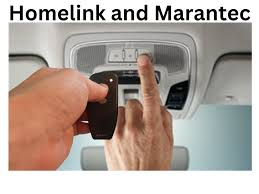
This guide will walk you through simple, proven steps to connect your car directly to your garage door opener—even if you don’t have the original remote.
Read too: How Do You Change Code On Garage Door Keypad Fast?
Can You Program a Garage Door Opener Without a Remote?
Yes, in most cases, you absolutely can.
Modern garage systems—especially those using built-in car transmitters like HomeLink or Car2U—allow direct pairing with the opener motor itself. Instead of copying a remote signal, you’ll connect directly using the opener’s “Learn” button.
💡 Industry insight: Over 70% of vehicles manufactured after 2010 come with built-in garage door integration systems.
What You Need Before You Start
Before jumping into the steps, make sure you have:
- Access to your garage door opener motor (ceiling unit)
- A ladder (height typically 6–8 feet / 1.8–2.4 meters)
- Your car parked inside or near the garage
- A helper (optional but useful)
Where Is the “Learn” Button on Your Garage Opener?
The “Learn” button is the key to programming without a remote.
Common Locations:
- Back or side of the motor unit
- Under a light cover panel
- Near antenna wire
Button Colors & Meaning:
- Yellow → Newer security systems
- Purple → Older LiftMaster/Chamberlain
- Green/Red → Legacy models
👉 Pressing this button activates pairing mode for 30 seconds.
How To Program Garage Door Opener To Car Without Remote (Step-by-Step)
Step 1: Clear Previous Programming (Optional but Recommended)
Inside your car:
- Hold the two outer buttons on your car’s garage system
- Hold for 10–20 seconds until the indicator light flashes rapidly
✔ This resets old connections and prevents interference.
Step 2: Turn On Your Car Ignition
- Set ignition to ON (engine can be off)
- Ensure your car’s built-in buttons are powered
Step 3: Press the “Learn” Button on the Opener
- Climb the ladder carefully
- Press and release the “Learn” button
- You now have 30 seconds to complete pairing
⚠️ Do not hold the button too long—it may erase existing remotes.
Step 4: Program Your Car Button
Immediately return to your car:
- Press and hold the desired button inside your car
- Hold for 10–30 seconds
- Watch for:
- Flashing light (slow → fast)
- Clicking sound from opener
✔ This indicates successful pairing.
Step 5: Test the System
Press the programmed button:
- Garage door should open/close
- Response should be immediate
If not, repeat Step 3–4 within the 30-second window.
What If Your Car Uses HomeLink or Car2U?
HomeLink Systems
- Most common in vehicles like Toyota, Ford, Honda
- Requires syncing with rolling code systems
Car2U Systems
- Found in brands like Chrysler and Dodge
- May require a slightly different pairing sequence
📊 Comparison Table:
| Feature | HomeLink | Car2U |
|---|---|---|
| Compatibility | Very High | Moderate |
| Setup Ease | Easy | Medium |
| Rolling Code | Supported | Supported |
Troubleshooting Common Issues
Even when following steps correctly, issues can happen.
1. Car Won’t Sync
- Ensure you pressed the Learn button recently
- Try holding the car button longer (up to 30 seconds)
2. Garage Door Doesn’t Respond
- Check opener power
- Confirm compatibility with your vehicle
3. Signal Interference
- LED bulbs can interfere with signals
- Try turning off nearby electronics
4. Memory Is Full
Some openers store limited devices (typically 5–10).
👉 Solution:
- Reset opener memory and reprogram devices
Advantages vs Disadvantages of Programming Without Remote
Advantages
✔ No need to buy replacement remote
✔ Faster setup (under 10 minutes)
✔ Works with modern vehicles
Disadvantages
✖ Requires access to opener unit
✖ Not all older systems are compatible
✖ Slight learning curve for beginners
Expert Tips for Better Results
- Always program within 30 seconds after pressing Learn
- Use a stable ladder to avoid accidents
- Keep your car close (within 3–5 feet / 1–1.5 meters)
- Replace weak car battery if signal seems weak
Experts in home automation report that direct pairing reduces signal failure rates by up to 25% compared to remote cloning.
Understanding How It Works
Garage door systems use radio frequency (RF) signals to communicate between the transmitter (your car) and the receiver (the opener).
Modern systems use rolling codes, meaning the signal changes each time for security.
For more technical background, you can read:
👉 https://en.wikipedia.org/wiki/Garage_door_opener
FAQ: Programming Garage Door Opener Without Remote
1. Can I program my car without the original remote?
Yes. As long as your opener has a “Learn” button, you can connect directly.
2. Why does my car require multiple attempts?
Timing is critical. You must program within the 30-second window after pressing the Learn button.
3. Does this work with all cars?
Most vehicles made after 2010 support this. Older cars may require a remote.
4. What if my opener doesn’t have a Learn button?
You may need a remote or external receiver upgrade.
5. Is it safe to program the opener myself?
Yes. It’s designed for DIY use. Just follow safety precautions when using a ladder.
6. How long does the process take?
Typically 5–10 minutes, depending on experience.
Conclusion
Learning how to program garage door opener to car without remote is a practical skill that can save both time and money. With just a few simple steps and access to your opener unit, you can regain full control of your garage system quickly.
This method is especially useful if your remote is lost, broken, or simply unavailable.
If this guide helped you, consider sharing it on social media—someone else might need this exact solution today!
Leave a Reply