Losing your garage remote can feel like a major inconvenience—especially when you rely on your car’s built-in system. If you’re wondering how to program garage door opener in car without remote, you’re not alone. Fortunately, there are effective ways to connect your car directly to your garage opener—even without the original remote.
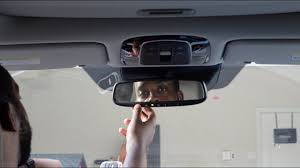
How To Program Garage Door Opener In Car Without Remote (Quick Answer)
Yes, you can program your car’s garage opener without a remote—but only if:
- You have access to the garage door opener motor unit
- Your car has a built-in system like HomeLink or Car2U
- You can use the Learn/Program button on the opener
Read too: How Do You Change Code On Garage Door Keypad Fast?
👉 The process involves syncing your car directly with the opener using its internal memory instead of a handheld remote.
What You Need Before You Start
Before beginning, make sure you have:
- Access to the garage door opener motor
- A ladder (for ceiling-mounted units)
- Your car parked within 3–5 feet of the garage
- Ignition turned to ACC or ON mode
💡 Most programming sessions must be completed within 30 seconds after pressing the Learn button.
How Does In-Car Garage Programming Work?
Modern vehicles use built-in systems like HomeLink, which communicate with your garage opener via radio signals.
Instead of copying a signal from a remote, you’ll:
- Activate the car’s built-in transmitter
- Sync it directly with the opener’s receiver
- Store the signal in your vehicle
For more details about garage opener technology, see:
https://en.wikipedia.org/wiki/Garage_door_opener
Step-by-Step: How To Program Garage Door Opener In Car Without Remote
Step 1: Clear Existing Codes in Your Car
If your car was previously programmed:
- Press and hold the two outer HomeLink buttons
- Hold for 10–20 seconds
- Release when the indicator light flashes rapidly
👉 This ensures a clean setup.
Step 2: Locate the “Learn” Button on the Opener
Go to your garage and find the Learn button.
Common locations:
- Back or side of motor unit
- Under the light cover
Button colors may include:
- Yellow
- Red/orange
- Purple
- Green
Step 3: Press the Learn Button
- Press and release the Learn button
- A small LED will turn on
- You now have about 30 seconds to complete pairing
Step 4: Program the Car Button
Inside your car:
- Press and hold the desired HomeLink button
- Hold for 5–10 seconds
- Watch for:
- Flashing light → syncing
- Solid light → success
Step 5: Test the System
Press the programmed button:
- The garage door should open or close
- If not, repeat steps with slightly longer hold time
What If It Doesn’t Work Without a Remote?
Some older systems require a remote for initial signal transmission.
Alternative Solutions:
- Borrow a compatible remote temporarily
- Use a universal garage remote ($20–$40)
- Upgrade to a smart garage opener
Compatibility: Which Cars Support This Feature?
Most vehicles manufactured after 2007 include built-in garage systems.
Common Supported Brands:
- Ford
- Toyota
- Honda
- Chevrolet
- BMW
- Mercedes-Benz
👉 Look for buttons on:
- Overhead console
- Rearview mirror
- Sun visor
Common Problems and Fixes
Problem 1: Car Doesn’t Sync
Fix: Repeat process within 30-second window
Problem 2: No Indicator Light
Fix: Check ignition is ON
Problem 3: Door Doesn’t Respond
Fix: Try holding button for 10–15 seconds
Problem 4: Signal Interference
Fix: Move car closer (within 3 feet)
Comparison: With Remote vs Without Remote
| Method | Difficulty | Time Needed | Success Rate |
|---|---|---|---|
| With Remote | Easy | 2–3 minutes | Very High |
| Without Remote | Moderate | 5–10 minutes | High |
| Using Universal Remote | Easy | 3–5 minutes | Very High |
Pros vs Cons of Programming Without Remote
Advantages
✔ No need to buy a new remote
✔ Direct pairing with opener
✔ Saves time and money
Disadvantages
✖ May not work with older models
✖ Requires access to motor unit
✖ Slightly more complex setup
Real-World Example
A driver lost their garage remote but needed quick access.
Solution:
- Used Learn button + HomeLink system
Result:
- Successfully programmed in under 7 minutes
- No additional cost
Safety Tips During Programming
- Use a stable ladder
- Avoid touching electrical components
- Keep children away during setup
- Ensure door path is clear before testing
FAQ: How To Program Garage Door Opener In Car Without Remote
Q1: Can I program my car garage opener without a remote?
A: Yes, using the Learn button on your opener, you can sync directly without a remote.
Q2: Why won’t my car connect to the garage door opener?
A: Common causes include timing issues, compatibility problems, or incorrect steps.
Q3: Do all cars support garage door programming?
A: No. Only vehicles with built-in systems like HomeLink or Car2U support this feature.
Q4: How long does programming take?
A: Typically 5–10 minutes, depending on your experience and system.
Q5: Can I program multiple garage doors?
A: Yes, most systems support up to 3 different doors.
Q6: Do I need to reset the opener first?
A: Not always, but it helps if previous programming is causing conflicts.
Conclusion
Learning how to program garage door opener in car without remote is a practical skill that can save you time, money, and frustration. By using your garage opener’s Learn button and your car’s built-in system, you can quickly regain full control—no remote required.
Whether you’re dealing with a lost remote or setting up a new vehicle, this method offers a reliable solution. If this guide helped you, feel free to share it with others who might be facing the same issue—because smart solutions should be shared. 🚗
Leave a Reply