If your remote suddenly stops working or you’ve just bought a new one, you’re probably wondering How To Program A Wayne Dalton Garage Door Remote without calling a technician. You’re not alone—this is one of the most common garage door issues homeowners face.
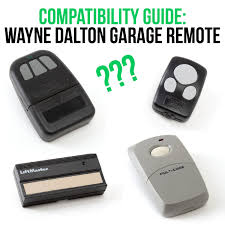
The good news? Programming your remote is usually quick and straightforward when you follow the correct steps. This guide will walk you through everything clearly and safely.
Read too: Tc1 Tricode Garage Door Opener Remote W/ Clip Chamberlain: Complete Guide
How To Program A Wayne Dalton Garage Door Remote (Quick Answer)
To program your remote, you typically need to:
- Locate the “Learn” or “Program” button on the opener
- Press and release the button
- Press the remote button within 30 seconds
- Wait for confirmation (light blink or click sound)
That’s the basic process—but details can vary depending on your model.
What Do You Need Before Programming the Remote?
Preparation ensures a smooth process.
Checklist Before You Start
- A compatible Wayne Dalton remote
- Access to the garage door opener unit
- A stable ladder (if the opener is ceiling-mounted)
- Fresh batteries in the remote
Pro Tip
Stand within 3–5 feet of the opener for best signal transmission.
Where Is the Learn Button on a Wayne Dalton Opener?
Finding the learn button is the first step.
Common Locations
- On the back or side panel of the opener motor
- Near the antenna wire
- Under a light cover (in some models)
What It Looks Like
- Small button (usually colored: red, green, or purple)
- Labeled “Learn” or “Program”
Step-by-Step: How To Program A Wayne Dalton Garage Door Remote
Follow these detailed instructions carefully.
Step 1: Turn On the Power
- Ensure the opener is plugged in
- Check that indicator lights are working
Step 2: Press the Learn Button
- Press and release the button
- A small LED light will turn on
- This activates programming mode for about 30 seconds
Step 3: Press the Remote Button
- Hold the button you want to program
- Press it once every 2 seconds (2–3 times)
Step 4: Watch for Confirmation
- The opener light may blink
- You may hear a click sound
This indicates successful pairing.
Step 5: Test the Remote
- Press the programmed button
- The garage door should open or close smoothly
What If Your Wayne Dalton Remote Won’t Program?
Sometimes things don’t go as planned.
Common Issues and Fixes
| Problem | Possible Cause | Solution |
|---|---|---|
| No response | Dead battery | Replace battery |
| No light blink | Wrong button | Recheck learn button |
| Remote not compatible | Model mismatch | Verify compatibility |
| Weak signal | Too far away | Move closer |
Are All Wayne Dalton Remotes the Same?
Short Answer: No
Wayne Dalton has multiple generations of remotes.
Types of Systems
- Classic DIP switch models (older)
- Rolling code systems (newer, more secure)
Key Differences
| Feature | DIP Switch | Rolling Code |
|---|---|---|
| Security | Low | High |
| Programming | Manual switches | Learn button |
| Compatibility | Limited | More flexible |
How Do DIP Switch Remotes Work?
Older Wayne Dalton remotes use DIP switches.
How to Program DIP Switch Remote
- Open the remote casing
- Locate the tiny switches inside
- Match the switch pattern in the opener
- Close the casing and test
Why Is Programming Important for Security?
Modern garage systems use rolling code technology.
Benefits
- Prevents code theft
- Changes signal after each use
- Reduces unauthorized access
Learn more about rolling code systems here:
https://en.wikipedia.org/wiki/Rolling_code
Tips for Successful Remote Programming
Best Practices
- Replace batteries every 12–18 months
- Avoid programming during power fluctuations
- Keep remote clean and dry
- Reprogram after replacing opener parts
Advantages vs Limitations of DIY Programming
Advantages
- Saves money
- Quick process (5–10 minutes)
- No technical expertise required
Limitations
- Model confusion
- Compatibility issues
- Limited troubleshooting knowledge
When Should You Call a Professional?
Consider expert help if:
- The opener doesn’t respond at all
- Multiple remotes fail to program
- The system is very old
- Wiring or internal components are damaged
Maintenance Tips for Garage Door Remotes
Keep Your Remote Working Longer
- Store in a dry place
- Avoid dropping it
- Replace batteries regularly
- Clean contacts if needed
FAQ Section
Frequently Asked Questions About How To Program A Wayne Dalton Garage Door Remote
1. How long does it take to program a Wayne Dalton remote?
Usually 5–10 minutes, depending on the model.
2. Can I program multiple remotes?
Yes. Most openers allow 3–5 remotes to be paired.
3. Why is my remote not syncing?
Common reasons include dead batteries, incorrect steps, or incompatible models.
4. Do I need to reset the opener first?
Not always. However, resetting can help if previous codes interfere.
5. Can I program the remote without a ladder?
Only if your opener is easily reachable. Otherwise, a ladder is necessary.
6. Is it safe to program the remote myself?
Yes, as long as you follow instructions carefully and avoid touching electrical components.
Conclusion
Learning How To Program A Wayne Dalton Garage Door Remote is a simple yet valuable skill that can save you time and money. With just a few steps, you can restore full control of your garage door system.
By following this guide, you’ll avoid common mistakes and ensure your remote works reliably.
If you found this article helpful, share it on social media to help others solve their garage door remote issues quickly and safely!
Leave a Reply