If you’ve ever struggled with a non-working garage remote, you’re not alone. Many homeowners search for how to program a remote control garage door opener when setting up a new device or fixing a connection issue. The good news? It’s easier than you think—and you can usually do it in just a few minutes without professional help.
What Is a Garage Door Remote and How Does It Work?
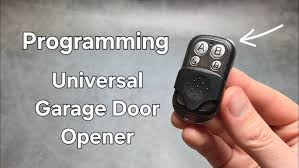
A garage door remote is a small wireless device that sends a signal to your garage door opener to open or close the door. Most modern systems use radio frequency (RF) signals combined with rolling code technology for added security.
Read too: How Do You Change Code On Garage Door Keypad Fast?
According to industry data, over 70% of U.S. homes have automated garage door systems, making remote programming a common DIY task.
For more technical insight, you can explore this concept further on Wikipedia:
https://en.wikipedia.org/wiki/Garage_door_opener
When Do You Need to Program a Garage Door Remote?
You may need to program your remote in several situations:
- You purchased a new remote control
- The old remote stopped working
- You replaced the garage door opener unit
- You want to add an extra remote for family members
- You reset your system for security reasons
How To Program A Remote Control Garage Door Opener (Step-by-Step)
Step 1: Locate the “Learn” Button
Start by finding the Learn button on your garage door opener motor unit. It’s usually located:
- On the back or side of the unit
- Near the antenna wire
- Under a light cover (in some models)
👉 The button color may vary: yellow, red, purple, or green, depending on the brand.
Step 2: Press the Learn Button
- Press and release the Learn button once
- A small LED light will turn on
- You now have about 30 seconds to complete the next step
Step 3: Press the Remote Button
- Press and hold the button on your remote
- Hold for 2–5 seconds until the opener light blinks or you hear a click
This confirms the remote has been successfully paired.
Step 4: Test the Remote
- Press the remote button again
- The garage door should open or close smoothly
If it works—you’re done!
Programming Multiple Remotes (Family Setup)
If you need more than one remote:
- Repeat the same process for each device
- Most openers support 3–7 remotes simultaneously
- Avoid pressing the Learn button too long—it may erase existing codes
Common Programming Differences by Brand
Different brands may have slight variations. Here’s a quick comparison:
| Brand | Learn Button Color | Programming Time | Notes |
|---|---|---|---|
| LiftMaster | Yellow/Purple | 30 seconds | Most common in the U.S. |
| Chamberlain | Red/Orange | 30 seconds | Similar to LiftMaster |
| Genie | Blue/Green | 15–30 seconds | May require double press |
| Craftsman | Red | 30 seconds | Older models vary |
Troubleshooting: Why Isn’t My Remote Working?
Even after following the steps, issues can happen. Here are the most common fixes:
1. Dead Battery
Replace with a fresh battery (usually CR2032 or CR2016).
2. Out of Range
Stand within 5–10 feet of the opener when programming.
3. Memory Full
Clear old codes by holding the Learn button for 6–10 seconds, then reprogram.
4. Signal Interference
Nearby electronics (Wi-Fi routers, LED lights) may disrupt signals.
Security Tips for Garage Remote Programming
Programming your remote isn’t just about convenience—it’s also about safety.
Best Practices:
- Reset your system after moving into a new home
- Avoid leaving remotes inside unlocked cars
- Use rolling code technology (standard in modern systems)
- Reprogram remotes annually for extra security
📊 Studies show that garage break-ins account for up to 9% of home burglaries, often due to unsecured remotes.
Advanced Option: Programming a Car’s Built-in Remote
Many vehicles come with built-in garage door buttons (HomeLink system).
Steps:
- Hold your handheld remote near the car system
- Press both buttons simultaneously
- Sync with the opener using the Learn button
This allows you to open your garage directly from your car—no extra remote needed.
Pros vs Cons of DIY Programming
Advantages
✔ Saves money (no technician needed)
✔ Quick process (under 5 minutes)
✔ Easy to repeat for multiple remotes
Disadvantages
✖ May vary by brand
✖ Can be confusing for older models
✖ Requires access to the opener unit
FAQ: How To Program A Remote Control Garage Door Opener
Q1: How long does it take to program a garage remote?
A: Typically 2–5 minutes, depending on the model and your familiarity with the process.
Q2: Can I program a universal garage door remote?
A: Yes. Most universal remotes are compatible with major brands, but you may need to follow specific pairing instructions.
Q3: Why does my garage door opener not respond after programming?
A: This could be due to battery issues, signal interference, or incorrect programming steps. Try resetting and repeating the process.
Q4: How many remotes can a garage door opener support?
A: Most systems support 3 to 7 remotes, but newer models can handle more.
Q5: Do I need professional help to program my remote?
A: No. In most cases, how to program a remote control garage door opener is a simple DIY task that doesn’t require technical skills.
Q6: Will resetting the opener erase all remotes?
A: Yes. Holding the Learn button for several seconds clears all stored remotes, so you’ll need to reprogram them.
Conclusion
Learning how to program a remote control garage door opener is a simple yet valuable skill for any homeowner. With just a few steps, you can sync your remote, improve convenience, and enhance your home’s security.
If this guide helped you, consider sharing it with friends or family who might be dealing with the same issue. A quick fix like this can save time, money, and frustration—every single day. 🚪
Leave a Reply