If your garage remote isn’t working or you’ve just installed a new system, you’re likely wondering how to program a Overhead Door garage door opener without calling a technician. It’s a common issue—and fortunately, an easy fix.
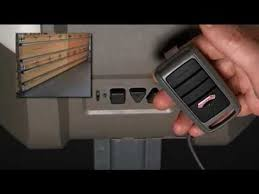
With the right steps, you can program your opener and remote in just a few minutes, even if you’re a beginner.
Read too: How Do You Change Code On Garage Door Keypad Fast?
How To Program A Overhead Door Garage Door Opener (Step-by-Step Guide)
Let’s walk through the most reliable method used for most Overhead Door models.
Step 1: Locate the “Learn” or “Program” Button
- Go to your garage door opener motor (ceiling-mounted unit)
- Look for a “Learn Code” or “Program” button
- Usually located under a light cover or near the antenna wire
👉 The button may be square or round and often has an LED indicator.
Step 2: Press the Learn Button
- Press and release the button once
- The LED light will begin blinking
⏱️ You now have 30 seconds to complete the next step.
Step 3: Program the Remote
- Press the button on your remote
- Hold for 2–3 seconds, then release
- Repeat once if necessary
👉 The opener light will flash or click, confirming successful programming.
Step 4: Test the Remote
- Press the remote again
- The garage door should open or close
✅ If it works, your programming is complete.
Why Isn’t My Overhead Door Opener Programming?
If the process doesn’t work, here are the most common causes:
1. Dead Remote Battery
- Replace with a fresh battery (often CR2032)
2. Out of Range
- Stand within 3–5 feet of the opener during setup
3. Memory Full
- The opener may have reached its device limit
4. Signal Interference
- Nearby electronics can block signals
How To Reset an Overhead Door Garage Door Opener
If programming fails, try resetting the system.
Steps to Reset:
- Press and hold the Learn button for 10–15 seconds
- Release when the LED turns off
- All remotes are erased
- Reprogram devices from scratch
⚠️ This clears all previously connected remotes.
What Types of Overhead Door Openers Exist?
Understanding your system helps ensure proper programming.
Common Types:
- Chain-drive openers
- Belt-drive openers
- Screw-drive openers
👉 Most modern models use rolling code technology for security. Learn more here:
https://en.wikipedia.org/wiki/Rolling_code
How Many Remotes Can You Program?
Most Overhead Door openers support multiple devices.
Typical Limits:
- Standard models: 5–10 remotes
- Advanced systems: up to 20 devices
You can also connect:
- Wireless keypads
- Car-integrated remotes (HomeLink)
Can You Program Without the Learn Button?
In some cases, yes.
Option 1: Using a Working Remote
- Hold both remotes close together
- Press buttons simultaneously
- Wait for LED signal
Option 2: Using Wall Console
Some models allow programming through a control panel menu.
👉 Note: Not all systems support these methods.
How Long Does Programming Take?
- Standard setup: 2–5 minutes
- Reset + reprogram: 5–10 minutes
Industry data shows that over 80% of garage door issues are resolved through simple reprogramming.
Step-by-Step Troubleshooting Checklist
If you’re stuck, follow this checklist:
- ✔️ Check power supply
- ✔️ Replace remote battery
- ✔️ Stand closer to opener
- ✔️ Reset memory if needed
- ✔️ Reprogram carefully
Pros vs Cons of DIY Programming
Pros
- Saves money
- Quick and easy
- No technician required
- Beginner-friendly
Cons
- Slight variations between models
- Requires access to motor unit
- Can be confusing initially
Common Mistakes to Avoid
Avoid these errors to ensure success:
- ❌ Pressing the Learn button multiple times
- ❌ Holding the remote button too long
- ❌ Ignoring battery condition
- ❌ Skipping reset when needed
Real-Life Example
A homeowner installed a new remote but couldn’t get it to work. The issue turned out to be a full memory capacity. After resetting the opener and reprogramming, the remote worked perfectly in under 5 minutes.
👉 This highlights how simple troubleshooting can solve most issues.
Best Practices for Smooth Programming
- ✔️ Program one remote at a time
- ✔️ Use fresh batteries
- ✔️ Keep your opener manual nearby
- ✔️ Avoid interference from nearby electronics
FAQ: How To Program A Overhead Door Garage Door Opener
1. Why is my Overhead Door remote not working?
It could be due to a dead battery, memory issues, or incorrect programming steps.
2. Do I need a professional to program my opener?
No. Most homeowners can complete the process in minutes.
3. How do I know if programming worked?
The opener light will blink, or you’ll hear a clicking sound.
4. Can I program multiple remotes?
Yes, but each remote must be programmed individually.
5. Will programming erase existing remotes?
No—unless you perform a full reset.
6. What if I can’t find the Learn button?
Check under the light cover or consult your opener manual—it may be hidden.
Conclusion
Learning how to program a Overhead Door garage door opener is a simple and valuable skill that can save you time and money. With just a few steps—pressing the Learn button, syncing your remote, and testing—you can restore full functionality in minutes.
Most problems can be solved with basic troubleshooting like replacing batteries or resetting the system.
Leave a Reply