Many Mercedes Benz owners face the question: how to program a Mercedes Benz garage door opener. Whether you’ve purchased a new vehicle, replaced your garage door remote, or reset the system, proper programming is crucial for convenience and safety.
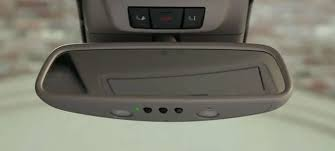
This guide provides clear, step-by-step instructions to program your Mercedes Benz garage door opener, ensuring reliable operation without professional help.
Read too: How Do You Change Code On Garage Door Keypad Fast?
Understanding the Mercedes Benz Garage Door Opener
Mercedes Benz vehicles often come with a HomeLink or Mercedes-Benz Garage Door Opener system integrated into the vehicle’s interior, typically in the overhead console. This system allows you to control compatible garage doors, gates, or even home lighting systems.
Key features include:
- Three programmable buttons: For multiple doors or devices
- Rolling code technology: Enhances security
- Battery-free operation: Powered by the car’s electrical system
- Compatibility with most major brands: Chamberlain, Genie, LiftMaster, and more
According to HomeLink official data, over 85% of users report seamless operation after correctly programming their vehicle, reducing manual effort and increasing safety.
Preparing to Program Your Mercedes Benz Garage Door Opener
Before programming, gather the following:
- Your garage door remote (original or compatible)
- The vehicle’s ignition key
- Access to the garage door opener motor unit
Important Tips Before You Begin:
- Ensure your vehicle is parked outside the garage during programming to avoid accidental operation.
- Have a helper if necessary to assist with testing.
- Make sure the garage door operates smoothly manually to prevent safety issues.
How To Program a Mercedes Benz Garage Door Opener Step-by-Step
Step 1: Clear Previous Settings
- Press and hold the two outer buttons in the car’s overhead console for 20 seconds until the indicator light flashes.
- This clears any previously programmed codes.
Step 2: Activate the Garage Door Motor
- Locate the learn or smart button on your garage door motor unit.
- Press and release the button to put the motor in programming mode.
- You usually have 30 seconds to complete the next step.
Step 3: Program the Vehicle Button
- In your Mercedes, press and hold the desired button you want to program.
- While holding, press and release the garage door remote repeatedly until the vehicle’s indicator light flashes rapidly.
- Release both buttons once the light flashes steadily; the code has been stored.
Step 4: Test the Garage Door Opener
- Press the programmed button in your Mercedes.
- The garage door should open and close reliably.
- Repeat for other buttons if you want to program multiple doors or devices.
Tip: Some garage doors require multiple presses of the vehicle button during programming due to rolling code technology.
Programming a Mercedes-Benz with HomeLink “Learn” Button
For newer models with HomeLink:
- Press the Learn button on the garage door motor.
- Within 30 seconds, press the vehicle button for 2 seconds and release.
- Repeat until the vehicle light flashes, confirming sync.
- Test the door to ensure proper operation.
Troubleshooting Common Issues
| Problem | Possible Cause | Solution |
|---|---|---|
| Door doesn’t respond | Remote battery low | Replace battery and retry |
| Indicator light doesn’t flash | Outside range | Move car closer and retry |
| Door operates intermittently | Signal interference | Reprogram using the correct sequence |
| Multiple doors conflict | Buttons assigned incorrectly | Reprogram each button separately |
Safety Tips
- Always park outside the garage during programming.
- Keep hands and fingers away from moving doors while testing.
- Do not program while children or pets are nearby.
- Follow manufacturer instructions to avoid overwriting existing codes.
For more information on garage door openers, visit Wikipedia: Garage Door.
FAQ Section
Q1: Can I program multiple garage doors in my Mercedes?
A: Yes, the three buttons in the Mercedes console allow programming for multiple doors. Program each button separately.
Q2: What if my garage door uses rolling codes?
A: Mercedes-Benz HomeLink systems are compatible with rolling code technology. Follow the multiple-press sequence during programming.
Q3: Do I need the original remote?
A: Yes, to complete programming, you need a compatible remote to sync with the vehicle’s buttons.
Q4: How long does programming take?
A: Usually 5–10 minutes per door if you follow the steps carefully.
Q5: Can I reset the garage door opener in the vehicle?
A: Yes, holding the two outer buttons for 20 seconds clears all stored codes.
Conclusion
Learning how to program a Mercedes Benz garage door opener gives you seamless, secure control over your home’s access. By following these step-by-step instructions, you can program remotes, sync multiple doors, and enjoy the convenience of hands-free operation.
Share this guide with friends or family who drive Mercedes to help them set up their garage door openers safely and efficiently!
Leave a Reply