If you’re struggling with how to program a LiftMaster remote control garage door opener, you’re definitely not alone. Many homeowners find the setup process confusing at first—but once you understand the steps, it becomes quick and straightforward. In this guide, you’ll learn exactly how to program your remote safely and efficiently.
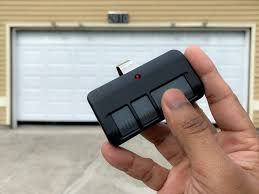
What Is a LiftMaster Remote Control Garage Door Opener?
Before diving into how to program a LiftMaster remote control garage door opener, it’s helpful to understand how the system works.
Read too: Tc1 Tricode Garage Door Opener Remote W/ Clip Chamberlain: Complete Guide
A LiftMaster remote communicates wirelessly with your garage door opener using radio frequency signals. Modern systems use rolling code technology for enhanced security.
👉 Learn more about garage door opener systems: https://en.wikipedia.org/wiki/Garage_door_opener
Why Do You Need to Program Your Remote?
Programming is required in several situations:
- You bought a new remote
- The old remote stopped working
- You reset your garage system
- You want to add additional remotes
📊 According to home automation data, over 40% of homeowners program new remotes within the first year of installation.
What You Need Before Programming
Prepare the following:
- Your LiftMaster remote control
- Access to the garage door opener motor
- A ladder (if needed)
- Fresh batteries in the remote
Step-by-Step: How To Program A LiftMaster Remote Control Garage Door Opener
Follow these exact steps to ensure successful programming.
Step 1: Locate the “Learn” Button
- Found on the back or side of the motor unit
- Typically colored: yellow, purple, red, or orange
👉 This button activates pairing mode.
Step 2: Press the “Learn” Button
- Press and release the button
- An LED light will turn on
⏱ You now have 30 seconds to complete the next step.
Step 3: Press the Remote Button
- Press and hold the button on your remote
- Release when the garage light blinks or you hear a click
👉 This confirms successful programming.
Step 4: Test the Remote
- Press the remote button once
- Ensure the garage door opens or closes smoothly
How to Program Multiple Remotes
Most LiftMaster systems allow multiple remotes.
Steps:
- Repeat the programming process for each remote
- Use the same “Learn” button
- Test each remote individually
👉 Typical systems support 5–10 remotes.
How to Reset Your LiftMaster Opener
If you’re having issues, resetting may help.
Reset Steps
- Press and hold the “Learn” button
- Hold for 6–10 seconds until LED turns off
- Release the button
👉 This clears all remotes and keypads.
Common Problems and Fixes
Even when following how to program a LiftMaster remote control garage door opener, issues can happen.
Troubleshooting Table
| Problem | Cause | Solution |
|---|---|---|
| Remote not working | Dead battery | Replace battery |
| No response from opener | Out of range | Move closer |
| Programming fails | Timing issue | Repeat steps quickly |
| LED not lighting | Power issue | Check outlet |
Tips for Successful Programming
To make the process smoother:
- Stand within 3–5 feet of the opener
- Complete steps quickly within 30 seconds
- Use fresh batteries
- Avoid interference from other devices
Pro Tip
Garage experts recommend testing your remote 3–5 times after setup to ensure consistent performance.
Understanding LiftMaster Learn Button Colors
Different colors indicate different frequencies.
Quick Guide
| Color | Frequency | Compatibility |
|---|---|---|
| Yellow | 390 MHz | Newer models |
| Purple | 315 MHz | Mid-range |
| Red/Orange | 390 MHz | Older models |
👉 Always match your remote to the opener type.
Security Best Practices
Programming your remote is also about safety.
Key Tips
- Do not share your remote unnecessarily
- Reset system after losing a remote
- Upgrade older systems lacking rolling codes
Advantages vs Disadvantages of DIY Programming
Pros
- Fast and easy
- No cost involved
- No technical expertise needed
Cons
- Requires access to opener
- May take multiple attempts
- Limited support for outdated systems
Preventive Maintenance Tips
Avoid future issues by:
- Replacing remote batteries annually
- Cleaning opener sensors
- Testing system monthly
- Keeping remotes in safe locations
FAQ: How To Program A LiftMaster Remote Control Garage Door Opener
1. How do I program a LiftMaster remote without a Learn button?
You typically can’t. The Learn button is required for pairing. Check your manual for alternative methods.
2. Why is my LiftMaster remote not syncing?
This is usually due to timing issues or low battery power. Repeat the process and ensure quick execution.
3. Can I use a universal remote?
Yes, but it must be compatible with your LiftMaster frequency and model.
4. How many remotes can I program?
Most systems allow 5–10 remotes, depending on the model.
5. Do I need to reprogram after a power outage?
No. Programming is stored in memory unless reset manually.
6. What should I do if programming fails repeatedly?
Reset the system and try again. If it still fails, consult a professional.
Conclusion
Now you know exactly how to program a LiftMaster remote control garage door opener—and it’s much easier than it might seem. With just a few simple steps, you can restore functionality, improve convenience, and secure your garage access.
Taking a few minutes to set up your remote correctly can save you time and frustration every day.
Leave a Reply