If you’re trying to figure out How To Program A Keypad For A Garage Door, you’re probably looking for a quick and secure way to access your garage without a remote. The good news? Programming a keypad is easier than it sounds. With the right steps, you can set it up in just a few minutes.
What Is a Garage Door Keypad and How Does It Work?
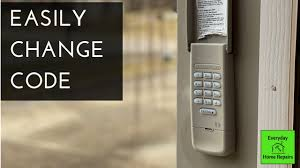
A garage door keypad is a wireless device mounted outside your garage. It allows you to open and close the door using a PIN code instead of a remote.
Read too: How Do You Change Code On Garage Door Keypad Fast?
How It Works:
- Sends a wireless signal to the opener
- Matches the programmed PIN
- Activates the motor to open or close the door
👉 This system operates using radio signals, similar to devices explained in this Wikipedia article on wireless communication.
How To Program A Keypad For A Garage Door (Step-by-Step)
This is the most important section. Follow these steps carefully.
Step 1: Locate the “Learn” Button on the Opener
Go to your garage door opener unit (usually mounted on the ceiling).
Look for a button labeled:
- “Learn”
- “Program”
- “Set”
📍 It’s often near the antenna wire or light cover.
Step 2: Press the Learn Button
- Press and release the Learn button
- A small LED light will turn on
⏱️ You typically have 30 seconds to complete the next step.
Step 3: Enter Your Desired PIN on the Keypad
Go to your keypad outside the garage.
- Enter a 4-digit PIN (example: 2580)
- Press and hold the Enter button
Step 4: Wait for Confirmation
- The garage door opener light will blink
- Or you may hear a click
👉 This means the keypad is successfully programmed.
Step 5: Test the Keypad
- Enter your PIN
- Press Enter
If the door opens or closes, your setup is complete.
Why Isn’t My Garage Door Keypad Programming?
Sometimes things don’t go as planned.
Common Issues:
1. Learn Button Timing Expired
- You took too long to enter the PIN
✔ Fix: Repeat the process quickly
2. Weak Keypad Battery
- Low battery prevents signal transmission
✔ Fix: Replace with fresh batteries
3. Incorrect PIN Entry
- Entered wrong digits or sequence
✔ Fix: Re-enter carefully
4. Opener Memory Full
- Some systems limit stored devices
✔ Fix: Clear memory and reprogram
How To Reset a Garage Door Keypad
If you forgot your PIN or want to start fresh:
Steps:
- Press and hold the Learn button for 6–10 seconds
- Wait until the LED turns off
- All codes are erased
- Reprogram your keypad
Keypad Programming Methods by Brand
Different brands may vary slightly.
Common Variations:
| Brand | Special Step |
|---|---|
| Chamberlain | Hold Enter until light blinks |
| LiftMaster | Same as Chamberlain |
| Genie | Use “Program” button on keypad |
| Craftsman | Similar to Learn button method |
Tips for Choosing a Secure PIN
Security matters when programming your keypad.
Avoid:
- 1234
- 0000
- Birthdays
Choose:
- Random 4–6 digit codes
- Something easy to remember but hard to guess
Benefits of Using a Garage Keypad
Advantages:
- ✅ No need for remote
- ✅ Easy access for family members
- ✅ Great for kids or guests
Disadvantages:
- ❌ Requires battery replacement
- ❌ Risk of PIN sharing
Real-World Insight
Homeowners increasingly prefer keypads for convenience. In fact, many modern garage systems include them as standard due to their ease of use and improved security features.
Technicians often note that most keypad issues are solved by simply replacing batteries or reprogramming the device correctly.
Step-by-Step Troubleshooting Checklist
If your keypad doesn’t work, follow this:
- Replace batteries
- Re-enter PIN carefully
- Press Learn button again
- Check opener compatibility
- Reset and reprogram
Frequently Asked Questions
FAQ: How To Program A Keypad For A Garage Door
1. How do I program my garage door keypad without a remote?
You can use the Learn button on the opener motor to connect the keypad directly.
2. How long does it take to program a keypad?
Usually less than 5 minutes if you follow the steps correctly.
3. Why is my keypad not working after programming?
It could be due to low batteries, incorrect PIN entry, or timing issues.
4. Can I change my keypad PIN anytime?
Yes, simply reprogram the keypad using the Learn button.
5. Do all garage door keypads work the same way?
Most follow a similar process, but small differences exist depending on the brand.
6. How often should I change my PIN?
For security, it’s recommended every 3–6 months.
Conclusion
Now you know exactly How To Program A Keypad For A Garage Door—and it’s simpler than you might have thought.
By:
- Using the Learn button
- Setting a secure PIN
- Testing your setup
You can enjoy convenient and secure garage access in minutes.
Leave a Reply