Struggling to get your garage keypad working again? You’re not alone—many homeowners face confusion when trying to set or reset their keypad. This guide on How To Program A Genie Keypad Garage Door Opener will walk you through everything step-by-step, so you can get back to smooth, secure access in minutes.
What Is a Genie Keypad Garage Door Opener?
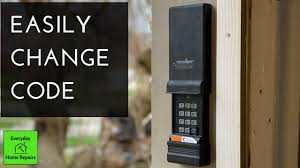
A Genie keypad is a wireless device mounted outside your garage that allows you to open or close the door using a PIN code—no remote needed.
These systems operate via radio frequency (typically 315 or 390 MHz) and sync directly with your garage door opener’s receiver. According to industry data, over 60% of U.S. homeowners prefer keypads for added convenience and security.
Read too: How Do You Change Code On Garage Door Keypad Fast?
For a deeper understanding of how garage systems work, visit:
https://en.wikipedia.org/wiki/Garage_door_opener
How To Program A Genie Keypad Garage Door Opener (Step-by-Step)
Let’s get straight to the solution. Follow these steps carefully.
Step 1: Locate the “Learn” Button
Find the Learn or Program button on your Genie garage door opener motor unit.
Common locations:
- Under the light cover
- On the back panel
- Near the antenna wire
💡 Tip: The button is often colored (red, purple, or yellow).
Step 2: Press the Learn Button
- Press and release the Learn button once
- A small LED light will start blinking
This means your opener is now in programming mode, which usually lasts 30 seconds
Step 3: Enter Your PIN on the Keypad
- Go to your keypad
- Enter a 3–8 digit PIN (example: 1234 or 56789)
- Press the “Up/Down” or “Enter” button
Step 4: Wait for Confirmation
- The garage door may move slightly
- Or the opener light will blink
This confirms the keypad has been successfully programmed.
Step 5: Test the Keypad
- Enter your PIN
- Press the Enter button
If the door opens or closes—you’re all set!
How To Reset a Genie Keypad (If Programming Fails)
Sometimes programming doesn’t work the first time. Resetting can help.
Reset Instructions:
- Press and hold Program + Up/Down buttons together
- Hold for 10–15 seconds
- Wait until the LED stops blinking
Then repeat the programming steps.
Why Is My Genie Keypad Not Working?
Here are the most common issues—and how to fix them.
1. Dead Batteries
- Replace with fresh AAA batteries
- Ensure correct polarity (+/-)
2. Out of Range
- Stand within 3–5 meters (10–15 feet) of the opener
- Avoid interference from metal objects
3. Wrong PIN Entry
- Reprogram using a new PIN
- Avoid repeating numbers like “1111”
4. Memory Full
- Some openers have limited memory
- Clear old devices if needed
5. Sensor Issues
- Misaligned sensors can prevent operation
- Check for blinking lights near the floor
Genie Keypad Programming Modes Explained
| Mode | Function | When to Use |
|---|---|---|
| Learn Mode | Connect keypad to opener | First-time setup |
| Reset Mode | Clears old settings | Troubleshooting |
| Multi-Door Mode | Controls multiple doors | Large garages |
Tips for Secure and Reliable Keypad Use
Keeping your garage secure is just as important as convenience.
Best Practices:
- Use a unique PIN (avoid birthdays)
- Change PIN every 3–6 months
- Clean keypad regularly
- Install at least 5 feet above ground level
📊 Security studies show that regularly updated access codes can reduce unauthorized entry risks by over 40%.
Genie vs Other Garage Keypads
| Feature | Genie Keypad | Chamberlain Keypad | LiftMaster Keypad |
|---|---|---|---|
| Ease of Setup | Very Easy | Easy | Moderate |
| Compatibility | Genie systems | Broad | Broad |
| Price | Affordable | Mid-range | Higher |
Advanced Programming: Setting Multiple Doors
If you have more than one garage door:
Steps:
- Program first door using standard steps
- Press Program button twice
- Enter a different PIN for second door
- Sync with second opener
Maintenance Checklist for Long-Term Performance
Keep your keypad working like new:
- Replace batteries every 12 months
- Check wiring and opener connection quarterly
- Clean keypad buttons monthly
- Test system every 2–4 weeks
FAQ: How To Program A Genie Keypad Garage Door Opener
1. How long does programming take?
Usually less than 5 minutes if done correctly.
2. Can I use the same keypad for multiple doors?
Yes, most Genie keypads support multi-door programming.
3. What if my Learn button isn’t working?
Check power supply or consult the opener manual—could be a faulty logic board.
4. Do I need a professional to program it?
No. This is a DIY-friendly task for most homeowners.
5. Why does my keypad blink but not open the door?
This often indicates signal mismatch or incorrect programming.
6. Can I change my PIN anytime?
Yes, simply reprogram the keypad using a new PIN.
Conclusion
Now you know exactly How To Program A Genie Keypad Garage Door Opener—quickly, safely, and without stress. With just a few simple steps, you can restore full access and improve your home’s convenience and security.
If this guide helped you, feel free to share it with friends or family who might be dealing with the same issue. A working garage keypad can make everyday life just a little bit easier!
Leave a Reply