Forgetting your garage remote or wanting keyless access can be frustrating. That’s why many homeowners search for How To Program A Chamberlain Keypad Garage Door Opener to simplify daily access. The good news? Programming your keypad is easier than it seems and can be done in just a few minutes with the right steps.
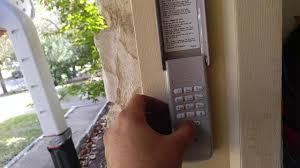
How To Program A Chamberlain Keypad Garage Door Opener (Quick Answer)
To program your Chamberlain keypad:
- Locate the “Learn” button on your garage door opener
- Press and release it
- Enter a 4-digit PIN on the keypad
- Press the Enter button
- Wait for the garage light to blink or click
This confirms successful programming.
Read too: Tc1 Tricode Garage Door Opener Remote W/ Clip Chamberlain: Complete Guide
What Is a Garage Door Keypad and How Does It Work?
A garage door keypad is a wireless entry system mounted outside your garage.
How It Works:
- You enter a PIN code
- The keypad sends a signal to the opener
- The opener verifies the code and activates the door
Most modern systems use rolling code technology, which changes the signal each time for better security.
Learn more about this system here:
👉 https://en.wikipedia.org/wiki/Rolling_code
What You Need Before Programming
Before starting, gather:
- A working Chamberlain keypad
- Access to the garage door opener motor unit
- A ladder (if needed)
- A new 4-digit PIN code
Pro Tip: Choose a PIN that’s easy to remember but hard to guess (avoid “1234” or birthdays).
Step-by-Step: How To Program A Chamberlain Keypad Garage Door Opener
Follow this detailed guide for best results:
Step 1: Locate the Learn Button
The Learn button is usually found on the motor unit.
Common colors:
- Yellow
- Purple
- Red/orange
- Green
It’s often near the antenna wire.
Step 2: Press the Learn Button
- Press and release the Learn button
- A small LED light will turn on
- You have 30 seconds to complete the next step
Step 3: Enter Your PIN
- Go to your keypad
- Enter your chosen 4-digit PIN
- Press and hold the Enter button
Step 4: Wait for Confirmation
- The garage light will blink or you’ll hear a click
- This means the code is accepted
Step 5: Test the Keypad
- Enter your PIN again
- Press Enter
- The door should open or close
Why Won’t My Chamberlain Keypad Program?
If programming fails, you’re not alone—this is a common issue.
Top Causes & Fixes
1. Learn Button Timing Expired
- Repeat the process within 30 seconds
2. Weak Battery
- Replace keypad batteries
3. Incorrect PIN Entry
- Re-enter carefully
4. Signal Interference
- Move closer to the opener
Chamberlain Keypad Programming Variations
Different models may have slight differences.
Older Models
- Require holding Enter longer (10–15 seconds)
Newer Models (Security+ 2.0)
- Faster response
- Better encryption
Keypad vs Remote: Which Is Better?
| Feature | Keypad | Remote Control |
|---|---|---|
| Convenience | No remote needed | Portable |
| Security | PIN-based | Signal-based |
| Access Sharing | Easy (share PIN) | Limited |
| Risk | PIN guessing | Lost remote |
Conclusion:
Keypads offer more flexibility, especially for families.
How to Change Your Keypad PIN (Step-by-Step)
Want to update your code? Follow this:
- Press the Learn button
- Enter a new 4-digit PIN
- Press Enter
- Wait for confirmation
Tip: Change your PIN every 6–12 months for better security.
Common Mistakes to Avoid
- Waiting too long after pressing Learn
- Using weak or obvious PINs
- Not replacing old batteries
- Standing too far from the keypad
Expert Tips for Better Security and Performance
- Use a random 4-digit PIN
- Clean keypad regularly (dust affects buttons)
- Install keypad in a covered area to avoid weather damage
- Test monthly to ensure functionality
Real-World Insight: Why Keypads Are Popular
Studies show that over 60% of homeowners prefer keyless entry systems for convenience and security.
Case Example:
A family with multiple members found that using a keypad reduced lost remote issues and improved access control.
FAQ: How To Program A Chamberlain Keypad Garage Door Opener
1. How long does it take to program a keypad?
Typically 2–5 minutes, depending on your familiarity with the process.
2. Can I use more than one PIN?
Most standard keypads allow only one primary PIN, but some advanced models support temporary codes.
3. Why is my keypad blinking but not working?
This often indicates low battery or incomplete programming.
4. Do I need to reprogram after a power outage?
Usually no. Most systems retain memory even after power loss.
5. Can I program the keypad without a ladder?
Only if you can safely reach the opener’s Learn button.
6. Is it safe to use a garage keypad?
Yes, especially with rolling code technology that prevents signal hacking.
Conclusion
Now you fully understand How To Program A Chamberlain Keypad Garage Door Opener and can confidently complete the process in minutes. With just a few steps, you’ll enjoy secure, convenient, and keyless access to your garage.
Programming your keypad not only saves time but also improves daily convenience for your entire household. If this guide helped you, share it on social media so others can benefit too!
Leave a Reply